Echo Lake Redoubt and Grille (Vanilla)
⚪ Last updated 2017⚠️ Install Order · 2 steps
Install in this order, then this mod last — most mods fail to load without their framework and dependencies in place.
Preview
🔍 Analysis
- 👍 7.4% endorsement rate — high engagement, a strong quality signal
- 🏆 #9 of 33 Transfer Settlement Blueprints mods in this game by downloads
📋 About This Mod
Echo Lake Redoubt & Grille Blueprint 1.1 (Vanilla - Echo Lake Lumber) - for use with Transfer Settlements 1.41 - vanilla/DLC only, no mods required - Requires Automatron, Far Harbor, Wasteland Workshop, Vault-Tec Workshop - Power
Version 1. 1 is here!
Updated version fully compatible with Transfer Settlements 1. 41 - no more manually re-connecting the power!
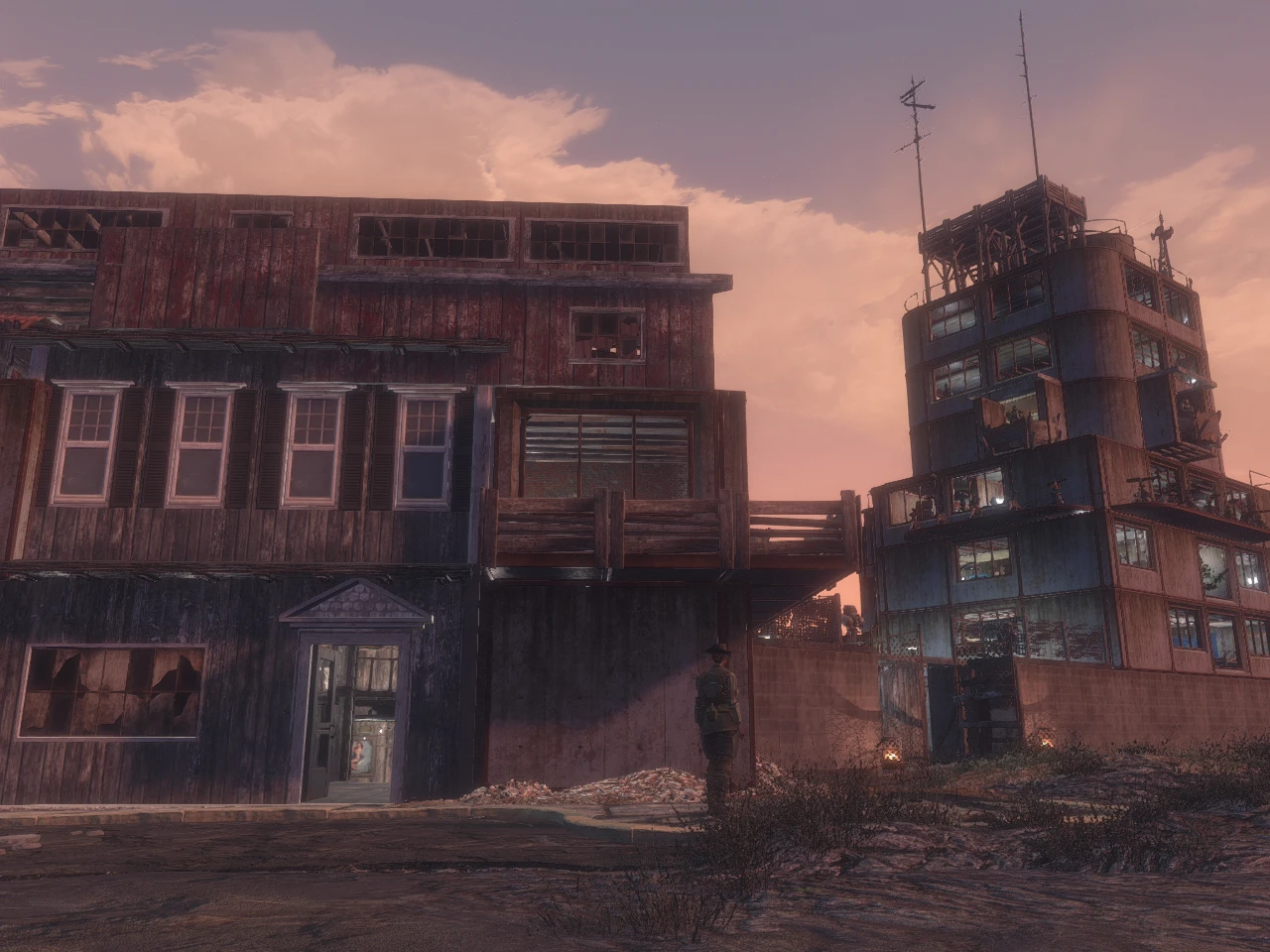
The settlers of Echo Lake Lumber have built a self-sustaining fortified compound that contains their work areas and living quarters. For after-hours recreational activities, they head over to the bar and grill they've built out of the ruins of the old lumberyard store and office.
- []Created completely with vanilla/DLC assets - no mods required! []Enclosed crop-growing area for protected food production []Protected water purifiers for worry-free water farming []Controlled gated entry/exit points []Dormitory area with beds for 20 settlers []Mess hall area []Workshop area with all crafting stations (except robot workbench) []Clinic complete with beds and waiting area []Commissary area with all shop types []Restored main building with bar and lounge areas
REQUIREMENTS:
- []Wasteland Workshop DLC []Contraptions DLC []Far Harbor DLC []Fallout 4 Script Extender (F4SE) []HUD Framework []Transfer Settlements - Shareable Settlement Blueprints
Prior to installation, be sure to have all required DLC installed. In addition, you should already have F4SE, HUDFramework, and Transfer Settlements - Shareable Settlement Blueprints installed.
NMM Install Instructions: Download with manager and install.
Manual Install Instructions: Download and unzip to C:\Program Files (x86)\Steam\steamapps\common\Fallout 4\Data
IMPORTANT NOTES:
[]The settlement alert siren may be active after import. Just run up to the top of the structure and turn it off.
[]When the import is complete, in order to restore navmeshing/settler pathing and make the settlement work as it should, you must save your game and then load the save. Then travel away from the settlement and either wait, sleep, or pass time in the game doing other things. When you save the first time after import, it is possible it will take several minutes and your game will seem like it's frozen. If this happens, it's no
📊 Mod Details
- Game
- Fallout 4 Mods
- Author
- mayaterror
- Version
- 1.1
- Downloads
- 4,109
- Endorsements
- 304
- Category
- Transfer Settlement Blueprints
- Created
- 3/12/2017
- Updated
- 7/2/2017
🔧 How to Install Fallout 4 Mods
Download from Nexus.
📖 Full step-by-step install guide for Fallout 4 →
Visit the official mod page for specific installation instructions for this mod.
🎮 Need cheat codes or console commands? Check ur gaming wiki for Fallout 4 commands, item IDs, and more.
Keep browsing — more Fallout 4 mods await