E3FX SSAO and HBAO Add-ons
⚪ Last updated 2015⚠️ Install Order · 3 steps
Install in this order, then this mod last — most mods fail to load without their framework and dependencies in place.
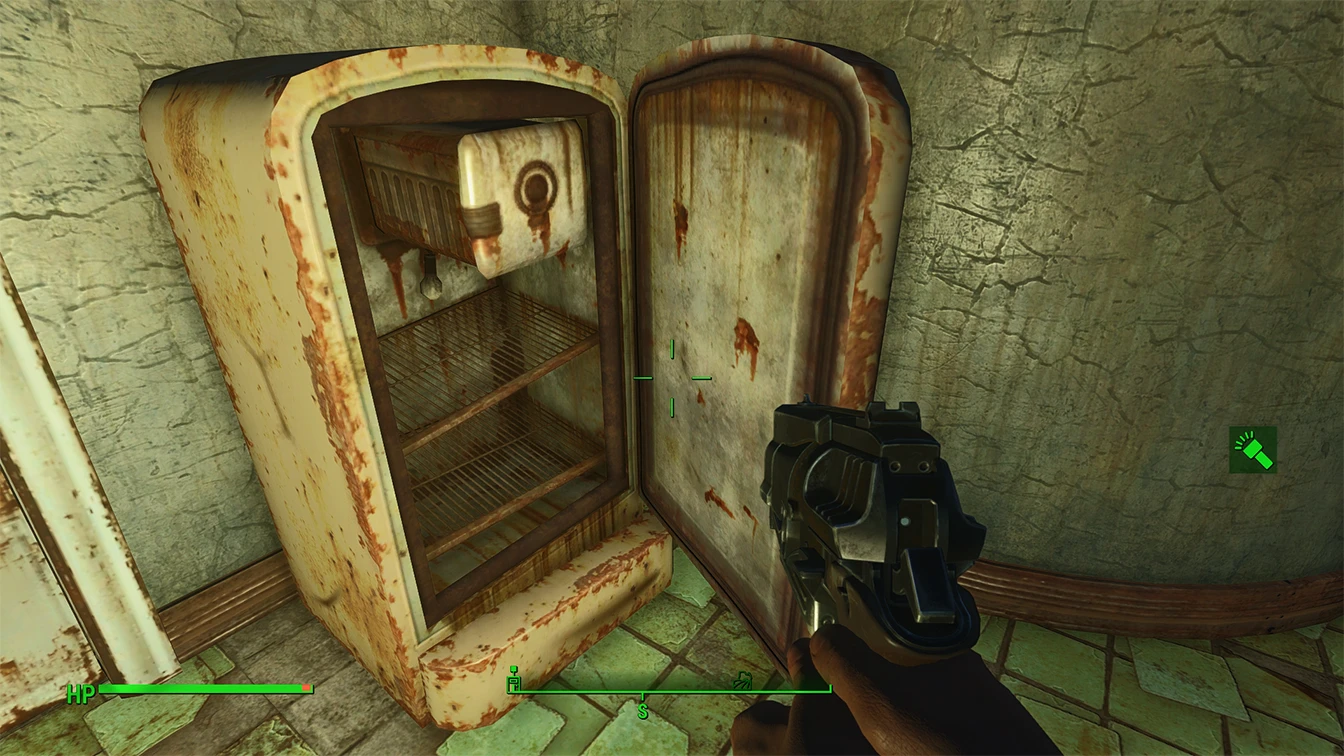
Preview
🔍 Analysis
- 👍 3.0% endorsement rate — high engagement, a strong quality signal
- 🏆 #1 of 6 ReShade Presets mods in this game by downloads
📋 About This Mod
Add your own SSAO and HBAO to ANY reshade preset using these files.
In addition you can try a pre-made vanilla preset that adds SSAO, realistic lighting, and sharpening, to enhance the atmosphere of the game. This creates a more realistic feel without any color changes.
This mod will not be developed much - but will serve as a template/standard for future Reshade mods to include these effects
Highly recommend using a mod like Fog Remover to eliminate graphical glitches
Live Screenshot Comparison
a_dsHvVyoFw
#define AO_LUMINANCE_UPPER XX // //
Change XX to a number between . 4 or . 6
Instructions: Just download and unzip to wherever your fallout4.exe is
To Toggle Hit scroll lock
To Remove: Delete what you extracted
To Change SSAO Parameters Open Reshade > McFX.cfg with Notepad and Edit the options under ///AMBIENTOCCLUSION///
Recommended Tweaks - Godrays LOW or OFF - Nvidia control panel AO set to Performance
E3FX SSAO and HBAO Add-ons is a ReShade preset from the creator of Witcher 3's most popular graphics mod, adding SSAO, enhanced lighting, and sharper textures for a next-gen look. With 1,249 endorsements and 41,365 downloads, it's a well-received visual enhancement for players seeking richer graphics.
✨ Key Features
📊 Pros & Cons
✅ Pros
- Backed by a proven modder—if you liked their Witcher 3 work, this is a safe bet.
- Solid community trust with 1,249 endorsements and 41k downloads.
- Delivers a noticeable visual upgrade with SSAO and lighting tweaks.
⚠️ Cons
- Last updated in 2015—might not play nice with newer ReShade versions or game updates.
- Requires ReShade, which adds an extra setup step for newcomers.
For Witcher 3 players who loved the author's previous graphics mod and want a similar visual boost. Also for modders who enjoy tweaking ReShade presets and want a solid base to build on. Skip if you prefer vanilla graphics or don't want to mess with ReShade.
💡 Beginner Tips
- Make sure ReShade is installed and set up for your game before adding this preset.
- If the preset doesn't show up, check that the file is in the correct ReShade presets folder.
- Adjust the preset's intensity in-game using ReShade's in-game menu to suit your taste.
📊 Mod Details
- Game
- Fallout 4 Mods
- Author
- Drogean
- Version
- 3
- Downloads
- 41,365
- Endorsements
- 1,249
- Category
- ReShade Presets
- Created
- 11/11/2015
- Updated
- 11/27/2015
🧩 Commonly Used Together
Users add these mods to the same collections — a real compatibility signal, not an AI guess.
🔧 How to Install Fallout 4 Mods
Download from Nexus.
📖 Full step-by-step install guide for Fallout 4 →
Visit the official mod page for specific installation instructions for this mod.
🎮 Need cheat codes or console commands? Check ur gaming wiki for Fallout 4 commands, item IDs, and more.
Keep browsing — more Fallout 4 mods await