DOT instead of Crosshair - UPDATE for Fallout 1.7.15
⚪ Last updated 2016⚠️ Install Order · 2 steps
Install in this order, then this mod last — most mods fail to load without their framework and dependencies in place.
Preview
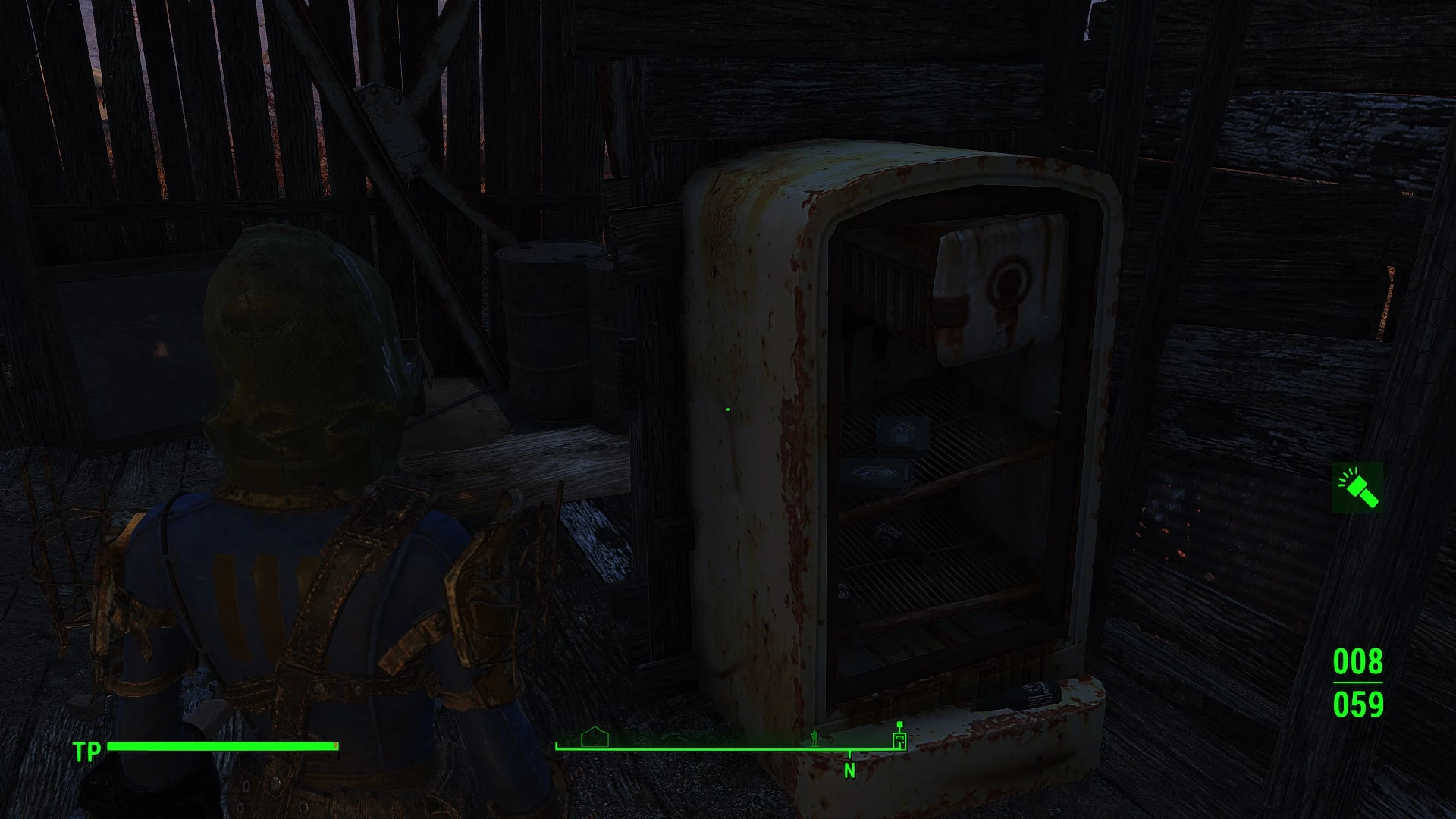
🔍 Analysis
- 👍 4.1% endorsement rate — high engagement, a strong quality signal
- 🏆 #30 of 81 User Interface mods in this game by downloads
📋 About This Mod
Changes the crosshair (while walking or stand still) into a static dot, not chaning all other crosshair animations.
For a DOT without the animations while focussing or something like that, check out: Minimalistic Crosshair HUD Interface
My SweetFX Preset improved and now @ NEXUSMODS: Realistic Lights Shadows and Color Overhaul
Hint: for noDOTDOT mod: Install the noDOTDOT mod and copy this mod over. (not proven with 1. 7. 15)
UPDATE V1. 1: Fixed 1st person.
UPDATE V1. 2: just a coding fix, not changing your gameplay/mod but may prevent problems caused by not logical values.
UPDATE V1. 4B: Version for 21:9 UW screen monitors added. Thx to raz3d for scaling. UPDATE 04. 12. 2015: Smaller Dot Version added (V3. X)
UPDATE V3. 3: Fixed bug-Issue reported by ArinBane and Dolggan, thx for this. (V 1. 1 and 1. 2 are not afflicted)
UPDATE V3. 4: Fixed some shape-offsets that leads to a "shacking" dotU
UPDATE V4. 0. 1715: Update for Fallout Version 1. 7. 15 (no 21:9 UW support atm, version will be added soon....waiting for raz3d)
V4. 0. 1715 is for 1st person mode, not havin DOT via ironsights V4. 0. 1715B is for 3rd person mode, having a dot all the time even with iron sights and in other animations (im sorry, not solving this yet.....you can use V4. 0. 1715 even in 3rd persopn mode but this will shortly lead to a disappearing dot while aiming)
Installation:
ONLY WORKS with no other mod changing the hudmenu.swf
Set bEnableFileSelection to 1 in Fallout4Prefs.ini (C:\Users\USERNAME\Documents\My Games\Fallout4 and C:\Program Files (x86)\Steam\steamapps\common\Fallout 4\Fallout4)bEnableFileSelection=1
Extract archive to C:\Program Files (x86)\Steam\steamapps\common\Fallout 4\ (SAVE YOUR hudmenu.swf in \DATA\INTERFACE\ to reactivate your old mod if this is not the mod you want to have)
In fallout 4.ini make theese changes:
sResourceDataDirsFinal=STRINGS\, TEXTURES\, MUSIC\, SOUND\, INTERFACE\, MESHES\, PROGRAMS\, MATERIALS\, LODSETTINGS\, VIS\, MISC\, SCRIPTS\, SHADERSFX\, VIDEO\, ACTORS\
Uninstllation: delete C:\Program Files (x86)\Steam\steamapps\common\Fallout 4\hudmenu.swf (and rename your saved hudmenu.swf i
Replaces the Fallout 4 crosshair with a static dot while walking or standing, leaving all other crosshair animations unchanged. A simple UI tweak for players who prefer a minimal aiming reticle. With 816 endorsements and nearly 20k downloads, it's a popular choice for a cleaner HUD.
✨ Key Features
📊 Pros & Cons
✅ Pros
- Community favorite with 816 endorsements and nearly 20k downloads
- Simple, focused change—no extra clutter or unwanted tweaks
- Lightweight and easy to install
⚠️ Cons
- Last updated in 2016—may not work with newer game versions
- Only affects walking/standing crosshair; other animations remain unchanged
- No detailed instructions or images provided
For Fallout 4 players who find the default crosshair distracting and want a cleaner, minimal dot for aiming. Skip if you want a full crosshair overhaul or need compatibility with the latest game patches.
💡 Beginner Tips
- Place the mod files directly into your Fallout 4 Data folder, then enable it in the mod list.
- If you're using a mod manager, let it handle the installation to avoid manual errors.
- Since the mod is old, check if your game version matches 1.7.15 before installing.
📊 Mod Details
- Game
- Fallout 4 Mods
- Author
- Lostvampire
- Version
- 4.0.1715
- Downloads
- 19,741
- Endorsements
- 816
- Category
- User Interface
- Created
- 12/3/2015
- Updated
- 9/13/2016
🔧 How to Install Fallout 4 Mods
Download from Nexus.
📖 Full step-by-step install guide for Fallout 4 →
Visit the official mod page for specific installation instructions for this mod.
🎮 Need cheat codes or console commands? Check ur gaming wiki for Fallout 4 commands, item IDs, and more.
Keep browsing — more Fallout 4 mods await