DLL (Native mod) loader
⚪ Last updated 2015This mod may not work until the author updates it. Check for an update, or see the rollback guide.
⚠️ Install Order · 2 steps
Install in this order, then this mod last — most mods fail to load without their framework and dependencies in place.
Preview
🔍 Analysis
- 👍 3.3% endorsement rate — high engagement, a strong quality signal
- 🏆 #7 of 20 Utilities mods in this game by downloads
📋 About This Mod
This is a loader required for my DLL mods.
Installation
Unpack and place d3d11.dll in the game's directory (same directory as Fallout4.exe).
If you already have d3d11.dll from ENB installed:
- []Create the directory "NativeMods" under your Fallout 4 game directory []Inside the "NativeMods" directory, create a directory called "ENB" []Move ENB's d3d11.dll the "ENB" directory under "NativeMods" []Rename ENB's d3d11.dll to "ENB.dll" []Install this mod as above
By itself, this mod adds nothing to the game, and is only a requirement for certain other mods (see below).
Mode of operation
What this mod does exactly:
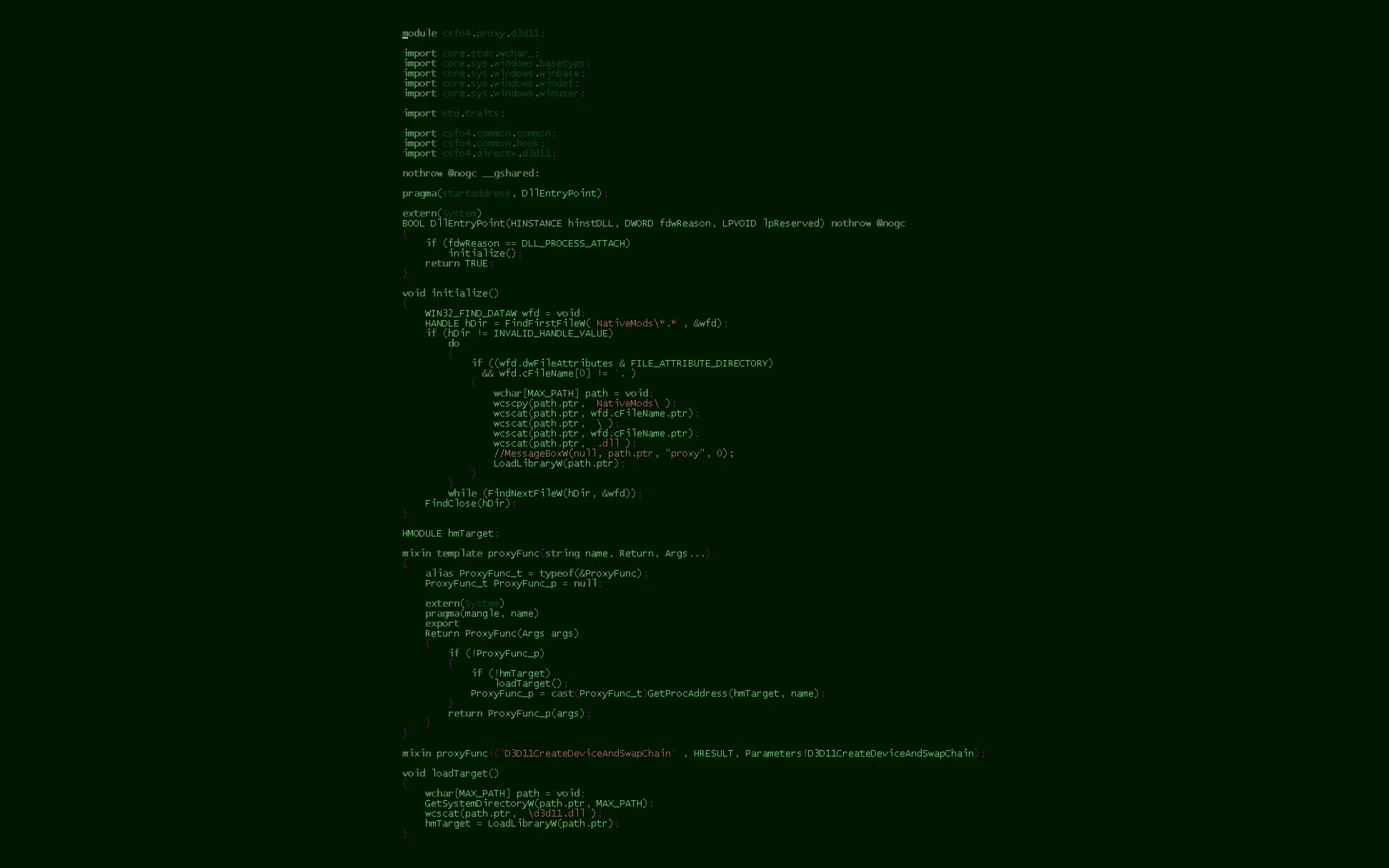
when the game starts and this DLL loads, this mod will load installed native DLL mods. Native mods are loaded as follows:
For every subdirectory X under the "NativeMods" directory, the game will attempt to load NativeMods/X/X.dll. Errors are silently ignored. If X.dll exports a d3d11.dll function the game uses (currently just D3D11CreateDeviceAndSwapChainProxy), it will be called instead of the system DirectX function.
List of mods which require this loader
- []Pip-Boy App Local Map Fix []Upscale (any-resolution borderless fullscreen)
If you created a DLL mod that can be used with this loader, please let me know and I'll add it to the list.
v0. 1 (2015-11-21):
- []Split off as separate mod (previously this was part of the Pip-Boy App Local Map Fix mod). []Link against msvcrt.dll to remove dependency to msvcr110.dll []Switch to proxying d3d11.dll instead of dxgi.dll, to avoid conflict with shader mods
v0. 2 (2015-11-21):
- Added chain-loading (API forwarding) for ENB compatibility
Source code
https://github.com/CyberShadow/csfo4
A tiny utility that loads DLL mods into Fallout 4 via a d3d11.dll proxy. Essential for modders and players using native code mods, with 3,065 endorsements and 93,739 downloads. Last updated in 2015, so it's stable but may need compatibility checks with current game versions.
✨ Key Features
📊 Pros & Cons
✅ Pros
- Community staple for native mods—3,065 endorsements and 93k downloads prove it's trusted
- Dead simple: drop the DLL in your Fallout 4 folder and you're set
- Enables a whole category of mods that wouldn't work otherwise
⚠️ Cons
- Last updated in 2015—might not play nice with the latest Fallout 4 patches, so check compatibility
- No documentation or instructions in the description, so you're on your own if something breaks
- Requires manual installation—no mod manager support, so you'll need to know your game folder
For modders and players who want to use native DLL mods like F4SE plugins or custom engine tweaks. If you're a casual player sticking to ESP/ESM mods, you probably don't need this. Skip if you're not comfortable manually placing files in your game directory.
💡 Beginner Tips
- Place the d3d11.dll in your Fallout 4 root folder (where Fallout4.exe is), not in Data.
- If you're using F4SE, this loader might conflict—check if your mods require F4SE instead.
- Since it's from 2015, test with a single DLL mod first to ensure it works with your game version.
📊 Mod Details
- Game
- Fallout 4 Mods
- Author
- CyberShadow
- Version
- 0.2
- Downloads
- 93,739
- Endorsements
- 3,065
- Category
- Utilities
- Created
- 11/21/2015
- Updated
- 11/21/2015
🔧 How to Install Fallout 4 Mods
Download from Nexus.
📖 Full step-by-step install guide for Fallout 4 →
Visit the official mod page for specific installation instructions for this mod.
🎮 Need cheat codes or console commands? Check ur gaming wiki for Fallout 4 commands, item IDs, and more.
Keep browsing — more Fallout 4 mods await