Depth of Field (DoF) Removal
⚪ Last updated 2015⚠️ Install Order · 2 steps
Install in this order, then this mod last — most mods fail to load without their framework and dependencies in place.
Preview
🔍 Analysis
- 👍 2.9% endorsement rate — high engagement, a strong quality signal
- 🏆 #61 of 76 Visuals and Graphics mods in this game by downloads
📋 About This Mod
I'm a bit surprised to not find a mod that does this, considering the engine bug has been around since Skyrim.
You might be asking "Why would I need a mod to remove Depth of Field when there's an option in the config file/launcher"?
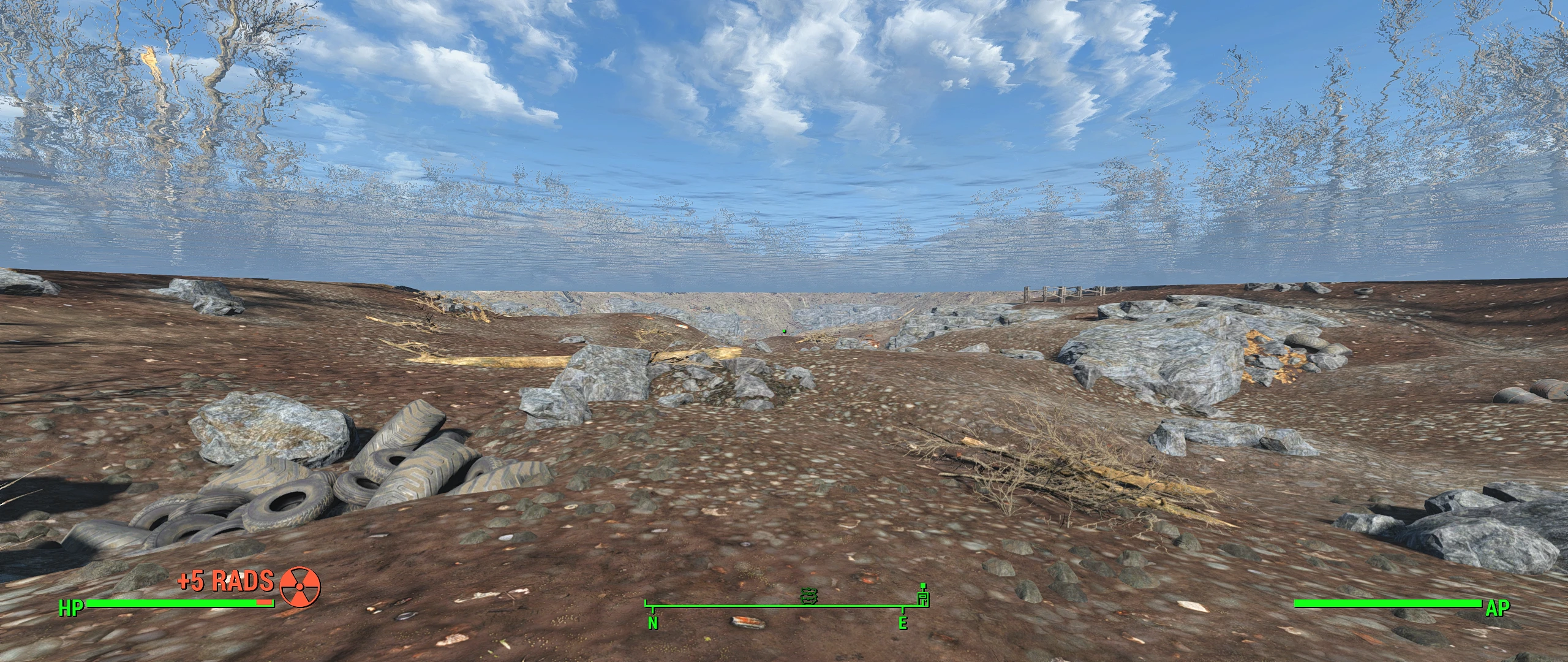
Well, take a look at the screenshot below:
That's what happens to the underwater effect when you disable DoF in the options. It disappears!
Needless to say, you don't want underwater being crystal clear (unless you like your immersion breaking.. or want to cheat!).
This mod aims to remove the Depth of Field effects throughout the game while retaining the underwater effect.
See this video for comparison:
NGrU12ebrFs
Currently this mod removes:
-
[]Ironsights DoF.
[
]Dialogue DoF.[]Crafting DoF.
[]Pipboy DoF (including power armor).
[]Inspection DoF. (optional)
[]VATS/VANS DoF. (wasn't too visible)
- Slow time effect (like Jet) DoF.
I'll (potentially) provide optional solutions later on if requested or if I find something I prefer instead. (eg. inspection DoF in place as it's a bit harder to focus on the item with everything clear)
- Remove lockpick DoF. (Couldn't find it in the file)
- Remove radial blur as an optional file.
- Remove any other blurring effect I find or is requested.
- Potentially remove soft DoF/blur applied as atmospheric effects throughout the game. This requires playtesting. (Requested)
Mod is essentially complete.
Technical details: You can open the file in FO4Edit to see what it does.
If you are lazy:
Sets Game Setting "fIronSightsDOFStrength" to 0.
Changes Image Space Adapters for various things, specifically the WNAM - DoF Strength value to 0.
Future radial blur removal for certain things may also set the Blur Radius and Radial Blur Strength WNAM's to 0.
The esp was created with the latest version(s) of FO4Edit. (as of December 2015)
If you only care about the Ironsights blur and do not want to use an .esp for it, you can use the console command: setgs fIronSightsDOFStrength 0
However, this must be set at every game load, as it is not saved beyond your current session. Alternatively, there's a mod that does -only- that: http://www.nexusmods.com/fallout4/mods/2304/
I'm going to assume you know the basics of enabling mods for FO4, and enabling .esps specifically. If not, please
A lightweight utility mod that removes Depth of Field effects while keeping the DoF setting enabled, bypassing an engine bug. With nearly 5,000 endorsements and over 168,000 downloads, it's a proven fix for players who want crisp visuals without the blur. Last updated in 2015, so compatibility with newer game versions is unverified.
✨ Key Features
📊 Pros & Cons
✅ Pros
- Community favorite with nearly 5,000 endorsements and over 168k downloads—clearly a go-to fix.
- Does exactly what it says: kills the blur while keeping the setting on, so no engine bug triggers.
- Lightweight and to the point—no bloat, just the fix you need.
⚠️ Cons
- Last updated in 2015—might not work with current game versions, so test before relying on it.
- Only addresses DoF; if you're looking for broader visual tweaks, this won't help.
For players who hate the depth-of-field blur in screenshots or gameplay and want a clean, sharp image without messing with settings. Skip if you're on a newer game version or want more visual overhauls—this is a single-purpose fix.
💡 Beginner Tips
- Since it's a simple file drop, make sure to place it in the correct game directory—check the mod's file structure if you're unsure.
- If you're using a mod manager, you can still install manually; just extract and copy the files to your game folder.
- Test in a scene with strong DoF (like dialogue or cutscenes) to confirm the effect is gone.
📊 Mod Details
- Game
- Fallout 4 Mods
- Author
- DAOWAce
- Version
- 0.4
- Downloads
- 168,991
- Endorsements
- 4,943
- Category
- Visuals and Graphics
- Created
- 12/2/2015
- Updated
- 12/27/2015
🧩 Commonly Used Together
Users add these mods to the same collections — a real compatibility signal, not an AI guess.
🔧 How to Install Fallout 4 Mods
Download from Nexus.
📖 Full step-by-step install guide for Fallout 4 →
Visit the official mod page for specific installation instructions for this mod.
🎮 Need cheat codes or console commands? Check ur gaming wiki for Fallout 4 commands, item IDs, and more.
Keep browsing — more Fallout 4 mods await