CROSS Jetpack - Animation Patch
⚪ Last updated 2021⚠️ Install Order · 3 steps
Install in this order, then this mod last — most mods fail to load without their framework and dependencies in place.
Preview
🔍 Analysis
- 👍 3.2% endorsement rate — high engagement, a strong quality signal
- 🏆 #30 of 141 Patches mods in this game by downloads
📋 About This Mod
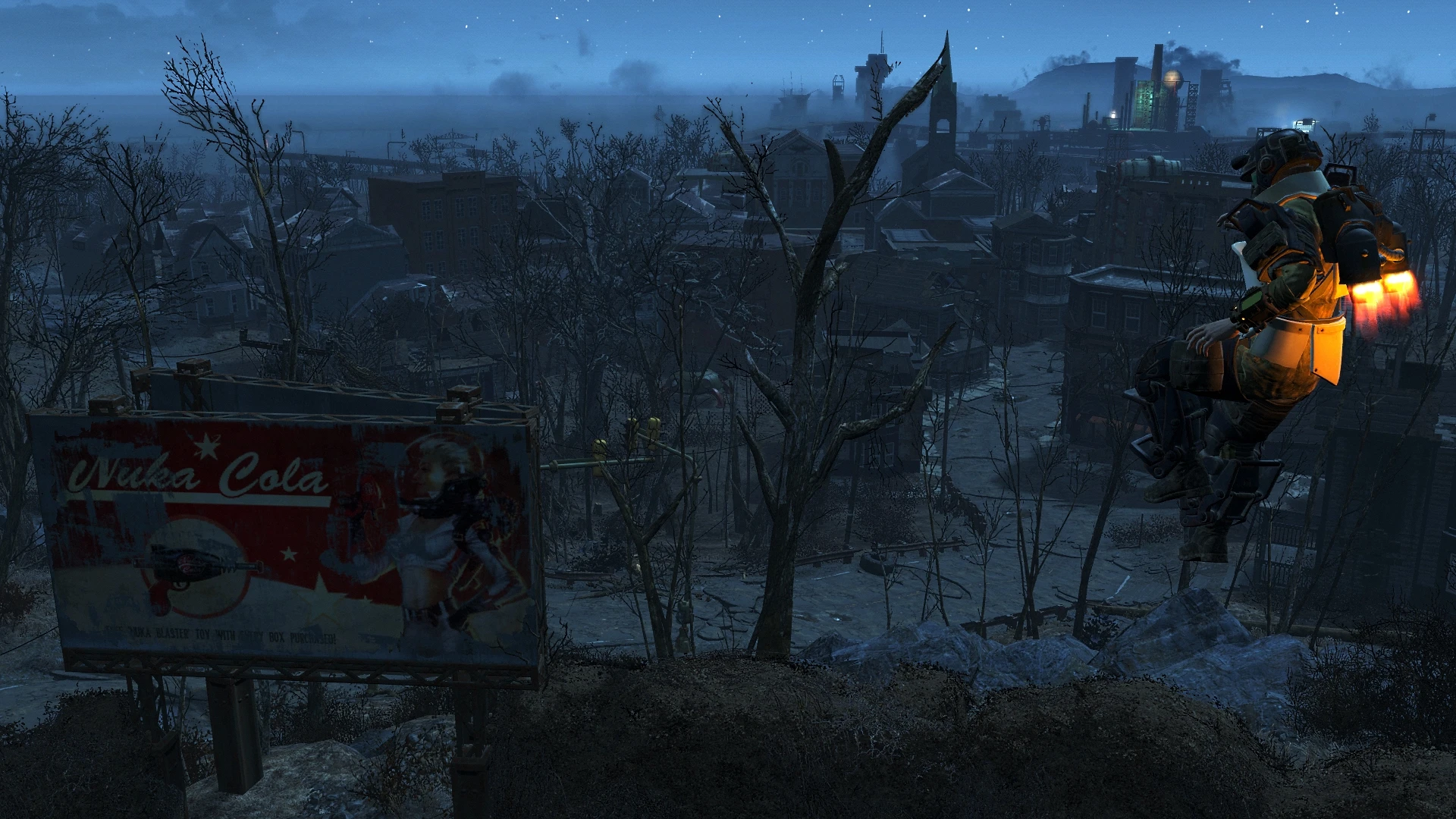
Separates animations for CROSS Jetpack and PA Jetpack. PA Jetpack animation is back to the standard one and the visual effect is working.
Variation 1
This is for CROSS Jetpack and should also work for mods, which rely on Niero's script and method of switching the animations(Jetpacks FAO for example). If you have other mods installed, like Personal Jetpack, Secret Service Armor, etc., the T-pose will be changed to jump animation, but the visual effect of the jetpack(flames, smoke) will be broken and stop working. The plugin has ESL flag. Put it after CROSS Jetpack, Jetpacks FAO, etc.
Variation 2
This works for CROSS Jetpack only. For this variation I used a 2nd keyword inside condition checks for the idle animations, like I described in the article from my mod. No other jetpack mods will be affected in any way. The plugin has ESL flag. Put the plugin after CROSS Jetpack.
Minor issue
The visual effect of the non-PA jetpack may stop working. This happens only after you exit PA, while also wearing CROSS Jetpack. To me it seems more like an engine quirk. The fix is easy: just re-equip the non-PA jetpack.
Compatibility and Load Order
Murielkai, the mod author of Jetpacks FAO, has patches for other non-PA jetpacks. If using his mods and patches, Variation 1 is the way to go, put the plugin after all the jetpack mods.
Thank you: Niero
This patch separates the animations for the CROSS Jetpack and the Power Armor Jetpack, allowing them to have distinct animation sets. It's a small utility mod for Fallout 4 players who use the CROSS Jetpack mod and want more variety. With 410 endorsements and over 12,000 downloads, it's a community-approved tweak.
✨ Key Features
📊 Pros & Cons
✅ Pros
- Community-approved with 410 endorsements and over 12k downloads.
- Adds distinct animations for power armor jetpacks, improving immersion.
- Simple patch that does exactly what it says—no bloat.
⚠️ Cons
- Only useful if you have the CROSS Jetpack mod installed.
- Last updated in 2021, so may not be compatible with newer game patches.
- Potential conflicts with other animation mods that alter jetpack behavior.
For Fallout 4 players who use the CROSS Jetpack mod and want separate animations for the standard and power armor jetpacks. Skip if you don't use CROSS Jetpack or if you're fine with the default animations.
💡 Beginner Tips
- Make sure you have the CROSS Jetpack mod installed before adding this patch.
- Load this patch after the main CROSS Jetpack mod in your load order.
- If you use a mod manager, let it handle the file placement to avoid overwriting issues.
📊 Mod Details
- Game
- Fallout 4 Mods
- Author
- robotized
- Version
- 1
- Downloads
- 12,759
- Endorsements
- 410
- Category
- Patches
- Created
- 10/22/2021
- Updated
- 10/22/2021
🔧 How to Install Fallout 4 Mods
Download from Nexus.
📖 Full step-by-step install guide for Fallout 4 →
Visit the official mod page for specific installation instructions for this mod.
🎮 Need cheat codes or console commands? Check ur gaming wiki for Fallout 4 commands, item IDs, and more.
Keep browsing — more Fallout 4 mods await