Button Lowered Weapons - First and Third Person
⚪ Last updated 2015⚠️ Install Order · 2 steps
Install in this order, then this mod last — most mods fail to load without their framework and dependencies in place.
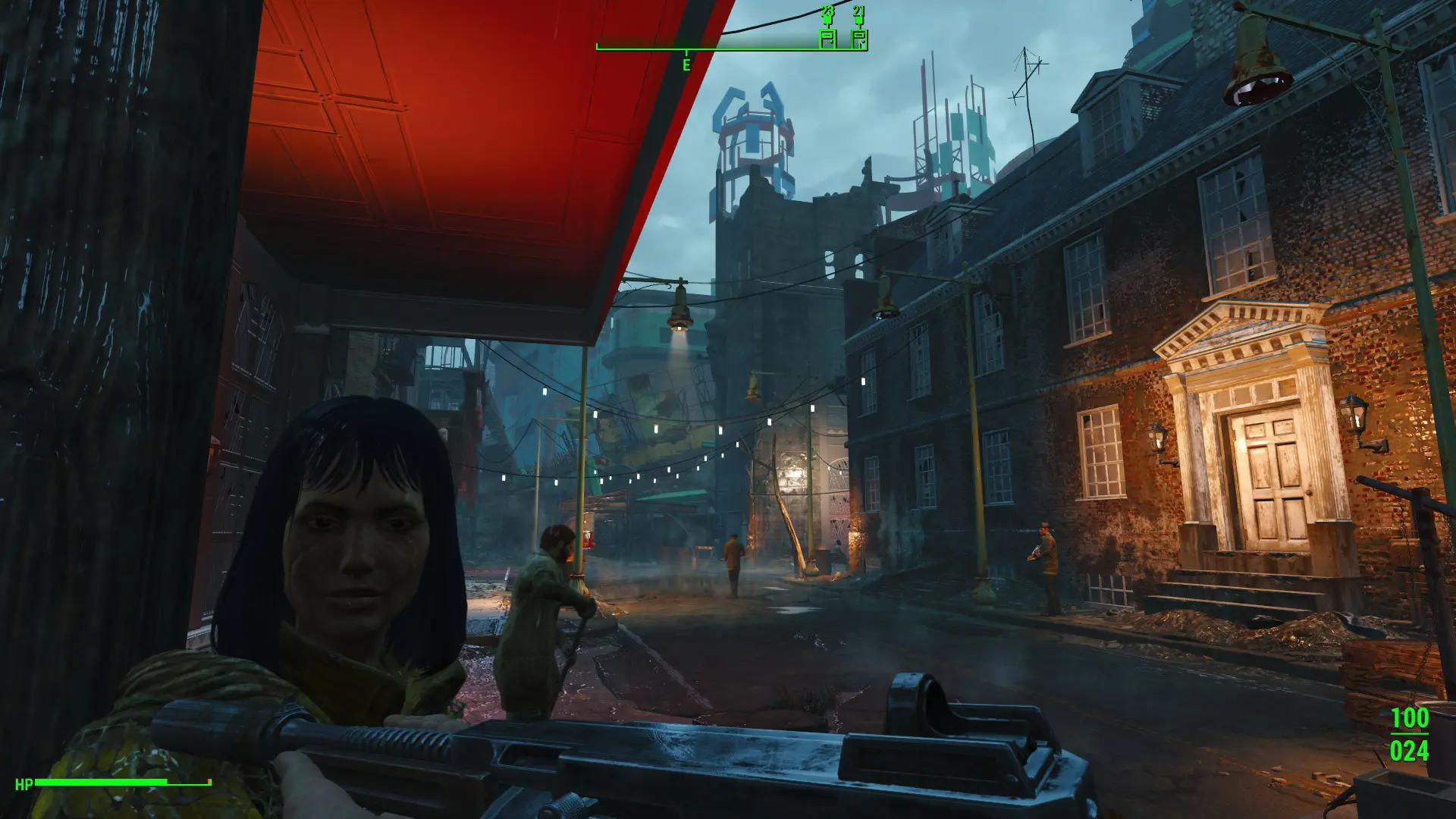
Preview
🔍 Analysis
- 👍 2.9% endorsement rate — high engagement, a strong quality signal
- 🏆 #24 of 73 Animation mods in this game by downloads
📋 About This Mod
Hold sheathe to lower your weapon. If your weapon is already lowered, hold it again to sheathe. Aim to raise your weapon. Unsheathe as normal. Works in 1st and 3rd person.
This Skyrim mod lets you lower your weapon by holding the sheathe button, then sheathe it with another hold. Aiming raises the weapon back up. Works in both first and third person, with over 14,000 endorsements and 500,000 downloads.
✨ Key Features
📊 Pros & Cons
✅ Pros
- Huge community trust with 14,741 endorsements and over 500k downloads.
- Simple, intuitive mechanic that feels natural in combat.
- No complex setup—just hold and go.
⚠️ Cons
- Last updated in 2015—may have issues with newer Skyrim versions or mods.
- No detailed instructions or troubleshooting in the description.
- Requires a key hold, which might conflict with other mods using the same input.
For Skyrim players who want more immersive weapon handling without full animation overhauls. Great for roleplayers and those who like to walk around with weapons drawn but not ready. Skip if you prefer vanilla sheathe mechanics or want a more comprehensive animation mod.
💡 Beginner Tips
- Test the hold timing in a safe area to get used to the input.
- Check your mod manager for conflicts with other input mods.
- If using a controller, ensure the sheathe button is easily accessible for holding.
📊 Mod Details
- Game
- Fallout 4 Mods
- Author
- JackArbiter
- Version
- 0.2
- Downloads
- 502,492
- Endorsements
- 14,741
- Category
- Animation
- Created
- 12/19/2015
- Updated
- 12/24/2015
🔧 How to Install Fallout 4 Mods
Download from Nexus.
📖 Full step-by-step install guide for Fallout 4 →
Visit the official mod page for specific installation instructions for this mod.
🎮 Need cheat codes or console commands? Check ur gaming wiki for Fallout 4 commands, item IDs, and more.
Keep browsing — more Fallout 4 mods await