Brotherhood of Steel Kit
⚪ Last updated 2016⚠️ Install Order · 2 steps
Install in this order, then this mod last — most mods fail to load without their framework and dependencies in place.
Preview
🔍 Analysis
- 👍 2.9% endorsement rate — high engagement, a strong quality signal
- 🏆 #9 of 15 Modders Resources and Tutorials mods in this game by downloads
📋 About This Mod
NOTICE: Brotherhood of Steel kit is now completely Open Source and the category is being pushed to the Resources section. It will not receive any more updates and I am no longer supporting it. If you would like to continue maintaining the mod you are welcome to do so
If you have never installed a mod - I highly recommend watching Gopher or GamerPoets videos on Manual/Nexus installation.
-
[]Extract contents of file using your preferred extraction software to the Fallout 4 Data directory ... SteamLibrary\steamapps\common\Fallout 4\Data
[
]enable any ESP's contained in the archive in your preferred mod manager. The ESP for this mod is named "Brotherhood of Steel Kit".
-
[]Select download with manager, plug and play.
- [
-
[]Disable ESP or delete mod.
- [
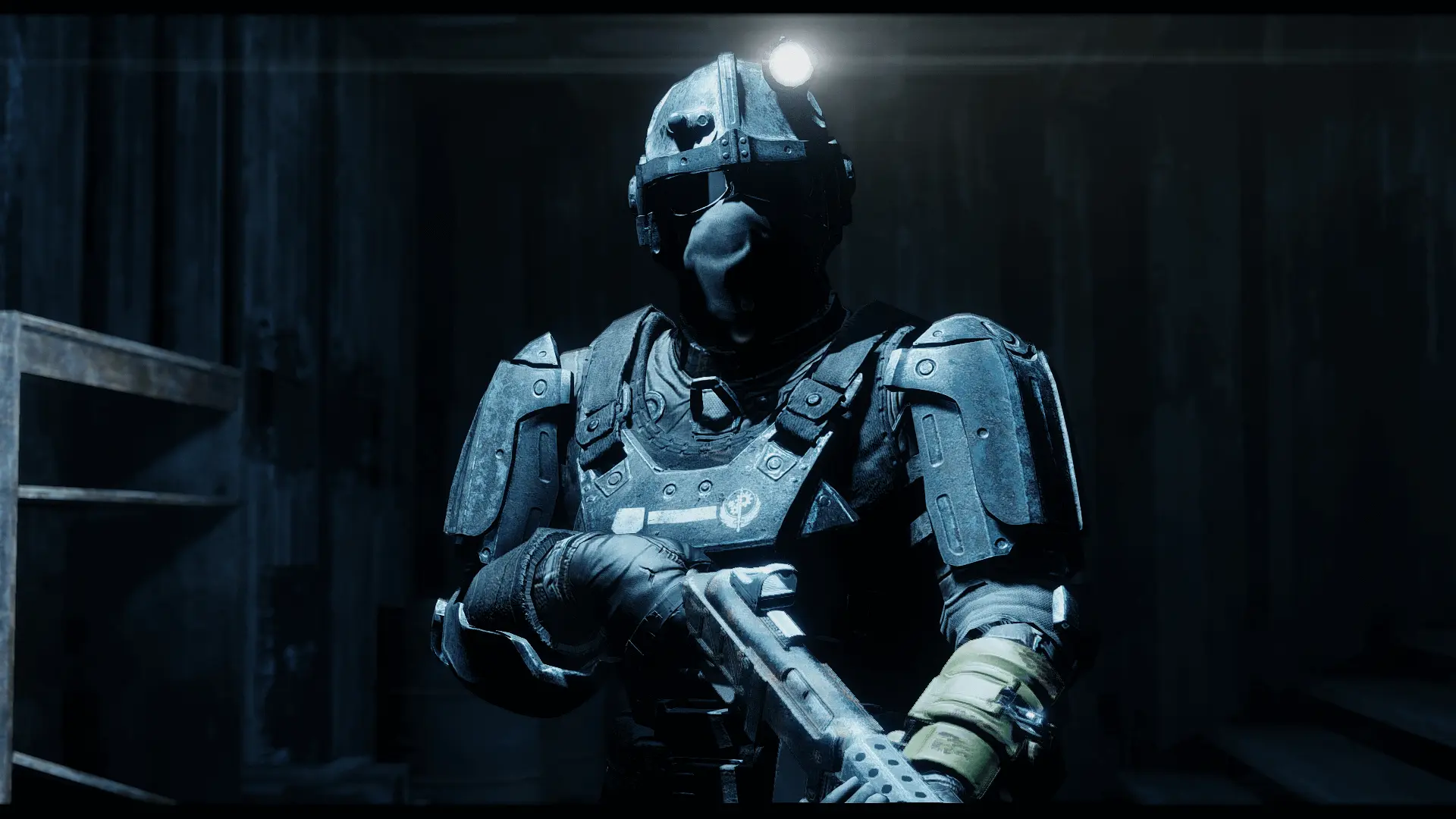
A resource pack from 2016 offering 4K handmade retextures for Brotherhood of Steel outfits and armors in Fallout 4. With nearly 9,000 endorsements and over 300,000 downloads, it's a popular choice for players seeking higher-resolution textures for BoS gear.
✨ Key Features
📊 Pros & Cons
✅ Pros
- Huge community trust: 8,777 endorsements and 300k downloads show it's a go-to for BoS fans
- 4K textures give a crisp upgrade over vanilla, making armor pop in screenshots and gameplay
- Simple resource mod—just drop it in and enjoy better-looking BoS gear
⚠️ Cons
- Last updated in 2016—might have compatibility issues with newer game patches or DLC
- Only covers Brotherhood of Steel gear, so if you're not a BoS fan, this won't help much
For Fallout 4 players who love the Brotherhood of Steel and want their armor to look sharper without overhauling the whole game. Skip if you're not into BoS or prefer gameplay mods over visual tweaks.
💡 Beginner Tips
- Since it's a texture replacer, just place the files in your Data folder or use a mod manager—no load order worries.
- If you use other texture mods, install this one last to ensure BoS textures take priority.
- Check the mod's posts section for any user-reported compatibility patches if you're on the latest game version.
📊 Mod Details
- Game
- Fallout 4 Mods
- Author
- Leyr
- Version
- v2.00
- Downloads
- 300,978
- Endorsements
- 8,777
- Category
- Modders Resources and Tutorials
- Created
- 11/22/2015
- Updated
- 2/10/2016
🧩 Commonly Used Together
Users add these mods to the same collections — a real compatibility signal, not an AI guess.
🔧 How to Install Fallout 4 Mods
Download from Nexus.
📖 Full step-by-step install guide for Fallout 4 →
Visit the official mod page for specific installation instructions for this mod.
🎮 Need cheat codes or console commands? Check ur gaming wiki for Fallout 4 commands, item IDs, and more.
Keep browsing — more Fallout 4 mods await