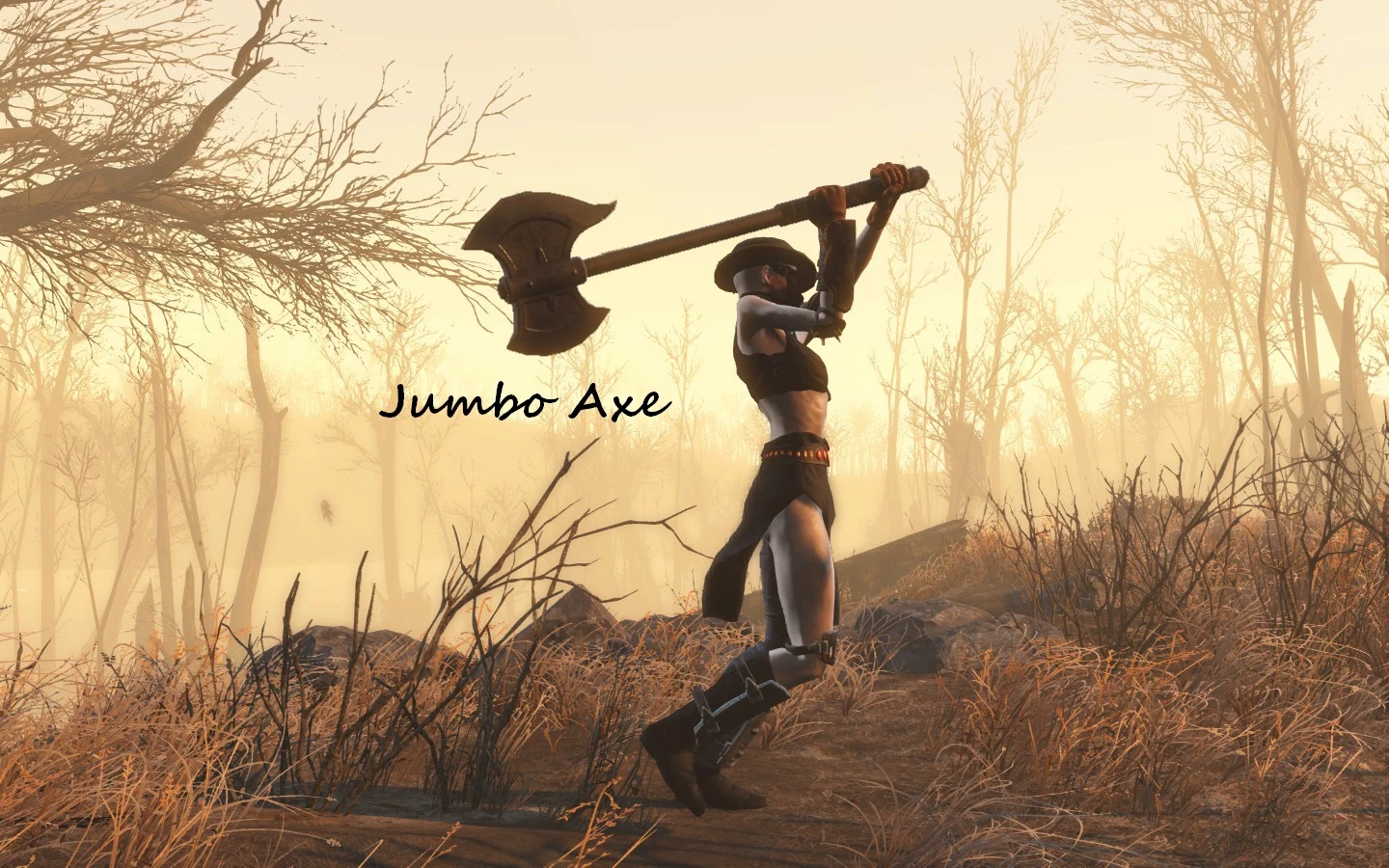
Bigger Axe
⚪ Last updated 2015⚠️ Install Order · 2 steps
1🛠️ F4SE — Fallout 4 Script Extender Download ↗
2🔧 UFO4P — Unofficial Fallout 4 Patch Download ↗
Install in this order, then this mod last — most mods fail to load without their framework and dependencies in place.
Preview
🔍 Analysis
- 👍 5.6% endorsement rate — high engagement, a strong quality signal
- 🏆 #268 of 300 Weapons mods in this game by downloads
📋 About This Mod
Bigger Axe. Need I say more? XD
As requested, a bigger, hernia-inducing axe for you Wasteland Barbarians. Have fun. =)
To install, extract the zipped file using Winrar, or similar program, open my folder, copy, or drag my "Meshes" folder into your Data folder.
NOTE: If this is your first time modding Fallout 4, please be sure to first
modify your Fallout.ini file found in Documents/MyGames/Fallout4.
Using Notepad, or similar program, find the line
''sResourceDataDirsFinal*STRINGS\'' and change it to
''sResourceDataDirsFinal=STRINGS\, TEXTURES\, MUSIC\, SOUND\,
INTERFACE\, MESHES\, PROGRAMS\, MATERIALS\, LODSETTINGS\, VIS\, MISC\,
SCRIPTS\, SHADERSFX\''
Then save the ini file, and you will be good to go.
📊 Mod Details
- Game
- Fallout 4 Mods
- Author
- Auslander66
- Version
- N/A
- Downloads
- 9,353
- Endorsements
- 520
- Category
- Weapons
- Created
- 11/29/2015
- Updated
- 11/29/2015
🔧 How to Install Fallout 4 Mods
Download from Nexus.
📖 Full step-by-step install guide for Fallout 4 →
Visit the official mod page for specific installation instructions for this mod.
🎮 Need cheat codes or console commands? Check ur gaming wiki for Fallout 4 commands, item IDs, and more.
Keep browsing — more Fallout 4 mods await