Better Console
⚪ Last updated 2015⚠️ Install Order · 2 steps
Install in this order, then this mod last — most mods fail to load without their framework and dependencies in place.
Preview
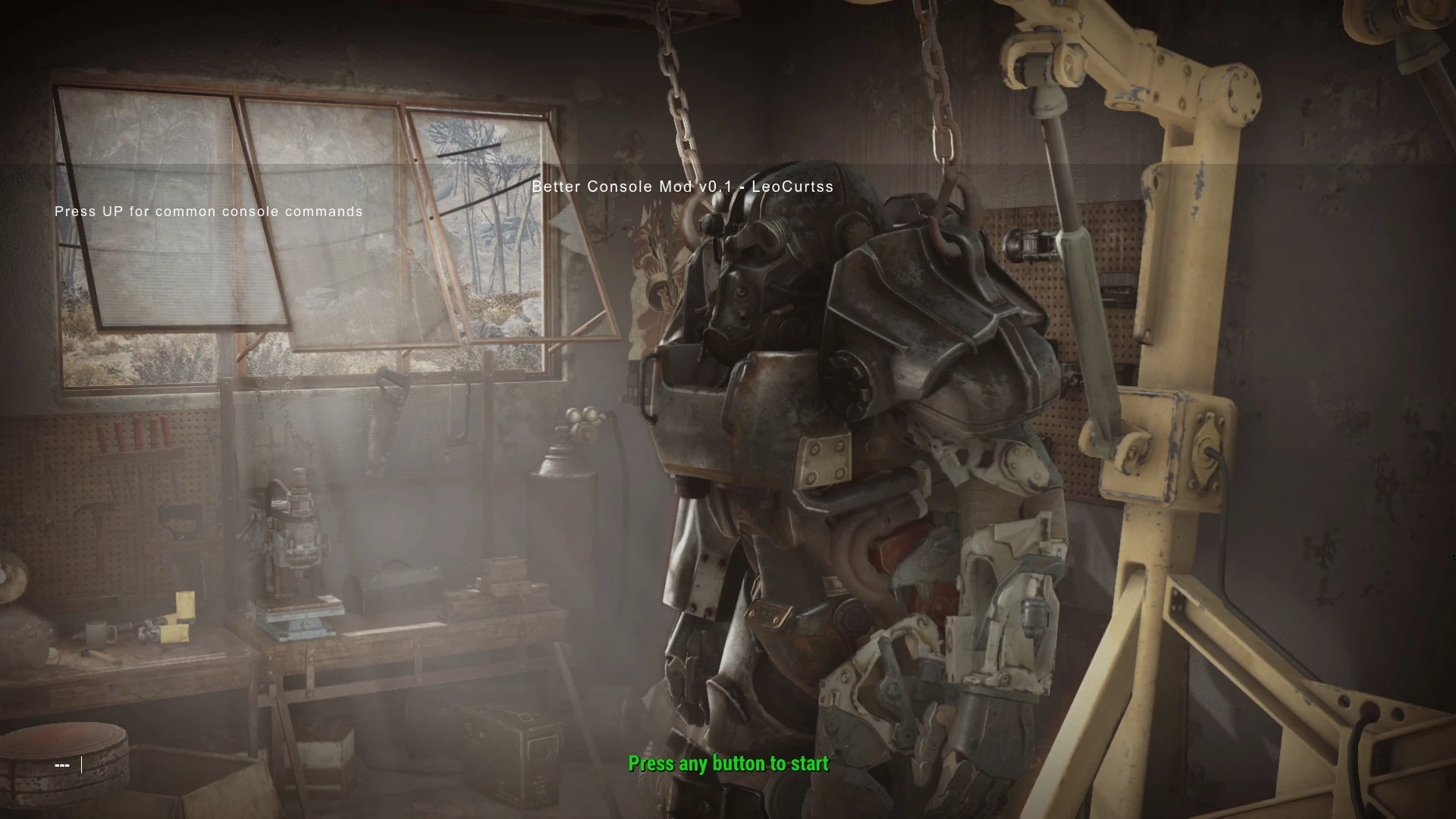
🔍 Analysis
- 👍 7.8% endorsement rate — high engagement, a strong quality signal
- 🏆 #53 of 86 User Interface mods in this game by downloads
📋 About This Mod
Adds enhancements to the in-game console. Any suggestions welcome!
Installation: Go to %//Documents/My Games/Fallout 4/ (This is not where the game is installed--it's located in "My Documents") Open Fallout4.ini Add , INTERFACE\ to sResourceDataDirsFinal=STRINGS\ so it looks like this: sResourceDataDirsFinal=STRINGS\, INTERFACE\ Save and close Open Fallout4Prefs.ini If it does not exist, add Then under , add bEnableFileSelection=1 Save and close
Now navigate to the directory where your game was installed Copy Console.swf to the %/Fallout 4/Data/Interface/ folder (create Interface folder if necessary)
You must wait until main menu appears before opening console
Features:
- []Larger console size []Common commands on startup (press UP to cycle through commands after opening console for the first time) []Twice the command history (32 commands to 64) []Brighter command history font
- []Update font []Get Base Object --requested by a few people []Adjustable settings in-game (will only be implemented if changes can be saved between game sessions) []POSSIBLY (not sure yet): trigger animations for NPCs
Better Console enhances the in-game console for Skyrim, offering quality-of-life improvements. With 782 endorsements and over 10,000 downloads, it's a well-received utility mod. Last updated in 2015, it remains a stable choice for players who frequently use console commands.
✨ Key Features
📊 Pros & Cons
✅ Pros
- Solid community backing with 782 endorsements.
- Over 10,000 downloads show it's been tried and tested.
- Simple, focused mod that does exactly what it says.
⚠️ Cons
- Last updated in 2015, so it may not be compatible with the latest Skyrim patches.
- No detailed feature list, so you'll have to test to see what's changed.
- Potential conflicts with other UI mods that modify the console.
For Skyrim players who rely on console commands and want a more convenient console interface. Skip if you rarely use the console or prefer a vanilla experience.
💡 Beginner Tips
- If you use a mod manager, install Better Console through it to keep your load order clean.
- Test the console after installing to see the enhancements—open it with the tilde key (~).
- If you encounter issues, try placing Better Console lower in your load order to avoid conflicts.
📊 Mod Details
- Game
- Fallout 4 Mods
- Author
- LeoCurtss
- Version
- 0.2
- Downloads
- 10,047
- Endorsements
- 782
- Category
- User Interface
- Created
- 11/17/2015
- Updated
- 11/17/2015
🔧 How to Install Fallout 4 Mods
Download from Nexus.
📖 Full step-by-step install guide for Fallout 4 →
Visit the official mod page for specific installation instructions for this mod.
🎮 Need cheat codes or console commands? Check ur gaming wiki for Fallout 4 commands, item IDs, and more.
Keep browsing — more Fallout 4 mods await