Western Brotherhood of Steel Replacement
⚪ Last updated 2012⚠️ Install Order · 2 steps
Install in this order, then this mod last — most mods fail to load without their framework and dependencies in place.
Preview
🔍 Analysis
- 👍 2.9% endorsement rate — high engagement, a strong quality signal
- 🏆 #14 of 29 Guilds/Factions mods in this game by downloads
📋 About This Mod
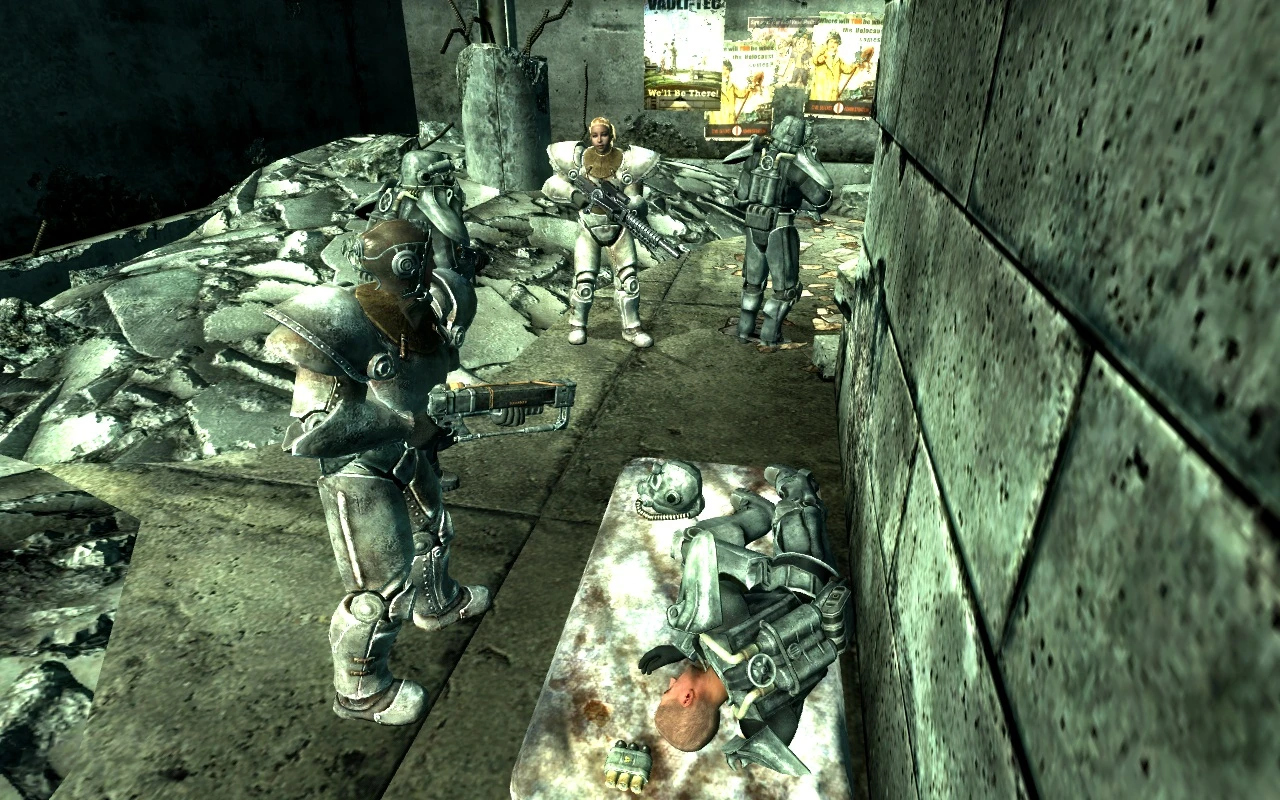
Description: This mod replaced the Lyons Brotherhood of Steel in The Capital Wasteland to be more like their Brothers in the Mojave giving them all laser based weapons and T-51B power armour (The same T-51b from Fallout New Vegas) as well as giving Elder Lyons the Real Brotherhood Elders Robe and renaming some of the Key Lyons Brotherhood members for example Scribe Rothchild is now “Head Scribe Rothchild” 1. All Lyons Brotherhood of Steel Paladins now wear T-51B power armor from fallout New Vegas and use energy weapons 2. Elder Lyons Now wears Western Brotherhood Elder Robes 3. Brotherhood Scribes Knights and Paladins now use Laser Based weapons 4. All of the Following NPCs have their names changed to Scribe Rothchild = Head Scribe Rothchild Paladin Tristan = Head Paladin Tristan Scribe Peabody = Senior Scribe Peabody Scribe Yearling = Senior Scribe Yearling Scribe Vallincourt = Senior Scribe Vallincourt Sentinel Lyons = Sentinel Sarah Lyons Elder Lyons = Elder Owyn Lyons Squire Maxson = Squire Arthur Maxson Knight Artemis = Head Knight Artemis 5. Replaces all the Weapons in the Citadel Laboratory armoury to Energy weapons 6. Adds more advanced equipment (some from the Anchorage and Broken Steel DLCs) to Knight Captain Durgas trade inventory such as Western Brotherhood T-51B Power armor Guass Rifles Tesla Cannons Laser Shotguns T-45d power armor Recon armour and much more Requirements: Fallout New Vegas Operation Anchorage DLC Archive Invalidation Broken Steel DLC All Fallout New Vegas Meshes and Textures extracted Install: (Please note there are other ways to install this mod but this way is the fastest) 1. Select the File given and place it in your fallout 3 Data Folder usually located here: C:\\Program Files\\Bethesda Softworks\\Fallout 3\\Data 2. Go to your Fallout New Vegas Data Folder and open the meshes folder Here: C:\\Program Files\\Bethesda Softworks\\Fallout New Vegas\\Data\\meshes 3. Copy and Paste the Armor Folder in your fallout New Vegas Meshes foldier into your fallout 3 Meshes folder 4. Then do the same with the Texture Folder for fallout New Vegas but this time into your fallout 3 textures folder rather than meshes (Please note it is not nessacary to copy the Entire Armour folder as it is not all going to be used but this is the Most simply way for me to explain it without me having to go into more detail) 5. Once this is done just activate the Mod in your fallout 3 game on the launcher and play the game :) Credits: Me (DCPD) Bethesda Softworks
📊 Mod Details
- Game
- Fallout 3 Mods
- Author
- DCPD
- Version
- 1.1
- Downloads
- 2,576
- Endorsements
- 75
- Category
- Guilds/Factions
- Created
- 10/31/2012
- Updated
- 10/31/2012
🔧 How to Install Fallout 3 Mods
Download from Nexus.
📖 Full step-by-step install guide for Fallout 3 →
Visit the official mod page for specific installation instructions for this mod.
🎮 Need cheat codes or console commands? Check ur gaming wiki for Fallout 3 commands, item IDs, and more.
Keep browsing — more Fallout 3 mods await