The IMAGINATOR for FO3 - Visual Control Device
⚪ Last updated 2011⚠️ Install Order · 2 steps
Install in this order, then this mod last — most mods fail to load without their framework and dependencies in place.
Preview
🔍 Analysis
- 👍 5.1% endorsement rate — high engagement, a strong quality signal
- 🏆 #40 of 420 Gameplay Effects and Changes mods in this game by downloads
📋 About This Mod
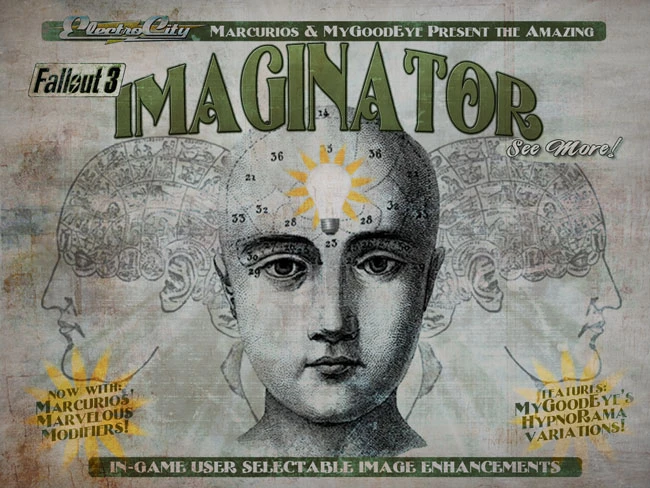
{click here for a larger image} IMAGINATOR is a stand-alone, in-game, image modification tool. It was created for FALLOUT : NEW VEGAS but it works well in FALLOUT 3. MOST functions work fine and dandy. I have tested it in FO3 for all of five minutes, so if something jumps out at you as screwed-up, let me know. I am assuming it will work with FOSE as it worked with NVSE. If this is not the case, you will not have hotkey access, BUT you will still be able to tweak and twiddle using the PIP-BOY. I have to admit, I did not change the preset names to fit with FO3, so you\'ll have to live with that. Given the entirely different color-scheme of FO3, the IMAGINATOR preset(s) that you may have liked in F:NV may not be the one you like in FO3. It\'s very exciting. It allows you to separately control visual elements like Brightness, Contrast, Saturation, Light Output, Depth-of-Field, Focus, Motion Blur and Tint all from within an easy-to-navigate PIP-BOY menu. Never before have you had such power! Seriously. IMAGINATOR pops up in your PIP-BOY\'S APPAREL TAB You have 6 \'TOOLS\' in the IMAGINATOR MENU: EMITTOR : It makes all the in-game lights EMIT more light. And by \'ALL\', I mean ALL. ALL, EVERY, IN TOTAL, EACH ONE = ALL. We have provided 8 presets for most player\'s tastes. MARCURIOS\' MARVELOUS MODIFIERS add incremental increases to the perceived emitter and bloom without altering the general \"tone\" of the scene. MGE\'S HYPNORAMA settings are more dramatic causing lights to \"pop\" and blooms to increase. Try them all! CONTRASTOR : Provided within are incremental adjustments to BRIGHTNESS, CONTRAST and SATURATION. Consider this the \'fine-tuning\' station where you can adjust our presets - or ANY weather mod - to suit your taste. CINEMATOR : 16 preset complex color palettes to enhance the mood. We\'ve provided a nice range of presets for you to choose from. Use them \'as is\' or enhance and adjust them using EMITTOR and CONTRASTOR. CINEMATECH Film Enhancements : Best used in conjunction with the CINEMATECH : FILM GRAIN AND STYLES mod, the 8 presets in this selection enhance the feeling of old-film added by CINEMATECH. These enhancements are adjustable with the other IMAGINATOR functions! Mix, match and enjoy! HORIZONCLEAN : High-performance depth-of-field which generally has the benefit of cleaning up distant \'jaggies\'. Why high-performance? A little adjusting here and a little adjusting there has given HORIZONCLEAN more \'pep\' than any other depth-of-field solution. FOCUSOR : Adds 3 levels of SOFT FOCUS and SHUTTER SPEED options. SHUTTER SPEED is an in-camera function that (in part) determines the amount of motion blur. The faster the shutter, the less the blur. We\'ve added some settings that may help you to deliver that final bit of \'cinema\' you were looking for. These can be a drain on performance,
The IMAGINATOR for FO3 is a gameplay effects mod that adds an in-game visual control device, allowing players to select image enhancements directly within the game. With 4,806 endorsements and 94,015 downloads, it's a popular tool for customizing the game's look without external programs.
✨ Key Features
📊 Pros & Cons
✅ Pros
- Huge community trust with 4,806 endorsements and 94,015 downloads.
- In-game adjustments mean no alt-tabbing or external tools needed.
- Works for both gameplay and aesthetic tweaks, giving you control over your wasteland look.
⚠️ Cons
- Last updated in 2011, so it may not be compatible with modern Fallout 3 versions or mod setups.
- Requires Fallout 3, which is an older game and may need additional compatibility patches for newer systems.
For Fallout 3 players who want to tweak the game's visuals on the fly without messing with ENB or external configs. If you're a purist who likes vanilla graphics, this isn't for you, but if you want a quick way to adjust color, contrast, or other effects, this is a solid pick.
💡 Beginner Tips
- Make sure to read the mod's readme or forum posts for any known compatibility issues with other visual mods.
- Test the device in a safe area first to see how the enhancements affect performance.
- If you're using a mod manager, let it handle the installation to avoid overwriting files.
📊 Mod Details
- Game
- Fallout 3 Mods
- Author
- MyGoodEye and Marcurios
- Version
- v5C
- Downloads
- 94,015
- Endorsements
- 4,806
- Category
- Gameplay Effects and Changes
- Created
- 10/9/2011
- Updated
- 10/9/2011
🔧 How to Install Fallout 3 Mods
Download from Nexus.
📖 Full step-by-step install guide for Fallout 3 →
Visit the official mod page for specific installation instructions for this mod.
🎮 Need cheat codes or console commands? Check ur gaming wiki for Fallout 3 commands, item IDs, and more.
Keep browsing — more Fallout 3 mods await