Realistic Interior Lighting
⚪ Last updated 2010⚠️ Install Order · 2 steps
Install in this order, then this mod last — most mods fail to load without their framework and dependencies in place.
Preview
🔍 Analysis
- 👍 3.7% endorsement rate — high engagement, a strong quality signal
- 🏆 #4 of 217 Miscellaneous mods in this game by downloads
📋 About This Mod
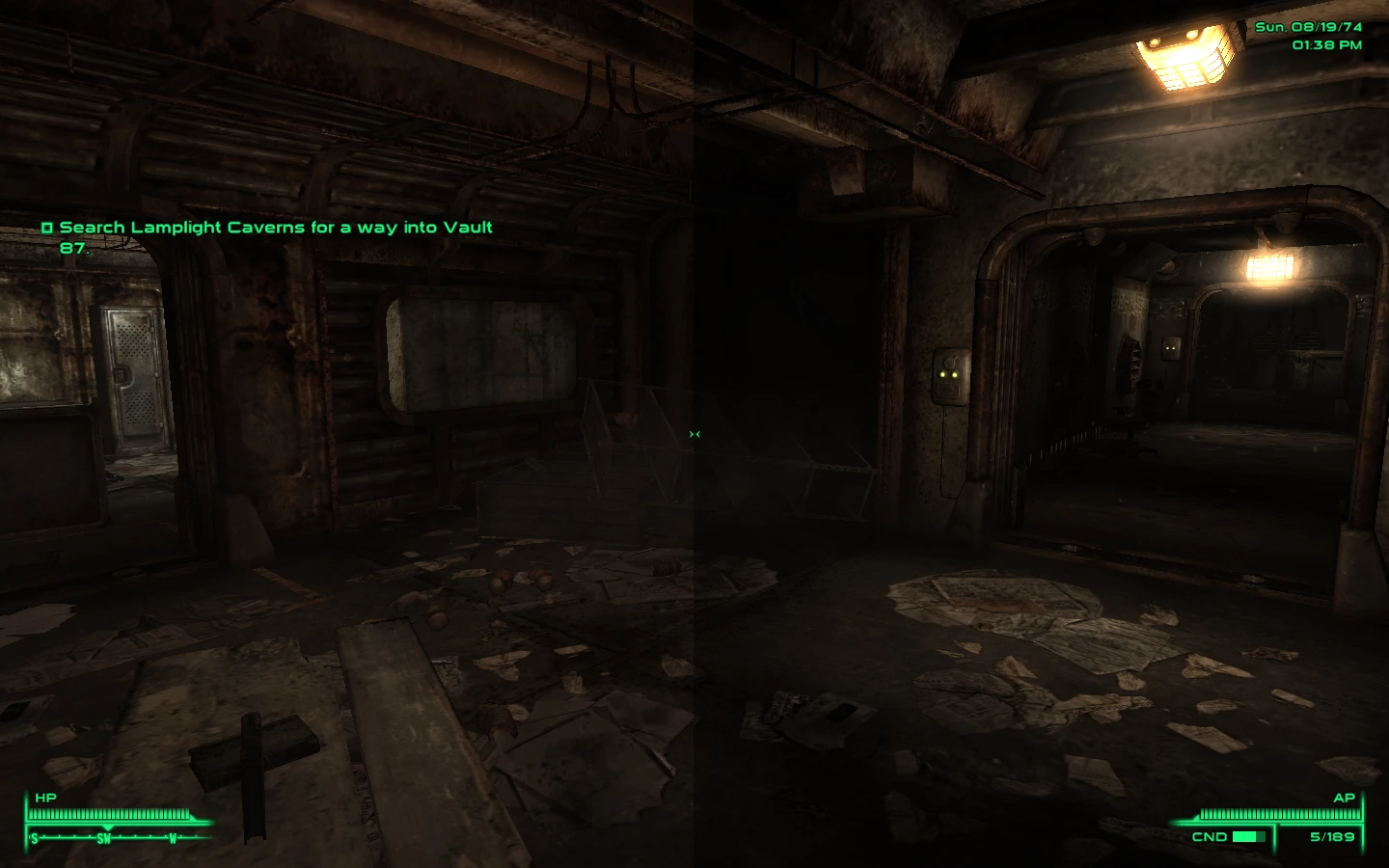
Beta/WIP *CRITICAL Make sure you\'ve got your monitor brightness levels set correctly, AS WELL AS the in-game. Someone correct me if I am wrong but the quick rundown is, (for LCDs) you want to max out your contrast, then adjust your brightness according to a chromatic scale (http://w4zt.com/screen/ has a bunch, \"A to Z\" one is the best). Then once you\'ve got that set up you want to adjust your in game brightness to the point where the second black square is one point above the same level of blackness as the actual black square. For me that just means all the way down, YMMV. CRITICAL* I recommend a NV or brighter pip boy light mod to go with this, Fellout darker nights goes together as well. DESCRIPTION I always thought it was rather silly a room with no windows/covered windows would be bright as day with just a single dirty light bulb with likely dirty electricity (isn\'t that the name? I can\'t remember...), so here is my solution to that. INSTALLATION Load the two DLC files if you have the appropriate DLC on top of the base file. Load after everything else, before your merged patch. If you don\'t have one you should probably check out the guide for FO3Edit and learn how to use it, it\'s incredibly easy to learn and get ahold of, allowing you to get full compatability with 95% of the mods you use. I\'ve got two compatability patches for the DLC, thought I haven\'t really looked at the DLC beyond seeing which ones have lighting templates and changing just tho\'s, I haven\'t touched any cells yet and wont for a while. COMPATABILITY Should only conflict with other lighting mods, and any mod that edits the... I don\'t know what it\'s called, I geuss the header information of a cell, so that\'s what I\'m calling it, if someone knows the correct name of what I\'m talking about then please correct me. I\'m not aware of to many that do, all mods that add stuff to cells like spawn points (MMM), items, npc\'s won\'t conflict unless they directly modify the header (all that is in the header is the lighting information, cell name, and ownership values). The only two mod\'s that I\'ve seen that conflict are UOP and OWNED!, both conflicts are minor and limited to one or two cells, and IIRC I included the UOP changes in the .esp, and really, any potential conflicts are incredibly easy to fix if you know a little about FO3Edit/Merged Patches. Should also work with any mods that add a (vanilla) lighting template to new cells. KNOWN ISSUES At the moment I\'ve just sort of gone over the lighting in every cell (via way of the Lighting Templates for 80% of them, for the others that didn\'t have a Lighting Template, I attached one to it, hence the potential conflicts in some cell headers) and with a broadsword, made everything darker. Bethesda generally did a really good job in FO3 of placing light where it should be so all I need to do is mess with the ambient light; however some
Realistic Interior Lighting tweaks all interior lighting in Fallout 3 to match a post-apocalyptic wasteland aesthetic. With nearly 12,000 endorsements and over 324,000 downloads, it's a highly popular atmospheric overhaul for players seeking darker, more immersive interiors.
✨ Key Features
📊 Pros & Cons
✅ Pros
- Huge community trust (11,966 endorsements) — this is a must-have for atmosphere lovers
- Over 324,000 downloads prove it's been a staple for years
- Simple concept, but it transforms the mood of every dungeon and building
⚠️ Cons
- Last updated in 2010 — might need compatibility patches for newer setups or mods
- Dark interiors can make navigation tougher if you're not into hardcore immersion
For Fallout 3 players who want a grittier, more believable wasteland vibe. If you're tired of well-lit ruins and want to feel the decay, this is for you. Skip if you prefer bright, gamey lighting or play with heavy combat mods where visibility matters.
💡 Beginner Tips
- Since it's an older mod, check if you're using FOSE or other lighting mods that might conflict — load order matters.
- If interiors feel too dark, look for optional brightness settings or pair with a flashlight mod.
- Test in a few cells like Megaton and a dungeon to see if the mood fits your playthrough.
📊 Mod Details
- Game
- Fallout 3 Mods
- Author
- Scarecrow
- Version
- 0.8
- Downloads
- 324,076
- Endorsements
- 11,966
- Category
- Miscellaneous
- Created
- 9/19/2009
- Updated
- 9/15/2010
🔗 Required By 1 Mod
These mods list this mod as a dependency.
🧩 Commonly Used Together
Users add these mods to the same collections — a real compatibility signal, not an AI guess.
🔧 How to Install Fallout 3 Mods
Download from Nexus.
📖 Full step-by-step install guide for Fallout 3 →
Visit the official mod page for specific installation instructions for this mod.
🎮 Need cheat codes or console commands? Check ur gaming wiki for Fallout 3 commands, item IDs, and more.
Keep browsing — more Fallout 3 mods await