Quick Item Transfer (FOSE)
⚪ Last updated 2019This mod may not work until the author updates it. Check for an update, or see the rollback guide.
⚠️ Install Order · 3 steps
Install in this order, then this mod last — most mods fail to load without their framework and dependencies in place.
Preview
🔍 Analysis
- 👍 5.4% endorsement rate — high engagement, a strong quality signal
- 🏆 #350 of 420 Gameplay Effects and Changes mods in this game by downloads
📋 About This Mod
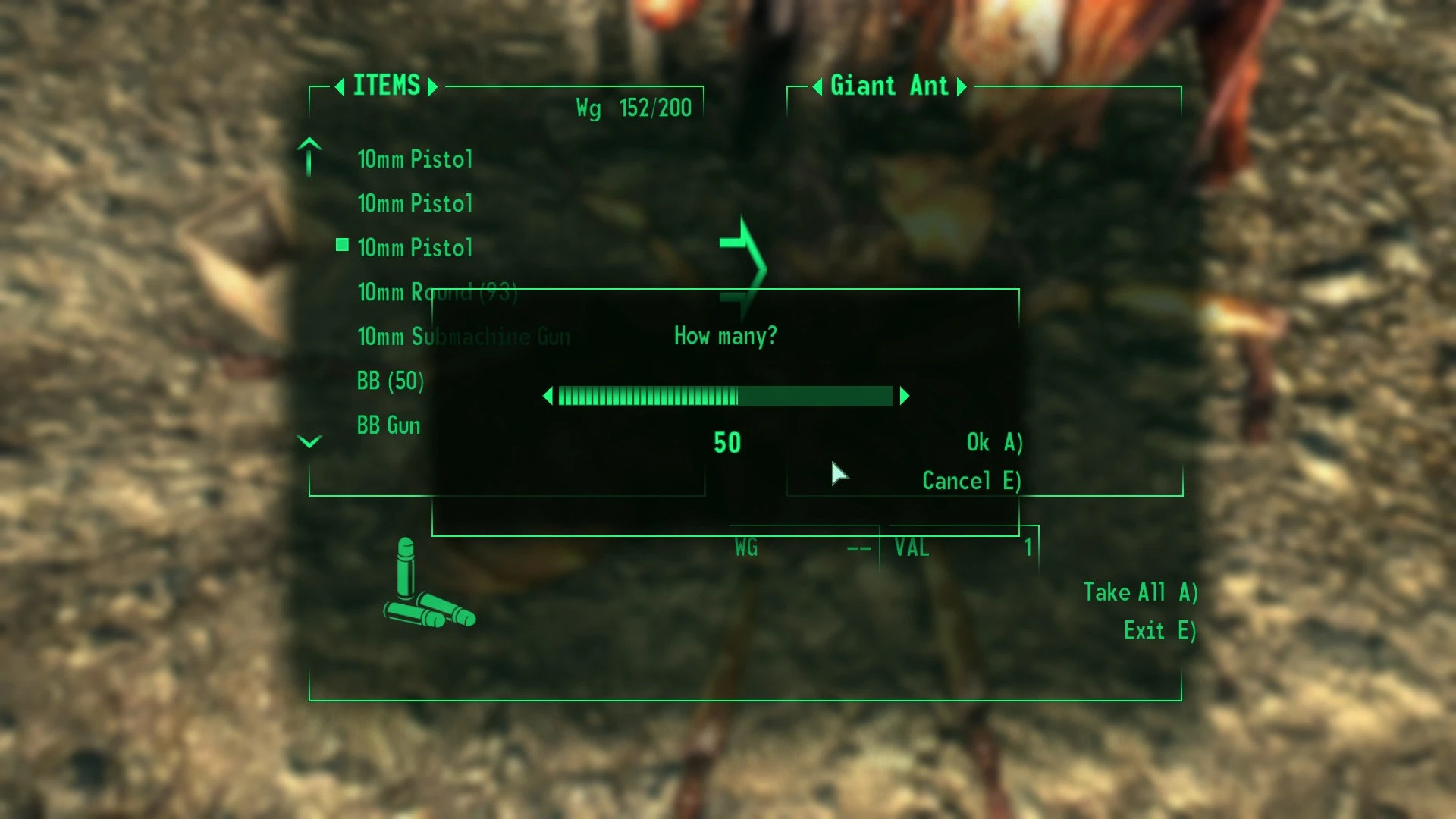
Hold CTRL or SHIFT to skip the Quantity Prompt popup when dropping items from the PipBoy, or moving them in containers and barter.
-
[]CTRL moves one item
[
]SHIFT moves the entire stackNo running scripts and no performance hit.
Included in lStewieAl's Tweaks
Installation
Use Mod Organizer 2/Nexus Mod Manager/FOMM, or manually extract the .zip file into your Fallout 3 'Data' folder.
Credits to JazzIsParis for the NVSE plugin version, and Pintocat for the original mod.
Source: GitHub
Quick Item Transfer (FOSE) is a Fallout 3 mod that lets you transfer stacks of items by holding Shift, or single items by holding Ctrl. Ported from JazzIsParis' JIPLN NVSE plugin, it streamlines inventory management. With 342 endorsements and 6,330 downloads, it's a niche utility for players who want faster item handling.
✨ Key Features
📊 Pros & Cons
✅ Pros
- Speeds up inventory management significantly—no more dragging every single item.
- Community-tested with 342 endorsements and over 6,300 downloads.
- Simple keybind system that's easy to remember.
⚠️ Cons
- Requires FOSE (Fallout Script Extender) to work, so you'll need to install that first.
- Last updated in 2019, so it might not be compatible with the latest game patches or other mods.
- Only works with Fallout 3, not New Vegas or other Bethesda titles.
For Fallout 3 players who are tired of clicking through inventory menus and want a faster way to move loot. If you're a hoarder or constantly trading items between containers, this is a must-have. Skip if you're playing without FOSE or prefer a more vanilla experience.
💡 Beginner Tips
- Make sure FOSE is installed and you launch the game through fose_loader.exe, not the default launcher.
- Test the mod in a safe area first to get used to the Shift and Ctrl keybinds.
- If you're using a mod manager like Vortex or Mod Organizer 2, install this mod through it to keep your load order clean.
📊 Mod Details
- Game
- Fallout 3 Mods
- Author
- lStewieAl
- Version
- 1.1
- Downloads
- 6,330
- Endorsements
- 342
- Category
- Gameplay Effects and Changes
- Created
- 1/10/2019
- Updated
- 1/10/2019
🔧 How to Install Fallout 3 Mods
Download from Nexus.
📖 Full step-by-step install guide for Fallout 3 →
Visit the official mod page for specific installation instructions for this mod.
🎮 Need cheat codes or console commands? Check ur gaming wiki for Fallout 3 commands, item IDs, and more.
Keep browsing — more Fallout 3 mods await