No Map Marker Popups (FOSE)
⚪ Last updated 2019This mod may not work until the author updates it. Check for an update, or see the rollback guide.
⚠️ Install Order · 3 steps
Install in this order, then this mod last — most mods fail to load without their framework and dependencies in place.
Preview
🔍 Analysis
- 👍 5.2% endorsement rate — high engagement, a strong quality signal
- 🏆 #394 of 420 Gameplay Effects and Changes mods in this game by downloads
📋 About This Mod
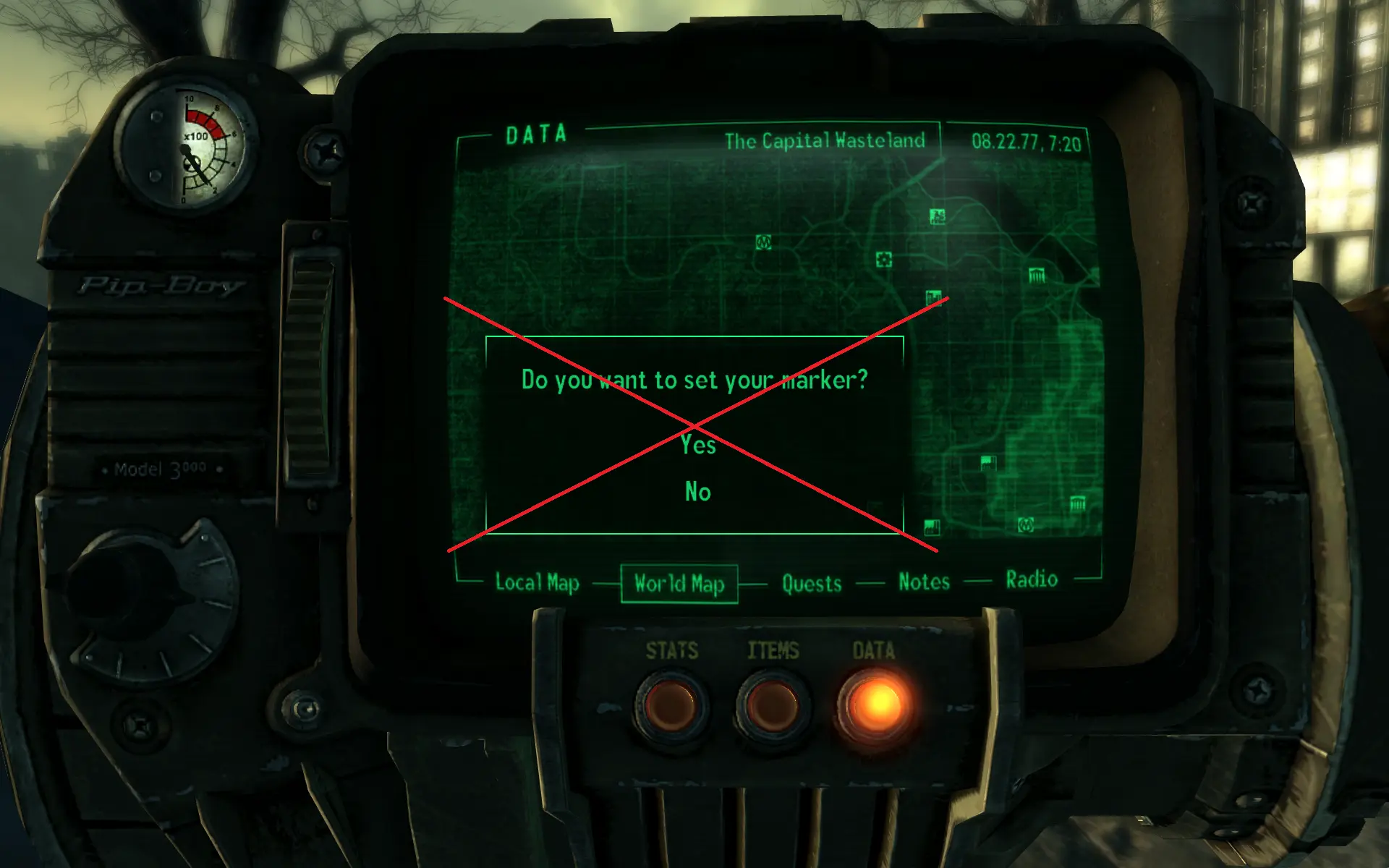
Skips message prompts to set, move or remove custom map markers on Pip Boy map. Instead, map marker will be instantly set (or removed if set already) on clicking right mouse button.
Ported from C6's original mod.
Included in lStewieAl's Tweaks
Installation
Use Mod Organizer 2/Nexus Mod Manager/FOMM, or manually extract the .zip file into your Fallout 3 'Data' folder.
No Map Marker Popups (FOSE) removes the confirmation message when setting or removing custom map markers in Fallout 3, making marker management instant. It's a small QoL mod for players who find the popup annoying, with 272 endorsements and last updated in June 2019.
✨ Key Features
📊 Pros & Cons
✅ Pros
- Streamlines map marker management—no more clicking through confirmation dialogs.
- Community-tested with 272 endorsements and over 5,000 downloads.
- Tiny, focused mod that does exactly what it says without extra bloat.
⚠️ Cons
- Requires FOSE, so it won't work on vanilla or GOG versions without extra setup.
- Last updated in 2019, so it may have compatibility issues with newer mod setups or patches.
- Only affects custom markers—the popup for quest markers or other map interactions remains unchanged.
For Fallout 3 players who frequently set custom map markers and find the confirmation popup tedious. It's a pure quality-of-life tweak—skip if you rarely use custom markers or prefer to keep the confirmation as a safety net.
💡 Beginner Tips
- Make sure FOSE is installed and you launch the game through fose_loader.exe, not the default launcher, or the mod won't activate.
- If you're using a mod manager like FOMM or Vortex, install the mod through it to ensure proper file placement in your Data folder.
- Test the mod by setting a custom marker on your map—if the popup still appears, double-check that FOSE is running correctly.
📊 Mod Details
- Game
- Fallout 3 Mods
- Author
- C6
- Version
- 1.0
- Downloads
- 5,254
- Endorsements
- 272
- Category
- Gameplay Effects and Changes
- Created
- 6/11/2019
- Updated
- 6/11/2019
🔧 How to Install Fallout 3 Mods
Download from Nexus.
📖 Full step-by-step install guide for Fallout 3 →
Visit the official mod page for specific installation instructions for this mod.
🎮 Need cheat codes or console commands? Check ur gaming wiki for Fallout 3 commands, item IDs, and more.
Keep browsing — more Fallout 3 mods await