My Saturation fog and blur modification
⚪ Last updated 2015⚠️ Install Order · 2 steps
Install in this order, then this mod last — most mods fail to load without their framework and dependencies in place.
Preview
🔍 Analysis
- 👍 4.5% endorsement rate — high engagement, a strong quality signal
- 🏆 #6 of 21 Environment mods in this game by downloads
📋 About This Mod
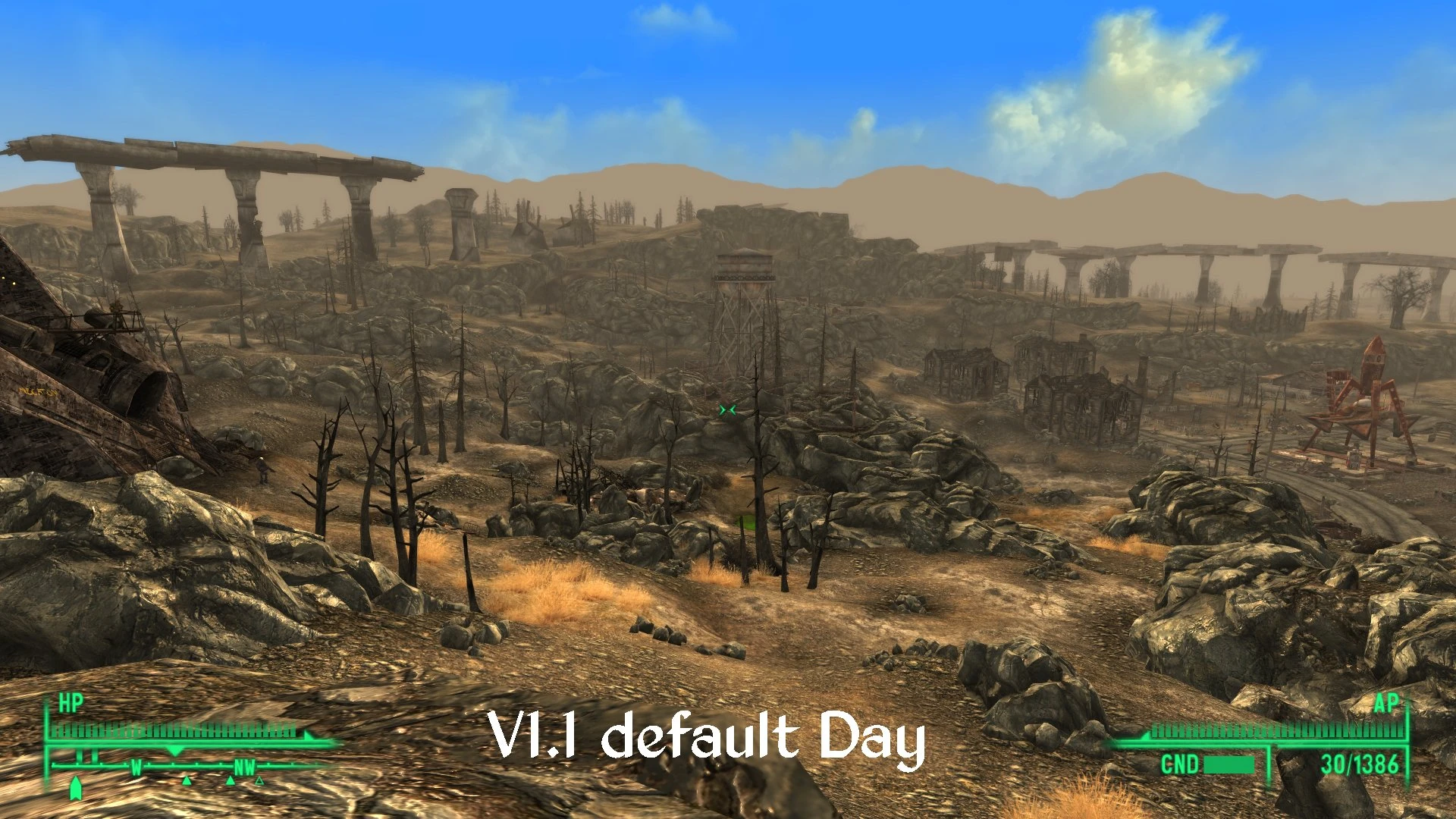
Makes changes to the Saturation, fog, and blur in FO3. FO3 has desaturation settings in the Imagespace and Imagespace modifiers much like Skyrim, default settings are 1 which shows the texture with no desturation or extra saturation. Optional file is saturation set to 1 so you see the textures the way they were meant to be. the main file is set at 1. 5 so colors are brighter. Pick the one you prefer. I use the default version myself but I made the saturated version the main file because if ENB's are a guide many prefer extra saturation. Basically the main file is extra saturation and the optional is the default saturation settings.
I didn't adjust the contrast values but like the saturation default is 1 so there is a high contrast in both versions, that along with all other settings I changed can be done in FO3Edit or the GECK if anyone wants less contrast. personally I kinda like it.
. Removes the desaturation Bethesda added. 2 versions one with extra saturation and one with default settings. . Moves the fog further away both interiors and outdoors. interiors it pretty much eliminates the fog. Does not remove any particle effects from interiors Just the fog added by the lighting templates. . Removes ALL blur effects. DOF Radial, Bloom, HDR, and any other blur. You wont get a DOF effect when getting shot or from chems as an example. InI tweaks don't remove all blur effects so I removed them the hard way because I despise blur effects lol. . Changes the sky to a blue during the day.
This took hours to make and is the way I like it so I have no desire to spend several hours changing values at someones request. It is not hard to do but it is incredibly tedious so if someone has a request please feel free to use the GECK or FO3Edit to make the changes yourself.
If there is an interior cell that still has fog in it like the vanilla game or is so foggy you cant see anything then please tell me what celll it is so I can fix it, there are allot of interiors so it is possible I may have missed one or two.
Versions and update info:
V1. 0 Initial release. V1. 1 Changed ambient and fog colors in the weathers to fit the new sky and saturation levels better.
Compatibility and required files:
Requires Fallout 3, The Pitt, Operation Anchorage, Broken Steel, Point Lookout, and Mothership Zeta. (use FO3Edit to remove one if you want)
May be incompatible with anything that modifies Imagespace, imageSpace Modifier, Weather, Lighting Template, and interior cell lighting settings.
Install:
Use FOMM or...
Manual: 1. Unzip/unrar to any location. 2. Copy contents into your Data folder
Use Permissio
📊 Mod Details
- Game
- Fallout 3 Mods
- Author
- jet4571
- Version
- 1.1
- Downloads
- 3,600
- Endorsements
- 162
- Category
- Environment
- Created
- 10/2/2015
- Updated
- 10/4/2015
🔧 How to Install Fallout 3 Mods
Download from Nexus.
📖 Full step-by-step install guide for Fallout 3 →
Visit the official mod page for specific installation instructions for this mod.
🎮 Need cheat codes or console commands? Check ur gaming wiki for Fallout 3 commands, item IDs, and more.
Keep browsing — more Fallout 3 mods await