Mothership Zeta Crew Alien Weapon Retexture
⚪ Last updated 2012⚠️ Install Order · 2 steps
Install in this order, then this mod last — most mods fail to load without their framework and dependencies in place.
Preview
🔍 Analysis
- 👍 0.8% endorsement rate
- 🏆 #104 of 429 Models and Textures mods in this game by downloads
📋 About This Mod
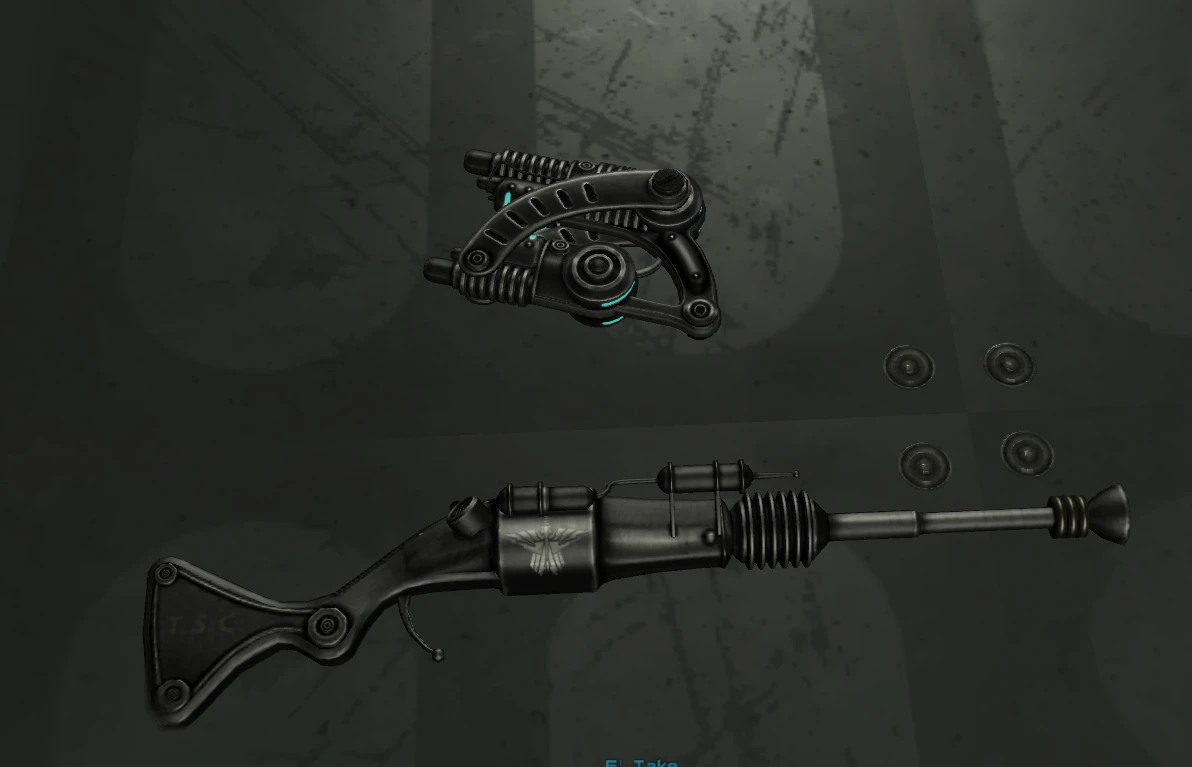
Mothership Zeta crew weapon Re-texture of: \"Alien atomizer\" and \"Alien disintegrator\" are included I intend to do more later. Blackens weapons and adds logos, make sure to install after you finis with zeta because the textures show up right away. (Update) Sorry about the original picture I did not notice that the scope from Weapon Mod Kits (by Antistar) Was Attached to the weapon in the screenshot I\'m just so used to it by Works well with weapon mod Kits (but not necessary) Weapon Mod Kits by Antistar http://fallout3.nexusmods.commods/3388
A compact texture overhaul for the Alien Atomizer and Alien Disintegrator from Mothership Zeta, giving them a fresh look. With 688 endorsements and over 82k downloads, it's a popular choice for Fallout 3 players seeking visual variety. Note: last updated in 2012, so compatibility with newer setups may vary.
✨ Key Features
📊 Pros & Cons
✅ Pros
- Community favorite with 688 endorsements and over 82k downloads—clearly a go-to for many.
- Simple texture swap that doesn't mess with gameplay, just makes your alien blasters look sharper.
- Works with weapon mod kits, so you can layer it with other tweaks without conflicts.
⚠️ Cons
- Last updated in 2012—might not play nice with mods or patches released after that.
- Only covers two weapons; if you wanted more alien gear retextured, you're out of luck for now.
- No screenshots or detailed install notes in the description, so you're flying blind until you test it.
For Fallout 3 players who want a quick visual upgrade for the Mothership Zeta alien weapons without overhauling the whole game. If you're a texture purist or just tired of the vanilla look, this is a low-effort win. Skip if you're after gameplay changes or need support for newer mods.
💡 Beginner Tips
- Since it's a texture replacer, just drop the files into your Data folder and enable the .esp in your mod manager—no complex setup.
- If you're using a mod manager like FOMM or Vortex, let it handle the file placement to avoid overwriting issues.
- Test it early in your load order to make sure it doesn't conflict with other texture mods you have.
📊 Mod Details
- Game
- Fallout 3 Mods
- Author
- jjeeff185
- Version
- 0.5
- Downloads
- 82,822
- Endorsements
- 688
- Category
- Models and Textures
- Created
- 12/15/2012
- Updated
- 12/15/2012
🔧 How to Install Fallout 3 Mods
Download from Nexus.
📖 Full step-by-step install guide for Fallout 3 →
Visit the official mod page for specific installation instructions for this mod.
🎮 Need cheat codes or console commands? Check ur gaming wiki for Fallout 3 commands, item IDs, and more.
Keep browsing — more Fallout 3 mods await