Magic Pip-Light - A Pip-Boy 3000 Mod
⚪ Last updated 2008⚠️ Install Order · 2 steps
Install in this order, then this mod last — most mods fail to load without their framework and dependencies in place.
Preview
🔍 Analysis
- 👍 2.9% endorsement rate — high engagement, a strong quality signal
- 🏆 #121 of 420 Gameplay Effects and Changes mods in this game by downloads
📋 About This Mod
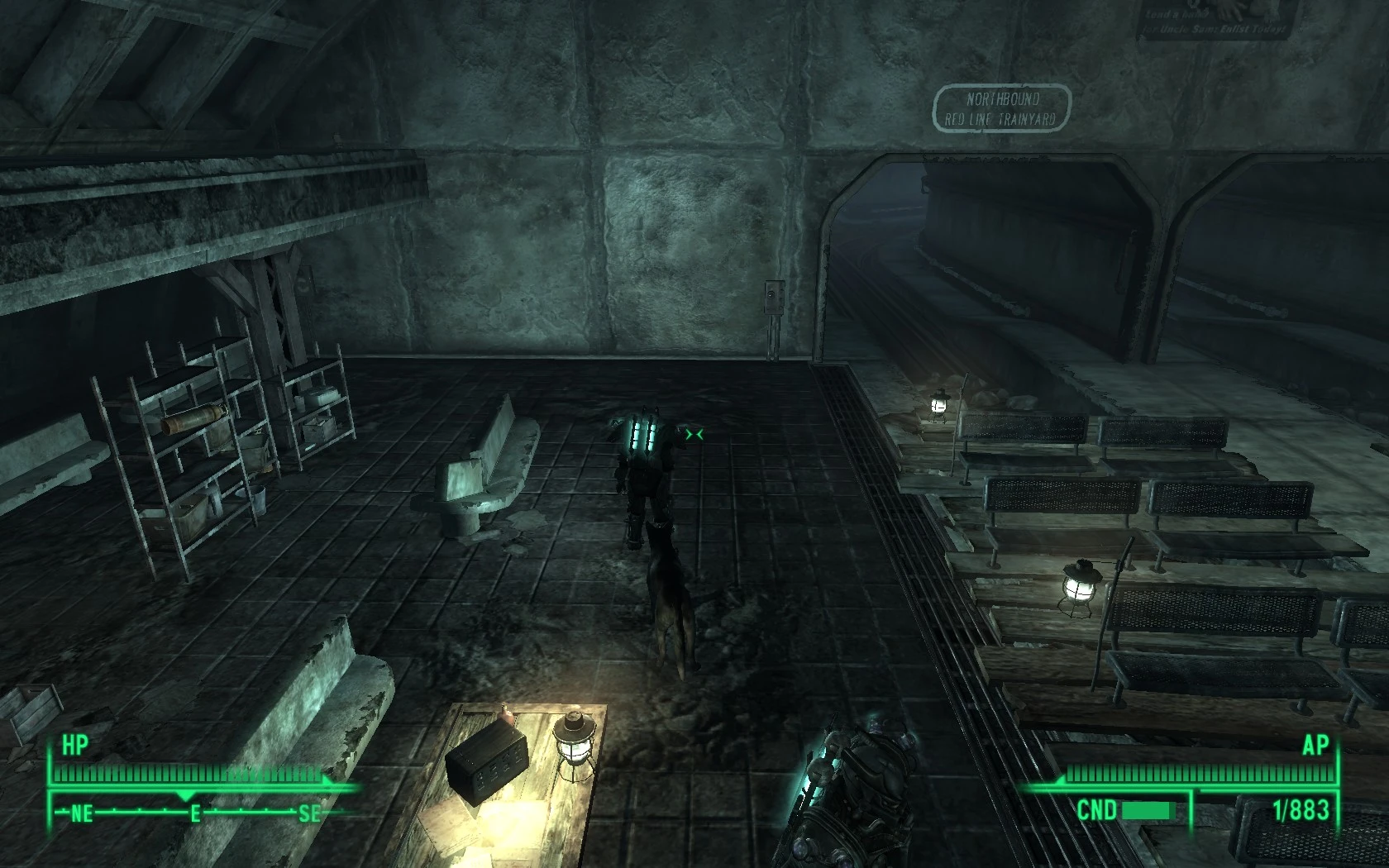
Magic Pip-Light - A Pip-Boy 3000 Mod by MaXiMiUS Version 0. 4 =========== This is my second Fallout 3 mod. It increases the brightness of the light emitted from your Pip-Boy 3000. =========== Magic Pip-Light (## Brightness).esp: Brightness is increased from 15 to ##. =========== Magic Pip-Light (Night-Vision Edition).esp: Brightness is increased from 15 to 65536. Light color is changed from C2F5D1 to 00FF00. It\'s recommended that if you use this, you also use taylorsd\'s Dark Nights Mod. =========== Changelog: 0. 4: Cleaned up some stuff in the ESPs, nothing major changed. 0. 3: Added 90 Brightness, and Night-Vision Edition ESPs. =========== Extract this mod straight into your \\Data folder to install. Only enable one .esp at a time! Mods are enabled through the Fallout Launcher \"Data Files\" menu. ===========
This Fallout 3 mod boosts the brightness of the Pip-Boy 3000's light to your preferred level. It's a simple quality-of-life tweak for players who find the default light too dim. With 679 endorsements and over 23,000 downloads, it's a popular utility despite its age.
✨ Key Features
📊 Pros & Cons
✅ Pros
- Community favorite with 679 endorsements and 23k downloads.
- Simple, effective fix for a common complaint about the Pip-Boy light.
- Lightweight and doesn't clutter your load order.
⚠️ Cons
- Last updated in 2008—may not be compatible with modern Fallout 3 setups or DLC.
- No detailed instructions or compatibility notes provided by the author.
- Only affects the Pip-Boy light; no other gameplay changes.
For Fallout 3 players who find the default Pip-Boy light too dim and want a quick, adjustable fix. Skip if you're looking for a more comprehensive lighting overhaul or if you're on a heavily modded setup that might conflict.
💡 Beginner Tips
- Place the .esp file in your Fallout 3 Data folder and enable it in the launcher's mod list.
- If you use a mod manager like FOMM, install via the manager to keep things tidy.
- Test the brightness in a dark interior to find your preferred setting.
📊 Mod Details
- Game
- Fallout 3 Mods
- Author
- MaXiMiUS
- Version
- 0.4
- Downloads
- 23,061
- Endorsements
- 679
- Category
- Gameplay Effects and Changes
- Created
- 11/15/2008
- Updated
- 11/16/2008
🔧 How to Install Fallout 3 Mods
Download from Nexus.
📖 Full step-by-step install guide for Fallout 3 →
Visit the official mod page for specific installation instructions for this mod.
🎮 Need cheat codes or console commands? Check ur gaming wiki for Fallout 3 commands, item IDs, and more.
Keep browsing — more Fallout 3 mods await