LODIFY - Fallout 3 Conversion
⚪ Last updated 2024⚠️ Install Order · 3 steps
Install in this order, then this mod last — most mods fail to load without their framework and dependencies in place.
Preview
🔍 Analysis
- 👍 1.7% endorsement rate — high engagement, a strong quality signal
- 🏆 #12 of 19 Visuals and Graphics mods in this game by downloads
📋 About This Mod
Description:
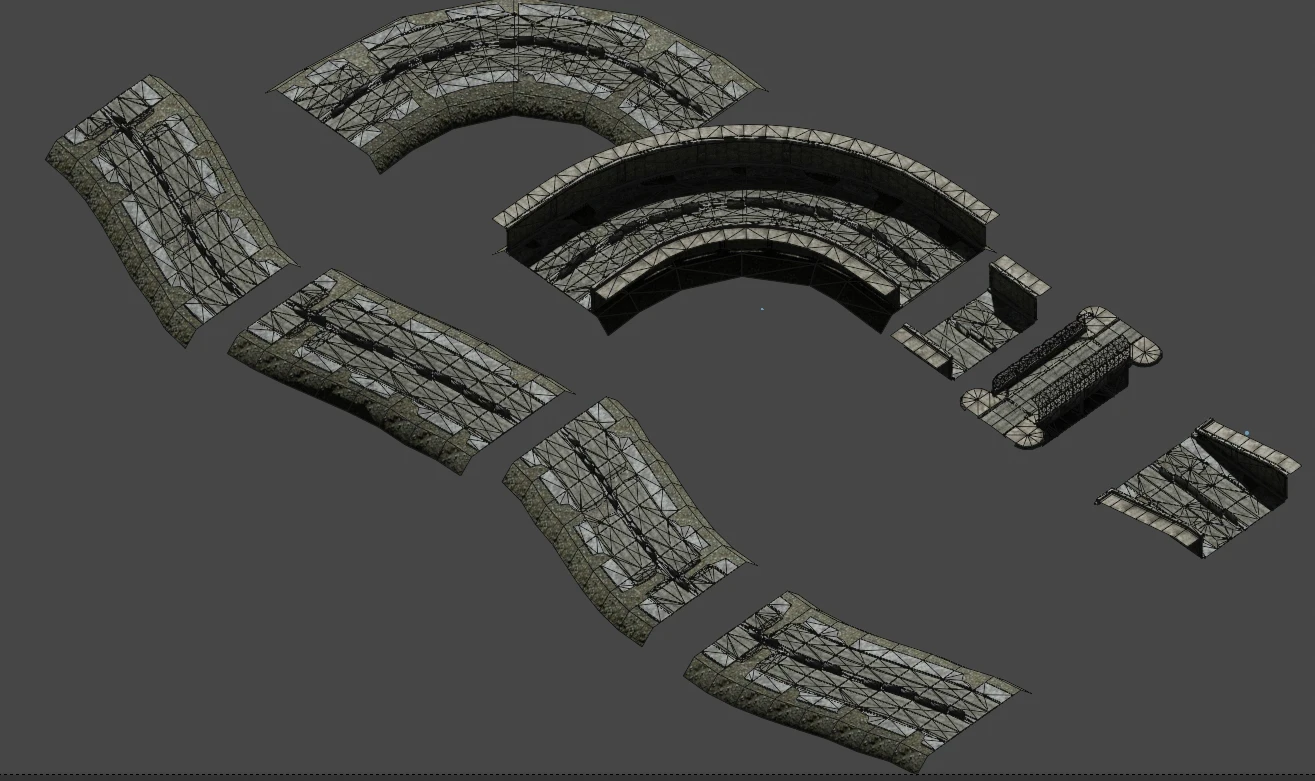
Adds over 50 LODs to Fallout 3. Particularly useful with roads, buildings, and metros. Here's the link to the original mod: LODIFY.
The Original Mod author, BlackBubble1, did some great work here and allowed me to convert it for FO3.
BlackBubble1 cannot provide support for this and did not make the conversion. So if any issues arise, post in this mod-page posts section.
Requirements:
This is a resource for xLodGen and will not work with FO3LODGEN from the Fallout 3 Nexus.
Instructions and downloads for xLODGen are in the link here: xLODGen.
Installation
Use a Mod Manager like Vortex or MO2 and run xLodGen.
Uninstall
Use a Mod Manager like Vortex or MO2.
You must run xLODGen after installation to be able to see the lod in-game.
xLODGen for Beginners
If there's any issues, refer to the instructions @ xLODGen. You can ignore anything to do with Terrian Lod or levels.
Click the spoiler button to view instructions
[]Download xLODGen
[]Unzip into a dedicated folder outside of any Steam, game or mod manager folders or special Windows folders like Program Files, Users, Desktop, Documents, Downloads etc.
[]Rename XLODGenx64.exe to FO3LODGenx64.exe. If you don't use MO2, go to step 5.
[]If you do use MO2, ignore steps 5 to 8 and add Fo3LODgen as as tool and add -FO3 -o:"c:\Your desired LOD output location\" in the arguments field, and after running FO3LodGen, install the output as an empty mod
[]Right click FO3LODGenx64.exe and send to desktop (Create a shortcut)
[]Right click the shortcut and select "properties"
[]In the "target" field, after the last double quotes, add -FO3 -o:"c:\Your desired LOD output location\"
[]Example: "C:\Users\User Name\The location you put FO3LODGen Files\FO3Edit64.exe" -FO3 -O:"C:\Your desired LOD output location"
[]Use the shortcut to run FO3LODGENx64, or if you use MO2, launch from MO2
[]Click all the worldspaces in the left hand panel you want FO3LODGENx64, set Atlas and texture size to the max values
[]Ignore terrain unless you want to. It isn't needed for object lod mods, and takes a long time.
[]Click Generate
[]When its done, go to your output folder and zip the generated lod files and give it a name you'll recognise.
[]Install with Vortex like any mod. Uninstall with Vortex like any other mod
[*]If you want to install manually
LODIFY - Fallout 3 Conversion brings over 50 new LODs to Fallout 3, specifically designed for Tale of Two Wastelands (TTW). With 171 endorsements and nearly 10,000 downloads, it's a community-trusted visual enhancement for TTW players seeking improved distant scenery.
✨ Key Features
📊 Pros & Cons
✅ Pros
- Solid community backing with 171 endorsements and nearly 10k downloads
- Brings much-needed LOD improvements to Fallout 3's wasteland
- Tailored for TTW players, so no compatibility headaches if you're on that setup
⚠️ Cons
- Only works with TTW — if you're playing vanilla Fallout 3, this isn't for you
- Last updated in March 2024, so it may not support the latest TTW versions
For Tale of Two Wastelands players who want crisper distant landscapes and less pop-in. If you're running vanilla Fallout 3 or New Vegas without TTW, skip this — it won't work. Also great for modders who appreciate visual polish without gameplay changes.
💡 Beginner Tips
- Make sure you have TTW installed and working before adding this mod, as it's built specifically for that framework.
- Use a mod manager like Mod Organizer 2 to keep your load order clean and avoid conflicts with other LOD mods.
- Check the mod's forum or comments section for any known issues with specific TTW versions, since the last update was a while ago.
📊 Mod Details
- Game
- Fallout 3 Mods
- Author
- BlackBubble1
- Version
- 1
- Downloads
- 9,804
- Endorsements
- 171
- Category
- Visuals and Graphics
- Created
- 3/27/2024
- Updated
- 3/27/2024
🔧 How to Install Fallout 3 Mods
Download from Nexus.
📖 Full step-by-step install guide for Fallout 3 →
Visit the official mod page for specific installation instructions for this mod.
🎮 Need cheat codes or console commands? Check ur gaming wiki for Fallout 3 commands, item IDs, and more.
Keep browsing — more Fallout 3 mods await