Level Cap Increaser Skill Workaround
⚪ Last updated 2008⚠️ Install Order · 2 steps
Install in this order, then this mod last — most mods fail to load without their framework and dependencies in place.
Preview
🔍 Analysis
- 👍 4.0% endorsement rate — high engagement, a strong quality signal
- 🏆 #9 of 217 Miscellaneous mods in this game by downloads
📋 About This Mod
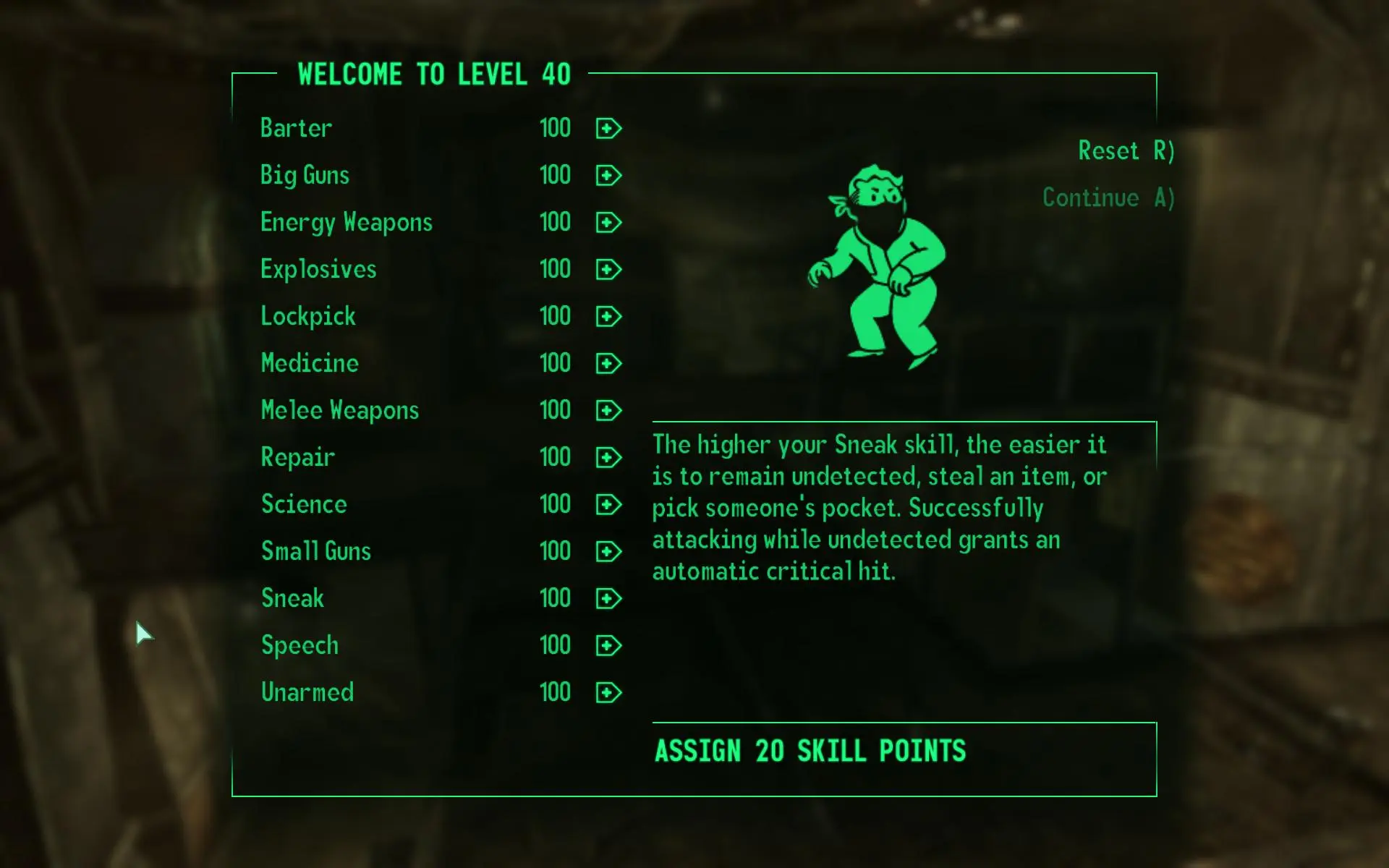
This is a tweaked XML file for the level-up screen. You can now assign points past 100 and avoid using the console to exit the level-up screen. No values past 100 are shown but the game does store the higher values. I set the level to 255. This is not meant to change the skill caps but let you use the level-up screen without needing the console when you max your skills using higher level mods. You need to set bInvalidateOlderFiles=0 to bInvalidateOlderFiles=1 in the FALLOUT. INI file. The location of FALLOUT. INI in XP is Documents and Settings\\User Name\\My Documents\\My Games\\Fallout3. Put the menus folder in the Fallout 3\\Data folder. Thanks to everyone for creating the higher level plugins.
This is a tweaked XML file for the level-up screen, allowing players to assign points past 100 without using the console. It sets the level cap to 255 and stores higher values, though they aren't displayed. For Oblivion players who want to exceed the normal skill cap.
✨ Key Features
📊 Pros & Cons
✅ Pros
- Huge community trust (5,168 endorsements) — this is a go-to fix for level cap issues
- Simple XML tweak — no complex mod manager or script setup needed
- Solves a real annoyance: no more console workaround when leveling past 100
⚠️ Cons
- Last updated in 2008 — may not be compatible with newer Oblivion versions or mods
- Values past 100 are not displayed, so you can't see your actual skill levels
- Only affects the level-up screen — doesn't change the underlying game mechanics beyond the cap
For Oblivion players who want to push their character beyond the vanilla skill cap without fiddling with console commands. If you're a completionist or enjoy long-term character progression, this mod removes a major roadblock. Skip if you're fine with the default cap or prefer a more comprehensive leveling overhaul.
💡 Beginner Tips
- Place the XML file in your Oblivion Data folder, and make sure to back up the original file before overwriting.
- Since the mod is old, test it with your current mod setup — some mods that alter leveling might conflict.
- If you use a mod manager, you can install it manually by dropping the file into the correct directory.
📊 Mod Details
- Game
- Fallout 3 Mods
- Author
- Sakatei
- Version
- N/A
- Downloads
- 130,508
- Endorsements
- 5,168
- Category
- Miscellaneous
- Created
- 11/7/2008
- Updated
- 11/7/2008
🧩 Commonly Used Together
Users add these mods to the same collections — a real compatibility signal, not an AI guess.
🔧 How to Install Fallout 3 Mods
Download from Nexus.
📖 Full step-by-step install guide for Fallout 3 →
Visit the official mod page for specific installation instructions for this mod.
🎮 Need cheat codes or console commands? Check ur gaming wiki for Fallout 3 commands, item IDs, and more.
Keep browsing — more Fallout 3 mods await