DYNAVISION - Dynamic Depth of Field
⚪ Last updated 2012⚠️ Install Order · 2 steps
Install in this order, then this mod last — most mods fail to load without their framework and dependencies in place.
Preview
🔍 Analysis
- 👍 4.7% endorsement rate — high engagement, a strong quality signal
- 🏆 #27 of 420 Gameplay Effects and Changes mods in this game by downloads
📋 About This Mod
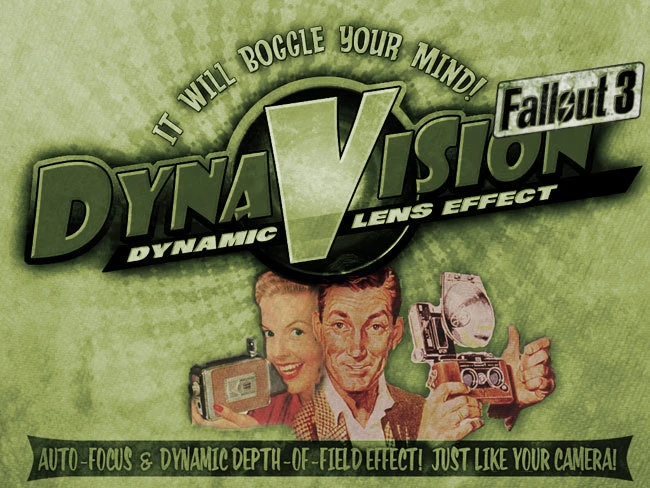
DYNAVISION provides a dynamic depth-of-field and auto-focus effect similar to a camera. In other words, when you\'re close to something and looking right at it, the subject stays in focus while the background blurs. VcwHjilQLfkry-84eqDvr0 IMPORTANT It should go without saying, but you do have to enable Depth of Field in your Fallout 3 launcher settings. If you like DYNAVISION, you should also try Directors Chair, CINEMATECH and IMAGINATOR for complete control over your visual experience. DYNAVISION OPTIONS You may adjust DYNAVISION as you like from the DYNAVISION LENS PACKAGE Pip-Boy Item (in the APPAREL tab at the bottom). All features can be DISABLED in the PIP-BOY MENU. Currently available features are: > DYNAVISION ACTIVATION DYNAVISION can be set to ALWAYS ON, OFF in INTERIORS and OFF. > DYNAVISION BLUR STRENGTH Increases or decreases the overall DYNAVISION blur. > DYNAVISION SHIFT SPEED Adjust the speed at which DYNAVISION shifts focus. > DYNAVISION SOFT FOCUS DYNAVISION comes with options for SOFT FOCUS. In short, these add a slight, overall softening of the picture in order to better emulate lenses. I find that a LOW SOFT FOCUS can go a long way to enhancing the DYNAVISION effect. > DYNAVISION DYNA-AIM DYNAVISION provides an alternate LENS EFFECT when your player is AIMING (right mouse). This effect tightens the DEPTH OF FIELD giving the effect of highlighting the targeted area, similar to zooming-in on an actual zoom lens. A quick note about SOFT FOCUS The game\'s DOF does not truly have the ability to blur outside the boundaries of the \'models\'. As such, sometimes edges can be a little sharp. I have found that if you add a bit of SOFT FOCUS, the edges look better and therefore the effect looks more natural. SOFT FOCUS is now provided in DYNAVISION and will continue to be offered in IMAGINATOR for those folks that use either one or the other. SOFT FOCUS also has its place in emulating a film-look, so it does have a continued value in IMAGINATOR. However, you may not want to combine SOFT FOCUS from both mods. I don\'t believe you\'ll have any catastrophic failures, but it\'s really not necessary. The settings are the same in both mods. A quick note about the new DYNAVISION DEFAULTS DYNAVISION defaults to: ENABLED Everywhere HIGH Blur Strength SLOW Speed NO Soft Focus MyGoodEye\'s personal favourite ENABLED Everywhere MEDIUM Blur Strength FAST Speed LOW Soft Focus
DYNAVISION adds a dynamic depth-of-field and auto-focus effect to Skyrim, mimicking a camera lens. With nearly 6,000 endorsements and over 127,000 downloads, it's a well-established visual enhancement mod. Last updated in 2012, it may require compatibility checks with current game versions.
✨ Key Features
📊 Pros & Cons
✅ Pros
- Huge community trust – 5,999 endorsements and 127k downloads show it's a proven favorite.
- Simple concept: just adds cinematic depth-of-field, no gameplay clutter.
- From known authors MyGoodEye and Gopher – they've got a solid track record.
⚠️ Cons
- Last updated in 2012 – likely outdated for current Skyrim versions, may need patches.
- Depth-of-field isn't everyone's cup of tea – can blur the action if you're not into it.
For Skyrim players who want a more cinematic, camera-like feel without overhauling the whole game. Perfect for screenshot enthusiasts and roleplayers who enjoy immersion. Skip if you prefer sharp visuals during combat or want modern features like ENB integration.
💡 Beginner Tips
- Since it's from 2012, check if your Skyrim version is compatible – you might need to use a mod manager to force install.
- Test depth-of-field strength in different lighting – tweak settings via the in-game MCM if available (though not confirmed).
- Pair with a good ENB or lighting mod to get the best cinematic effect, but be ready to adjust for performance.
📊 Mod Details
- Game
- Fallout 3 Mods
- Author
- MyGoodEye and Gopher
- Version
- 1.0.1
- Downloads
- 127,227
- Endorsements
- 5,999
- Category
- Gameplay Effects and Changes
- Created
- 7/7/2012
- Updated
- 7/9/2012
🔧 How to Install Fallout 3 Mods
Download from Nexus.
📖 Full step-by-step install guide for Fallout 3 →
Visit the official mod page for specific installation instructions for this mod.
🎮 Need cheat codes or console commands? Check ur gaming wiki for Fallout 3 commands, item IDs, and more.
Keep browsing — more Fallout 3 mods await