Compass Height Indicator (FOSE)
⚪ Last updated 2019This mod may not work until the author updates it. Check for an update, or see the rollback guide.
⚠️ Install Order · 3 steps
Install in this order, then this mod last — most mods fail to load without their framework and dependencies in place.
Preview
🔍 Analysis
- 👍 5.0% endorsement rate — high engagement, a strong quality signal
- 🏆 #232 of 420 Gameplay Effects and Changes mods in this game by downloads
📋 About This Mod
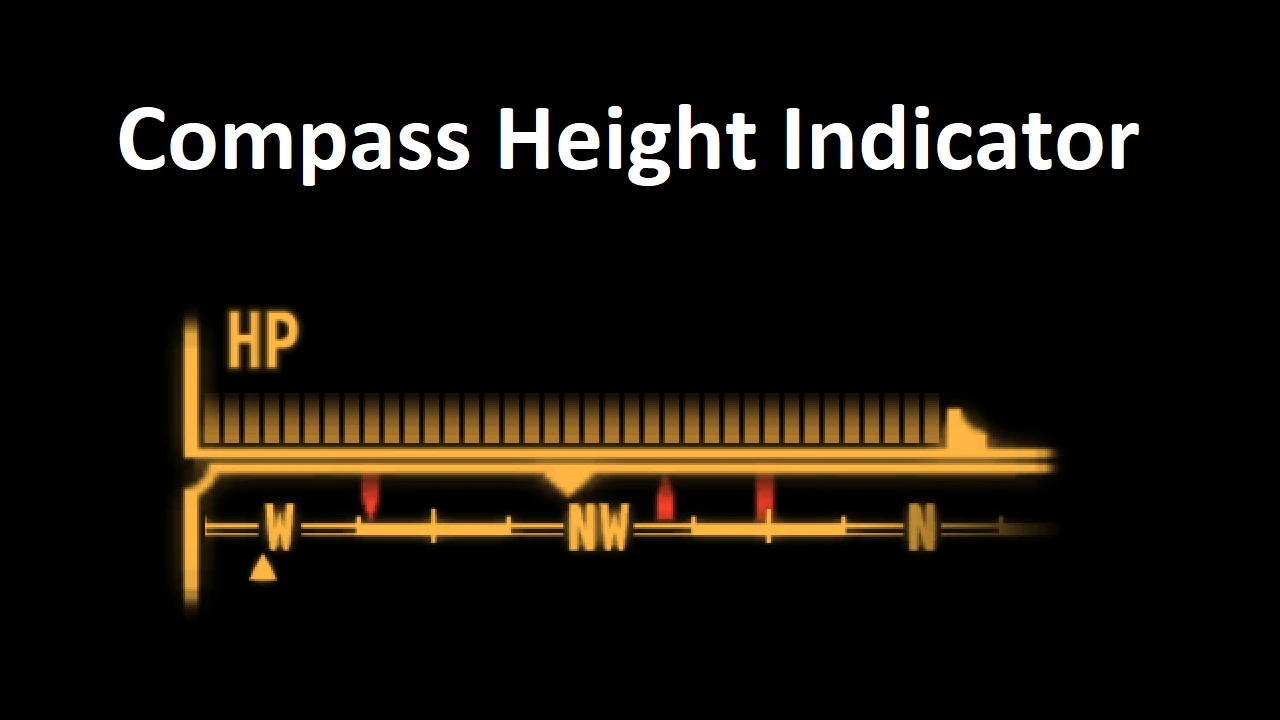
Simple mod to show whether an NPC is above or below the player using modified compass ticks.
Highly compatible fose plugin.
If you want to create your own textures, replace the provided glow_hud_tick_mark_above.dds and glow_hud_tick_mark_above.dds files.
Credits to Yvileapsis for the icons.
Included in lStewieAl's Tweaks
Installation
Use Mod Organizer 2/Nexus Mod Manager/FOMM, or manually extract the .zip file into your Fallout 3 'Data' folder.
This FOSE plugin adds Fallout 4-style height indicators to the compass in Fallout 3, showing whether NPCs are above or below the player. It's a lightweight utility with no ESP or performance impact, ideal for players who want better spatial awareness without extra mods.
✨ Key Features
📊 Pros & Cons
✅ Pros
- Community-trusted with 552 endorsements and over 11k downloads.
- Lightweight and efficient—no ESP or performance cost.
- Improves gameplay by making it easier to track enemies in multi-level areas.
⚠️ Cons
- Last updated in 2019—may not be compatible with the latest Fallout 3 patches or FOSE versions.
- Requires FOSE, which some players avoid due to setup complexity.
- Only affects NPCs, not other compass markers like quest objectives.
For Fallout 3 players who want the convenience of knowing if an enemy is above or below them, especially in urban ruins or metro tunnels. If you're already using FOSE mods, this is a no-brainer. Skip if you prefer vanilla compass behavior or don't want to mess with FOSE.
💡 Beginner Tips
- Make sure FOSE is installed correctly and launch the game via fose_loader.exe, not the default launcher.
- Check the mod's readme for any specific FOSE version requirements—older mods sometimes need an older FOSE.
- Since there's no ESP, load order isn't an issue, but verify the plugin is active in your mod manager.
📊 Mod Details
- Game
- Fallout 3 Mods
- Author
- lStewieAl
- Version
- 1.0
- Downloads
- 11,137
- Endorsements
- 552
- Category
- Gameplay Effects and Changes
- Created
- 5/31/2019
- Updated
- 5/31/2019
🔧 How to Install Fallout 3 Mods
Download from Nexus.
📖 Full step-by-step install guide for Fallout 3 →
Visit the official mod page for specific installation instructions for this mod.
🎮 Need cheat codes or console commands? Check ur gaming wiki for Fallout 3 commands, item IDs, and more.
Keep browsing — more Fallout 3 mods await