Clean and Clear Screens FO3 - PipBoy - Terminals - Race Menu
⚪ Last updated 2017⚠️ Install Order · 2 steps
Install in this order, then this mod last — most mods fail to load without their framework and dependencies in place.
Preview
🔍 Analysis
- 👍 6.1% endorsement rate — high engagement, a strong quality signal
- 🏆 #342 of 429 Models and Textures mods in this game by downloads
📋 About This Mod
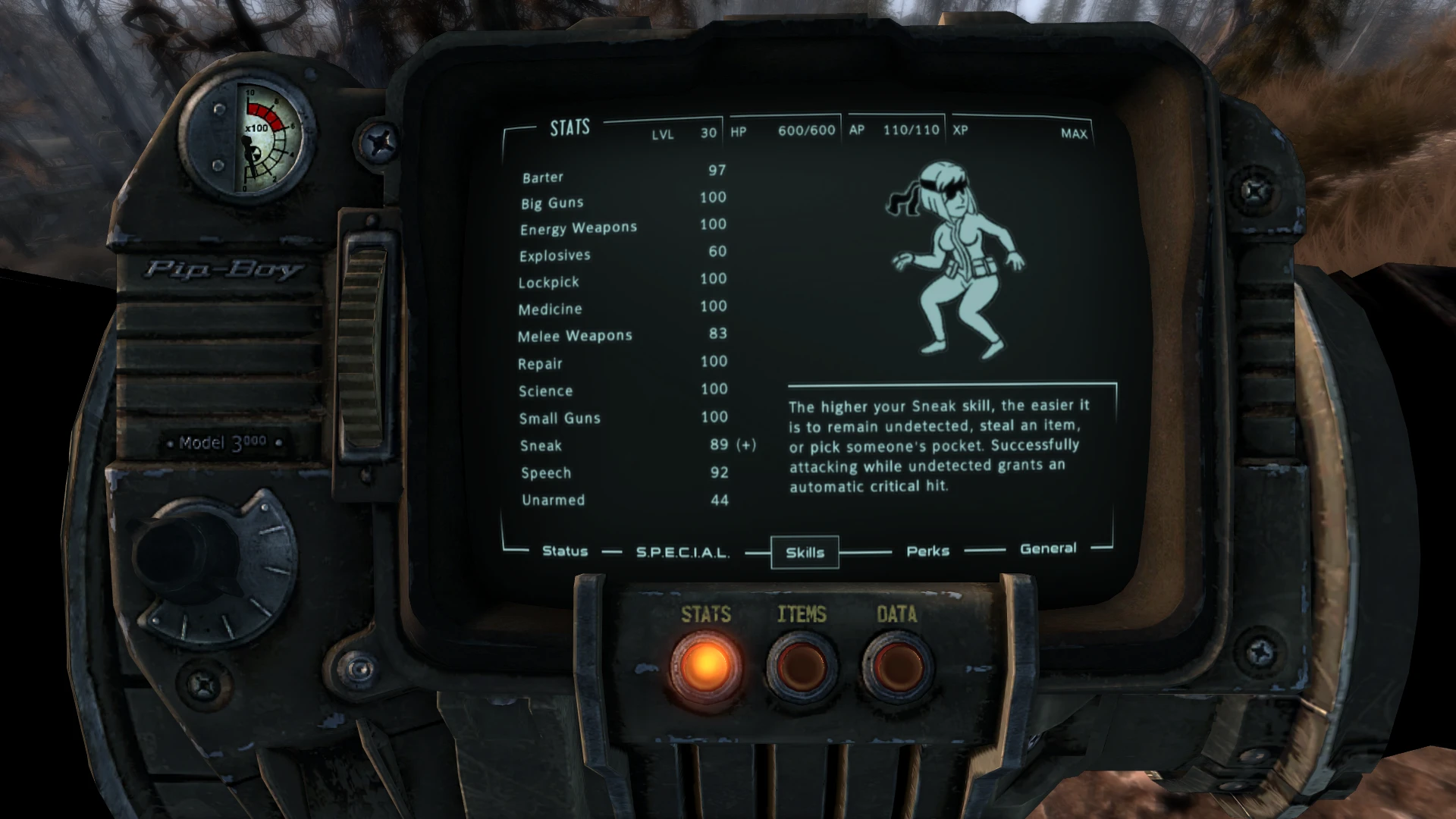
Clear up the visual interference and dust off screens.
You can disarm a nuclear weapon, so it's entirely feasible that you can clean and repair a Pip-Boy 3000.
Clean and Clear Screens FO3 removes visual grime and dust from Pip-Boy, terminals, and race menu screens in Fallout 3. A lore-friendly cosmetic fix for players who want clearer UI displays. 471 endorsements and 7,772 downloads show steady community support since 2017.
✨ Key Features
📊 Pros & Cons
✅ Pros
- Community-approved with 471 endorsements and 7,772 downloads
- Simple quality-of-life improvement for UI clarity
- Lore-friendly justification fits Fallout 3's world
⚠️ Cons
- Last updated in 2017 — may have compatibility issues with newer mods or game versions
- Only affects screens, not other UI elements or gameplay
For Fallout 3 players who find the dusty screen effects annoying and want a cleaner UI without changing gameplay. Skip if you prefer the gritty, worn aesthetic or want more comprehensive UI overhauls.
💡 Beginner Tips
- Since it's a texture replacer, place the files in your Data folder and ensure the mod is activated in your load order.
- If using a mod manager like Nexus Mod Manager or Mod Organizer 2, install via the manager to keep track of files easily.
- Check for conflicts with other UI mods that might also alter Pip-Boy or terminal textures.
📊 Mod Details
- Game
- Fallout 3 Mods
- Author
- SinkingSage
- Version
- N/A
- Downloads
- 7,772
- Endorsements
- 471
- Category
- Models and Textures
- Created
- 2/12/2017
- Updated
- 2/12/2017
🔧 How to Install Fallout 3 Mods
Download from Nexus.
📖 Full step-by-step install guide for Fallout 3 →
Visit the official mod page for specific installation instructions for this mod.
🎮 Need cheat codes or console commands? Check ur gaming wiki for Fallout 3 commands, item IDs, and more.
Keep browsing — more Fallout 3 mods await