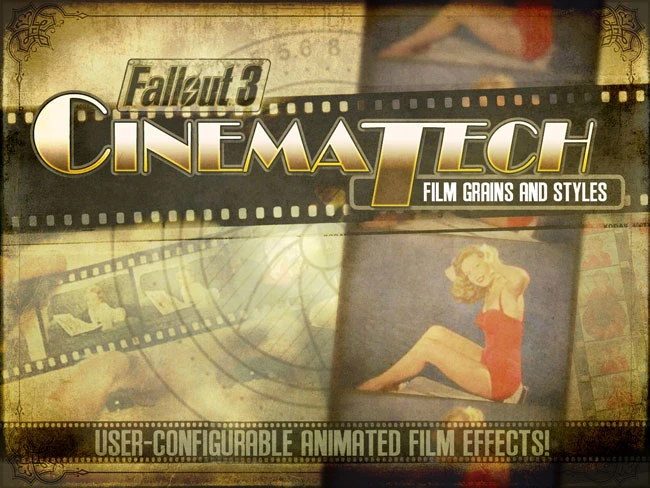
CINEMATECH - Film Grains and Styles
⚪ Last updated 2014⚠️ Install Order · 2 steps
Install in this order, then this mod last — most mods fail to load without their framework and dependencies in place.
Preview
🔍 Analysis
- 👍 4.5% endorsement rate — high engagement, a strong quality signal
- 🏆 #50 of 420 Gameplay Effects and Changes mods in this game by downloads
📋 About This Mod
ry-84eqDvr0
It's the final piece in the visual puzzle...
CINEMATECH adds user configurable film grains, grits, damages and dirts.
Some are harsh, some are not. You choose the look!
CINEMATECH is designed to go easy on your hardware, but, just in case, we've added a bunch of options to enable you to choose what suits you visually and performance-wise.
Our HIGH settings are made up of THREE LAYERS of 'grain' for a very realistic combination effect.
MEDIUM settings have TWO LAYERS of 'grain'.
LOW settings have ONE LAYER of 'grain' and is probably best if you're experiencing any slowdowns.
In the ADVANCED menu, you may select the OPACITY (ALPHA) of each layer as well as which GRAIN or EFFECT is displayed. Near total control!
In this way, you can tailor-make your 'look', and you can adjust to suit your performance needs!
The CINEMATECH Controller is found in the APPAREL tab on your PIPBOY.
Oh yeah? No problem!
The IMAGINATOR has now added 8 preset CINEMATECH enhancement settings!
These settings include sepia tones, slight blurs, black and white, 70s film look, washed out 50s film, all designed to help complete the cinematic experience.
AND they're ALL configurable using the IMAGINATOR image modification tools. Use the CINEMATECH presets or any other setting for nearly unlimited options!
Mix and match to your heart's content - ALL IN THE PIP-BOY!
Download the file with your mod manager and activate. Or if you prefer manual installation, copy the files to your data folder. You will also need UIO - User Interface Organizer installed (unless you want to manually inject the correct includes to the menu files ... and you are on your own for that).
It REQUIRES FOMM and FOSE.
Oh heck yes...
And remember:
The IMAGINATOR - Control Your Visual Destiny offers NEW CUSTOM PRESETS for CINEMATECH!
We WANT it! Have an idea for a "look"? Leave a comment!
Found an awesome combination? Post a screenshot and tell us how you got it!
We hope you enjoy!
- GOPHER and MyGoodEye
CINEMATECH is a Fallout: New Vegas mod that adds user-configurable film grains, grits, damages, and dirts to the game's visuals. It's a popular choice for players seeking a cinematic look, with over 3,500 endorsements and 77,000 downloads, though it hasn't been updated since 2014.
✨ Key Features
📊 Pros & Cons
✅ Pros
- Community favorite with 3,521 endorsements and 77k downloads—clearly a go-to for visual tweaks.
- Gives you full control over film grain and grime effects, so you can dial in exactly the look you want.
- Pairs well with other visual mods to complete a cinematic setup.
⚠️ Cons
- Last updated in 2014—might have compatibility issues with newer mods or game patches.
- Only adds visual effects—no gameplay changes, so if you're after more than looks, this isn't it.
For Fallout: New Vegas players who want to add a filmic, gritty atmosphere to their game without heavy ENB setups. Perfect for roleplayers and screenshot enthusiasts who love a cinematic vibe. Skip if you're looking for gameplay overhauls—this is purely cosmetic.
💡 Beginner Tips
- Since it's a simple mod, just drop the files into your Data folder and activate it in your mod manager.
- Check your load order—place CINEMATECH after other visual mods to avoid conflicts.
- Use the in-game config menu (if available) to tweak the grain intensity to your preference.
📊 Mod Details
- Game
- Fallout 3 Mods
- Author
- Gopher and MGE
- Version
- 1.2.1
- Downloads
- 77,714
- Endorsements
- 3,521
- Category
- Gameplay Effects and Changes
- Created
- 2/13/2011
- Updated
- 12/28/2014
🔧 How to Install Fallout 3 Mods
Download from Nexus.
📖 Full step-by-step install guide for Fallout 3 →
Visit the official mod page for specific installation instructions for this mod.
🎮 Need cheat codes or console commands? Check ur gaming wiki for Fallout 3 commands, item IDs, and more.
Keep browsing — more Fallout 3 mods await