4k Realistic Pip-Boy Retexture
⚪ Last updated 2016⚠️ Install Order · 2 steps
Install in this order, then this mod last — most mods fail to load without their framework and dependencies in place.
Preview
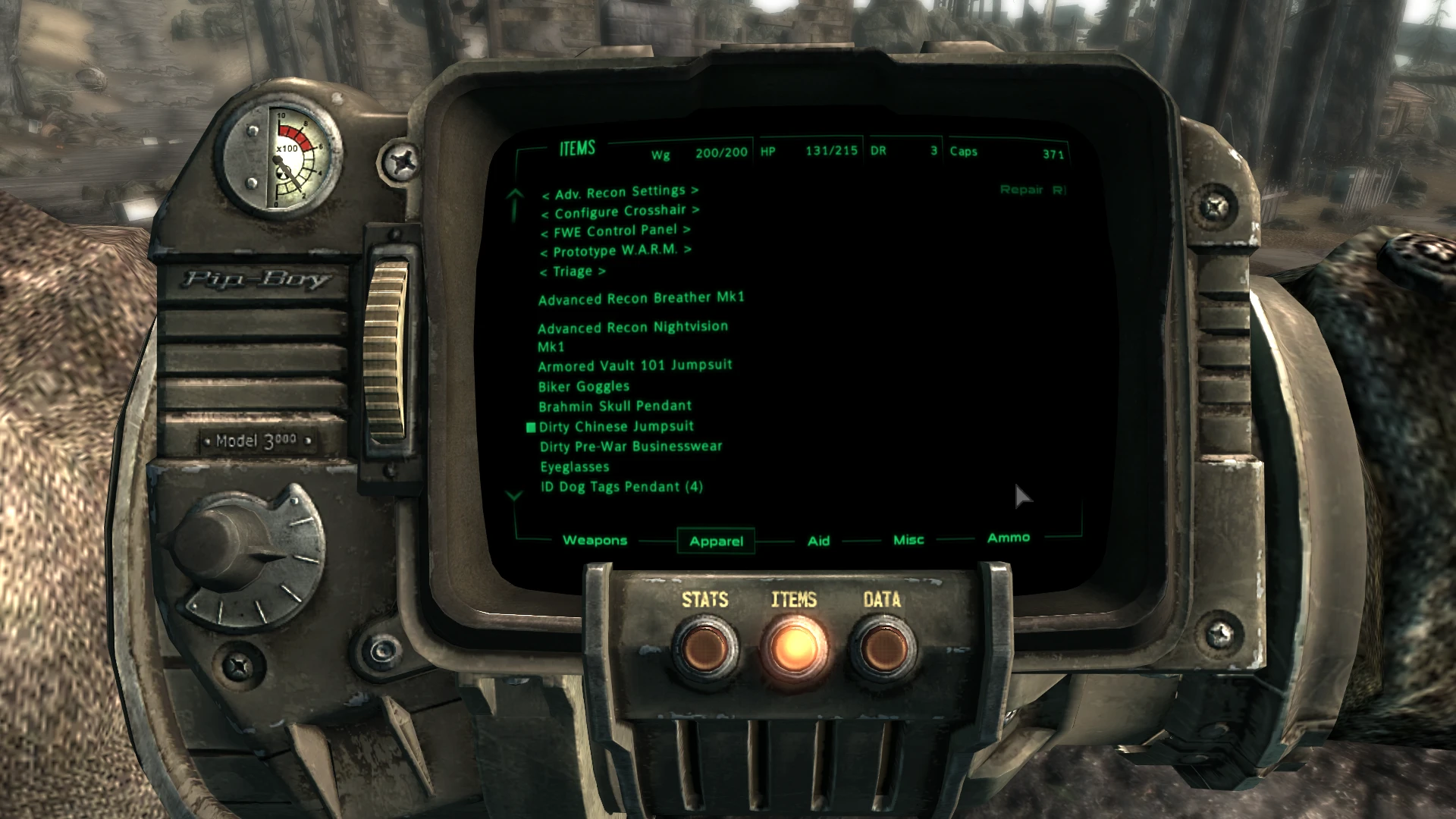
🔍 Analysis
- 👍 1.3% endorsement rate — high engagement, a strong quality signal
- 🏆 #47 of 429 Models and Textures mods in this game by downloads
📋 About This Mod
Thank You for the File of the Month April 2016
Description:
Lore friendly realistic texture for Pip-Boy 3000. Works with Fallout New Vegas as well.
-uncompressed 4k resolution for high end Pc's
-texture remade from the scratch based on vanilla colours and design
-proper specular map tuned
-fixed some vanilla normal map errors and added detail from new texture
-new high quality button glow and screen dust
1. 0 - uploaded compressed version wich is recommended for most users
1. 0 - initial release
A lore-friendly 4K retexture for the Pip-Boy 3000 in Fallout 4, replacing the default texture with a more realistic look. With over 2,200 endorsements and 174k downloads, it's a popular choice for players wanting higher fidelity without changing the game's feel. Last updated in 2016, so it's stable but may not be updated for newer content.
✨ Key Features
📊 Pros & Cons
✅ Pros
- Huge community trust (2,212 endorsements) — this is a proven texture mod
- Massive download count (174k) shows it's a go-to for many players
- Lore-friendly approach means it won't break immersion
⚠️ Cons
- Last updated in 2016 — might not be compatible with newer game patches or DLC
- Only affects the Pip-Boy, so if you want a full overhaul, this is just one piece
- No preview images or detailed install notes in the description, so you're flying blind
For Fallout 4 players who want a sharper, more realistic Pip-Boy without straying from the game's lore. If you're a texture enthusiast who appreciates high-res details, this is a solid pick. Skip if you're looking for gameplay changes or a complete visual overhaul — this is purely cosmetic.
💡 Beginner Tips
- Since it's a texture replacer, just drop the files into your Data folder or use a mod manager like NMM/Vortex — no load order worries.
- If you're on PC, make sure to enable mods in your Fallout 4 settings (or use the mod manager's launcher) to see the texture in-game.
- For best results, pair with a high-resolution texture pack for other items to keep consistency.
📊 Mod Details
- Game
- Fallout 3 Mods
- Author
- Xyloritus
- Version
- 1.0
- Downloads
- 174,526
- Endorsements
- 2,212
- Category
- Models and Textures
- Created
- 4/5/2016
- Updated
- 4/6/2016
🧩 Commonly Used Together
Users add these mods to the same collections — a real compatibility signal, not an AI guess.
🔧 How to Install Fallout 3 Mods
Download from Nexus.
📖 Full step-by-step install guide for Fallout 3 →
Visit the official mod page for specific installation instructions for this mod.
🎮 Need cheat codes or console commands? Check ur gaming wiki for Fallout 3 commands, item IDs, and more.
Keep browsing — more Fallout 3 mods await