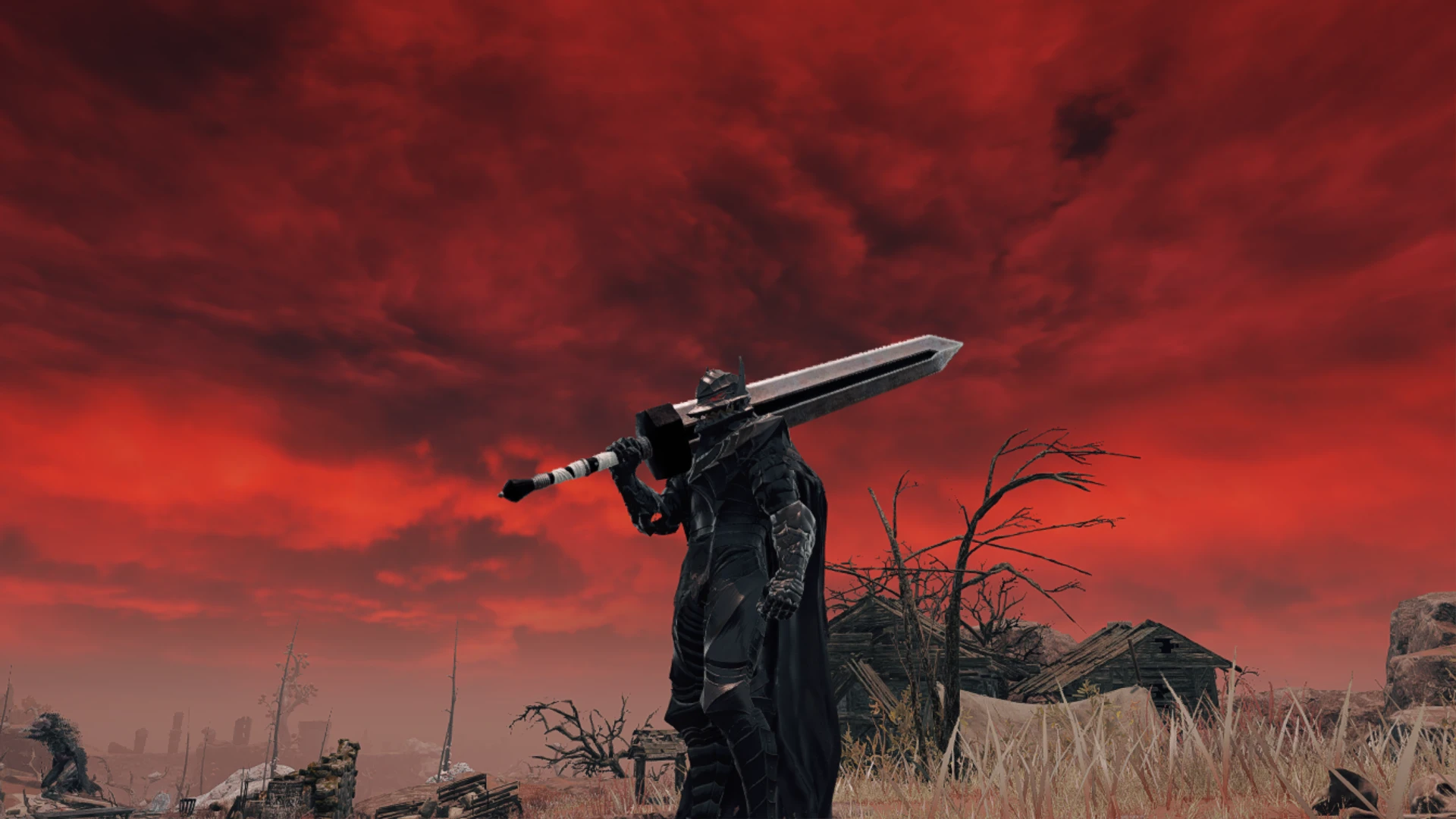
Berserk Guts' Golden Age Dragonslayer Greatsword
⚪ Last updated 2022⚠️ Install Order · 1 step
Install in this order, then this mod last — most mods fail to load without their framework and dependencies in place.
Preview
🔍 Analysis
- 👍 2.7% endorsement rate — high engagement, a strong quality signal
- 🏆 #200 of 344 Weapons mods in this game by downloads
📋 About This Mod
How to Install (UXM Version:
1.) Use UXM to unpack the game
2.) Click "Patch" after it's done unpacking.
3.) Unzip the "Berserk Guts' Golden Age Dragonslayer Greatsword UXM Version. 7z" with "7Zip"
4.) Inside will be two folders with a different color version of the Dragonslayer Greatsword: 1A Silver Version & 2B Black Version. Only use one version at a time
5.) Open the folder of the version you want to use & copy the "Game" folder into your "ELDEN RING" installation folder.. C or D:\SteamLibrary\steamapps\common\ELDEN RING & press okay to replace files...
If You Would Rather Not Unpack All The Game Files, You can Use The New Mod Engine 2 Preview for Elden Ring:
- To get the new Mod Engine 2 Preview for Elden Ring follow this link & follow the installation instructions: Mod Engine 2
How To Install Mod if Using Mod Engine 2:
1.) Unzip the "Berserk Guts' Golden Age Dragonslayer Greatsword Mod Engine 2 Version. 7z" with "7Zip"
2.) Inside will be two folders with a different color version of the Dragonslayer Greatsword: 1A Silver Version & 2B Black Version. Only use one version at a time
3.) Open the "Berserk Guts' Golden Age Dragonslayer Greatsword Mod Engine 2 Version" folder and inside will be a "parts" folder
4.) Copy and paste the "parts" folder into the Mod Engine 2 "mod" folder
Tools Used:
2.) Photoshop
-Do not install with mod manager, only install manually!!!
A simple recolor mod for the Greatsword, offering two versions inspired by Guts' Golden Age Dragonslayer from Berserk. Choose between a silver or black variant. With 46 endorsements and 1,718 downloads, it's a niche cosmetic option for fans of the manga.
✨ Key Features
📊 Pros & Cons
✅ Pros
- Faithful to the source material for Berserk fans.
- Two color options give a bit of choice.
- Lightweight cosmetic mod with a decent download count (1,718).
⚠️ Cons
- Only a recolor—no new model or gameplay changes.
- Last updated in 2022, may not be compatible with the latest game version.
- No screenshots or detailed install instructions provided.
For Berserk fans who want their Greatsword to look like Guts' iconic weapon. Skip if you're looking for new weapons or gameplay tweaks—this is purely cosmetic.
💡 Beginner Tips
- Make sure to only install one version (1A or 1B) to avoid conflicts.
- If using a mod manager, preview the texture in-game to see which color you prefer before committing.
- Check the mod's posts section for any compatibility notes with other weapon mods.
📊 Mod Details
- Game
- Elden Ring Mods
- Author
- Jb
- Version
- 1.03.3
- Downloads
- 1,718
- Endorsements
- 46
- Category
- Weapons
- Created
- 3/21/2022
- Updated
- 4/10/2022
🔧 How to Install Elden Ring Mods
Download from Nexus.
📖 Full step-by-step install guide for Elden Ring →
Visit the official mod page for specific installation instructions for this mod.
🎮 Need cheat codes or console commands? Check ur gaming wiki for Elden Ring commands, item IDs, and more.
Keep browsing — more Elden Ring mods await