Nvidia Game Filter E3 Visuals
⚪ Last updated 2022Preview
🔍 Analysis
- 👍 3.3% endorsement rate — high engagement, a strong quality signal
- 🏆 #31 of 193 Visuals mods in this game by downloads
📋 About This Mod
Nvidia Only* Here you will find instructions on how to save your own presets, should you wish to share them with others. I have provided mine here, which you can download and apply. To do this, skip to the section below titled: "Steps to load a preset"
Steps to save a preset:
-
[]Go to C:\Program Files\NVIDIA Corporation\Ansel and launch NvCameraConfiguration.exe. It can be downloaded via Nvidia here
[]Check the Save Preset With Shot checkbox, then click Save
[]Launch a game that supports Ansel or Freestyle
[]Press Alt+F2 to bring up the Ansel overlay
[]In the Filter drop down menu, add whatever filters you want to use
[]Click Snap to take a screenshot
[]Close the Ansel overlay
[]Press Alt+Z to open the overlay, click Gallery, click the Ansel screenshot, and click Open File Location
[]The preset is saved as an .ini file saved along with the screenshot
[] Move the .ini file to C:\Program Files\NVIDIA Corporation\Ansel\Custom to use it with Ansel or Freestyle
Steps to load a preset:
-
[]Launch a game that supports Freestyle.
[]Press Alt+F3 to bring up the Freestyle overlay.
[]Select one of the Freestyle styles and click Add Filter.
[]Click the preset .ini that you previously added.
[]The game appearance will show the filters saved in the preset .ini (e.g. if contains Colorize and SpecialFX, both filters should be applied).
Thanks to Reddit user pidge2k for the instructions.
-
[]Launch a game that supports Freestyle.
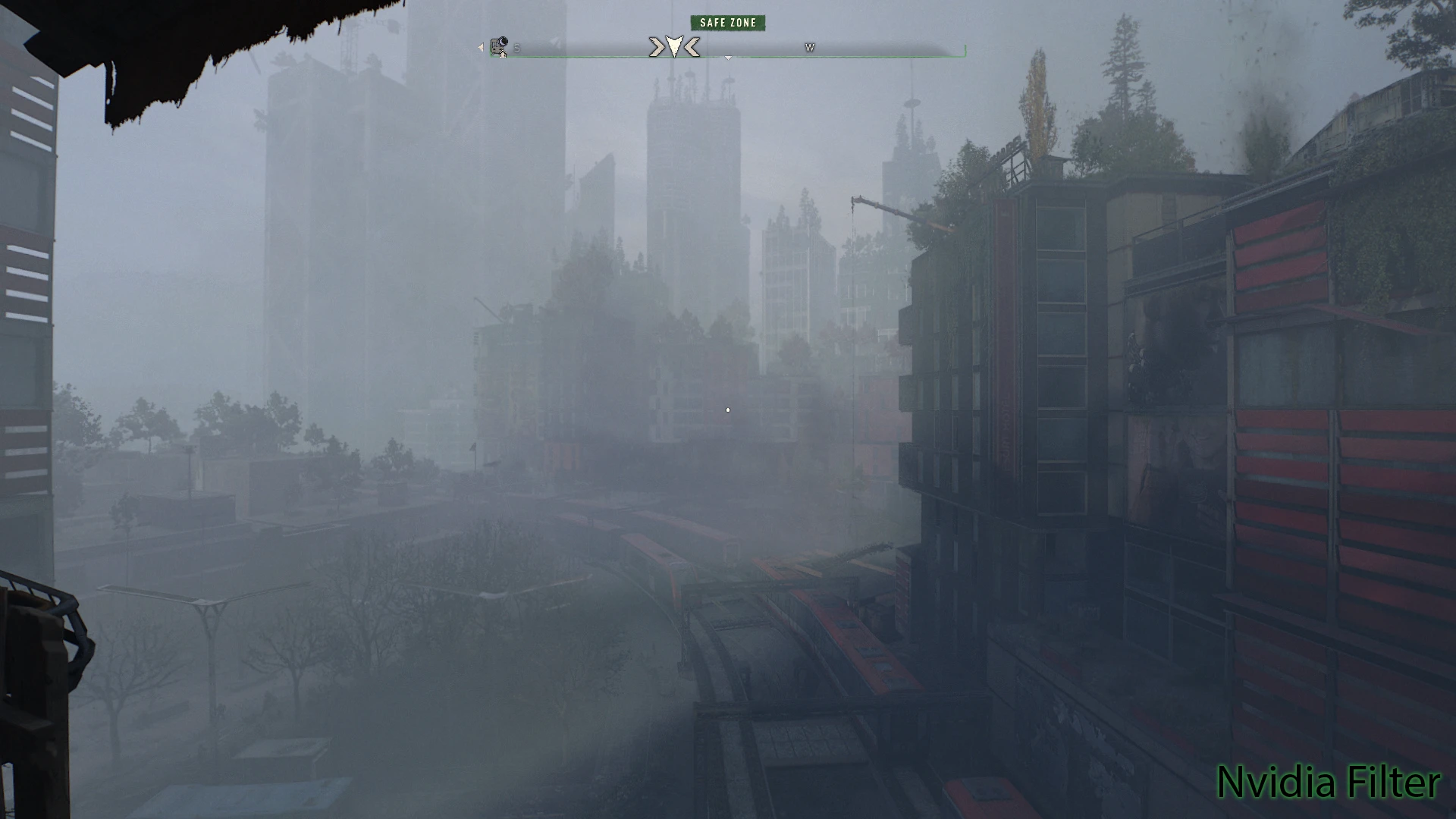
This preset gives Dying Light 2 an E3-style look using Nvidia's Game Filter, avoiding Reshade and third-party injectors to maximize frame rate. With 57 endorsements and 1,716 downloads, it's a niche but functional visual mod for players wanting a specific aesthetic without performance hits.
✨ Key Features
📊 Pros & Cons
✅ Pros
- No Reshade needed, so no performance hit from injectors
- Easy to apply if you have Nvidia's overlay
- Decent community trust with 57 endorsements
⚠️ Cons
- Only works with Nvidia GPUs and the GeForce Experience overlay
- Last updated in 2022, so may not be compatible with the latest Dying Light 2 patches
For Dying Light 2 players with Nvidia GPUs who want an E3-inspired look without sacrificing frame rate. Skip if you have an AMD card or prefer Reshade's broader customization.
💡 Beginner Tips
- Make sure you have GeForce Experience installed and the in-game overlay enabled.
- Apply the filter in-game via Alt+F3 and adjust intensity to your liking.
- If the filter doesn't show up, update your graphics drivers.
📊 Mod Details
- Game
- Dyinglight2 Mods
- Author
- Warpy
- Version
- 1.0
- Downloads
- 1,716
- Endorsements
- 57
- Category
- Visuals
- Created
- 6/2/2022
- Updated
- 6/2/2022
🔧 How to Install Dying Light 2 Mods
Download from Nexus Mods.
📖 Full step-by-step install guide for Dying Light 2 →
Visit the official mod page for specific installation instructions for this mod.
🎮 Need cheat codes or console commands? Check ur gaming wiki for Dying Light 2 commands, item IDs, and more.
Keep browsing — more Dying Light 2 mods await