BADLAND - A Cinematic ReShade Suite
⚪ Last updated 2022⚠️ Install Order · 1 step
Install in this order, then this mod last — most mods fail to load without their framework and dependencies in place.
Preview
🔍 Analysis
- 👍 1.9% endorsement rate — high engagement, a strong quality signal
- 🏆 #3 of 193 Visuals mods in this game by downloads
📋 About This Mod
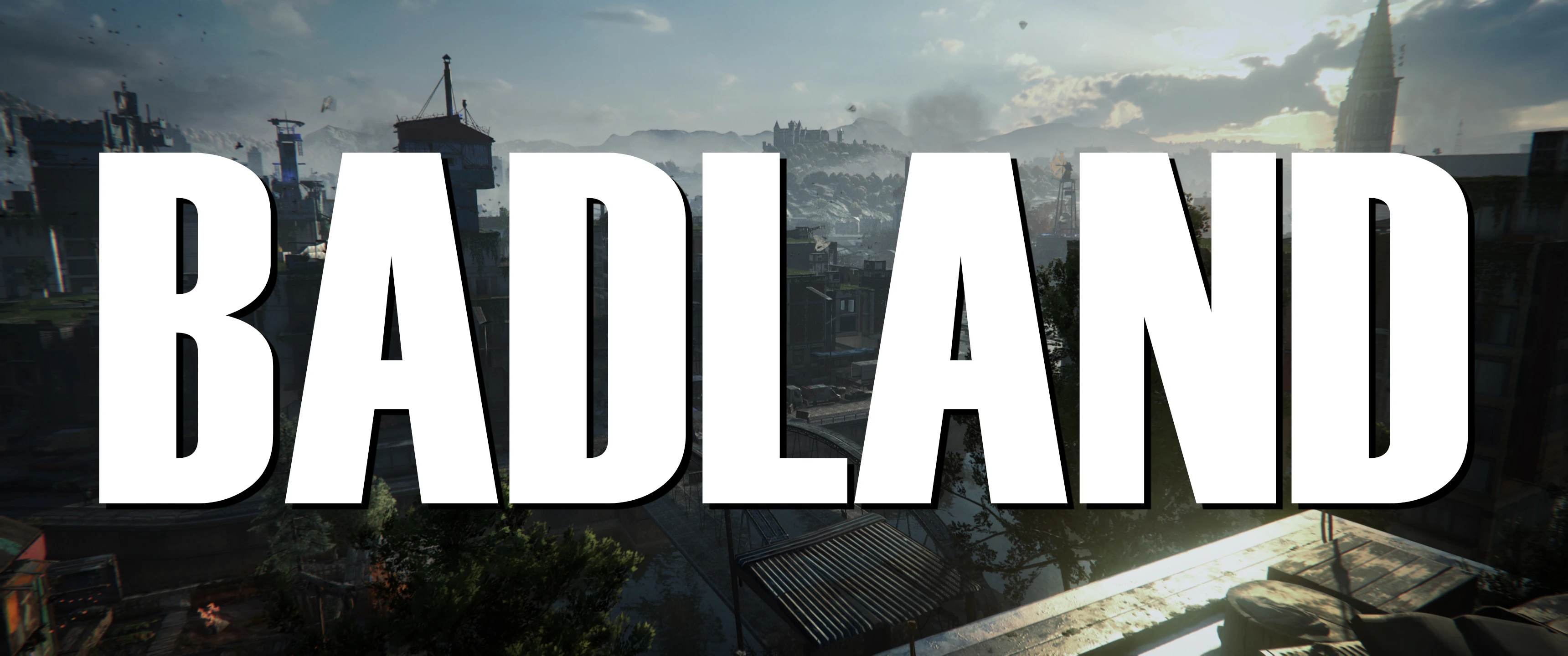
Hi! These are my personal presets I've been using since launch. Inspired by Dying Light 2's 2018 Gameplay Trailer and the cinematic color grading of movies I enjoy.
Adaptive Fog is used to add more atmosphere and goes a long way towards achieving the look of the 2018 Gameplay Trailer. If that's not your cup of tea, it can be toggled on/off. It doesn't play nice with menu screens but works fine in-game if you remove the game's Barrel Lens Distortion effect. If you don't plan on removing this effect, I'd suggest leaving the AdaptiveFog shader off.
Remove the game's Barrel Lens Distortion by using the linked mod's AIO(the modular version no longer works):
NO POST PROCESSING EFFECTS like flare etc.
Shaders used
ArtisticVignette
Filmic Anamorphic Sharpen
AdaptiveFog
Chromatic Aberration
= Optional
LITE version
For those who can't spare any fps, you're in luck! The Lite version is built into the full preset. Just toggle the optionals off. This leaves you with MagicHDR, Lightroom, and Chromatic Aberration.
- Lightroom is essential and is the heart of the preset.
- CA isn't for everyone, so lose it if you don't like it. However, it costs next to nothing and I use it in an unobtrusive way by limiting it to just the edges of the screen.
- Lastly, there's MagicHDR. After AdaptiveFog, I consider this crucial towards getting that hazy look I'm going for but drop it if all you want is the color tweak Lightroom provides.
Preset Notes
- This preset was made with default brightness settings and the game's Filmgrain turned off at 3440x1440p/DLSS Quality and 4k/DLSS Balanced.
- Make sure these shaders are stacked in the order you see here otherwise your results may differ from my screenshots.
- Some of these shaders(Adaptive Fog for example) seemingly scale to your display's resolution, so 1080p may not render like in my screenshots. They may appear more pronounced at lower resolutions.
- The base preset(MagicHDR, Lightroom and Chromatic Aberration) costs about 3 fps.
- DOF costs around 3 fps.
- The full preset will eat about 6-9 fps depending on the scene.
Shader hotkeys
+ - ADOF DOF looks great for screenshots but interferes with menu screens. Toggle off when in menus.
- - Adaptive Fog(This effect is janky unless you remove the game's Barrel Lens Distortion and works best at 1440p(DLSS Quality and Balanced) and 4k(DLSS Quality and Balanced). Not sure if it'll look right at 1080p. You may have to tweak the settings yourself to get it looking like in the pics. See above Nexus mod link for how to remove the game's Barrel Lens Distortion)
* - MagicHDR
/ - ArtisticVignette looks great in brighter environments but cau
BADLAND is a ReShade preset for Dying Light that aims to replicate the 2018 gameplay trailer's cinematic horror aesthetic, offering a gloomy, desaturated look and a warm, saturated alternative. With 277 endorsements and 14,584 downloads, it's a popular choice for players seeking a darker, more atmospheric visual experience.
✨ Key Features
📊 Pros & Cons
✅ Pros
- Community-approved with 277 endorsements and over 14k downloads.
- Two visual styles in one mod: gloomy and warm saturated.
- Easy to install if you already use ReShade.
⚠️ Cons
- Last updated in 2022, may not be compatible with the latest Dying Light patches.
- Requires ReShade, which is not included and must be set up separately.
- No screenshots or detailed installation instructions in the description.
For Dying Light players who want a more cinematic, horror-like atmosphere without changing gameplay. Perfect for those who loved the 2018 trailer's look. Skip if you prefer the vanilla vibrant colors or don't want to mess with ReShade.
💡 Beginner Tips
- Make sure ReShade is installed and working before adding this preset.
- Use the ReShade in-game overlay to switch between the gloomy and warm versions.
- If the game updates, check the mod page for compatibility notes.
📊 Mod Details
- Game
- Dyinglight2 Mods
- Author
- phroZac
- Version
- 1.0
- Downloads
- 14,584
- Endorsements
- 277
- Category
- Visuals
- Created
- 2/17/2022
- Updated
- 7/17/2022
🔧 How to Install Dying Light 2 Mods
Download from Nexus Mods.
📖 Full step-by-step install guide for Dying Light 2 →
Visit the official mod page for specific installation instructions for this mod.
🎮 Need cheat codes or console commands? Check ur gaming wiki for Dying Light 2 commands, item IDs, and more.
Keep browsing — more Dying Light 2 mods await