Berserker Armor
⚪ Last updated 2024Preview
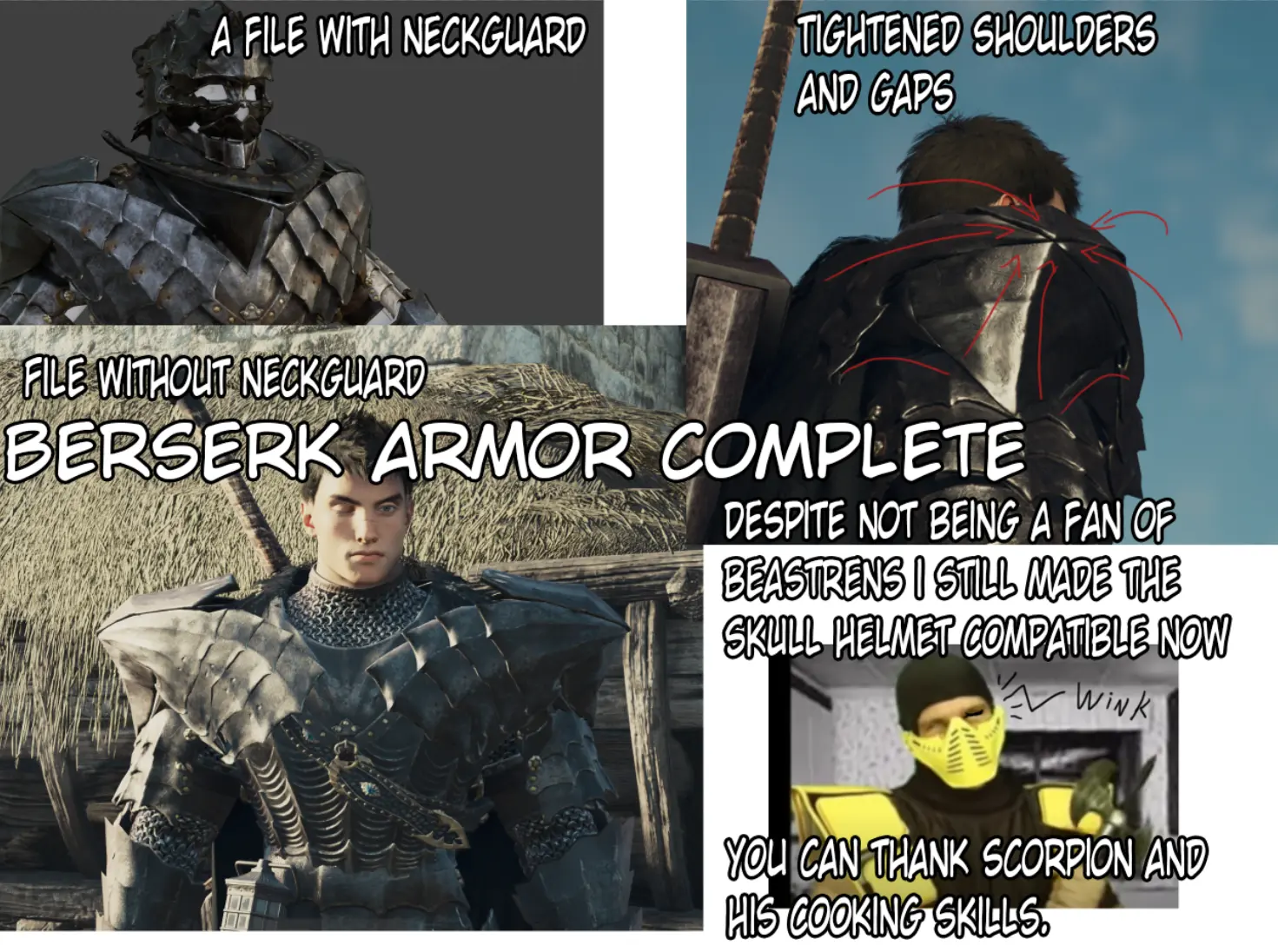
🔍 Analysis
- 👍 1.9% endorsement rate — high engagement, a strong quality signal
- 🏆 #106 of 174 Armor mods in this game by downloads
📋 About This Mod
Corrective update for those that don't want to extract files and look into the folders to develop the bare minimum knowledge of problem solving on pc.
Now with /natives put at the root of the archive folder :)= trolls But you would have realized if you read this wall of text and figured out the /natives were burried under a folder created with the name of the archive in there...
Come on, it's pc modding, try to be more mind agile, problem solving and ressourceful.
A WARNING ABOUT HOW FLUFFYMOD MANAGER WORK AND ITS BEHAVIOUR WITH /NATIVES FOLDER !
(and why i don't use it for mesh mod files because it's not very clean by default settings)
BY DEFAULT FLUFFY MOD MANAGER WILL NOT REMOVE OLDER MESH MOD FILES INSTALLED PREVIOUSLY - (Especially mesh/textures/materials mod files by default)l OF THE SAME ARMOR ID - wich end up with conflicts of mixed files of the same armor parts in their respective folder when you remove / and activate other mods of the same armor IDS.
-> I realized this only recently because i barely ever use fluffy mod manager, but when i tried several of my mods in a row, i realized that it has the options to remove / uninstall files only if you force them into the advanced menu, and even THEN if you close up the game, if you close fluffy mod manager, it will not remove the files when CLOSED abruptly neither.
By default fluffy mod manager would randomly try (or not to) overwrite files, but most of the time, it will do a half job if it has no administrator rights when launched too. Most of the times, if you don't have a clean / hygienic behavior with the mod manager, you end up with a mess anyway from a domino effect of lazy / leaving things by default behaviour. (and mesh mods are still experimental as of now, especially full armors)
BEST PRACTICE IS TO REMOVE OLDER FILES OF THE SAME ARMOR ID MANUALLY BEFORE INSTALLING A NEW MESH MOD FILE OF THE SAME ID.
It works best if you usually just extract the files manually into :
Dragon's Dogma2 root folder.
The /natives folder from the compressed archive should be extracted to find itself in the folder, this way :
Dragon's Dogma2/natives/
The mod usually DONT uninstall itself PREVIOUS mod files in natives, leaving all the FORMER armor parts in it, it would ONLY remove former armor parts if you go into ADVANCED options to force UNINSTALL files when you deactivate the button, at most times without knowing this, it will KEEP former files and make conflicts as it will try to overwrite (or not even try) previous files and make a mix of old and new files if it doesn't find the same names.
And even when activating the options to uninstall files by switching on and off the mod in the mo
📊 Mod Details
- Game
- Dragonsdogma2 Mods
- Author
- Imaginalex
- Version
- v0.9a
- Downloads
- 1,091
- Endorsements
- 21
- Category
- Armor
- Created
- 4/15/2024
- Updated
- 4/16/2024
🔧 How to Install Dragon's Dogma 2 Mods
Download from Nexus Mods.
📖 Full step-by-step install guide for Dragon's Dogma 2 →
Visit the official mod page for specific installation instructions for this mod.
🎮 Need cheat codes or console commands? Check ur gaming wiki for Dragon's Dogma 2 commands, item IDs, and more.
Keep browsing — more Dragon's Dogma 2 mods await