Pawn knowledge and Rook leveled up
⚪ Last updated 2023Preview
🔍 Analysis
- 🏆 #55 of 66 Gameplay mods in this game by downloads
📋 About This Mod
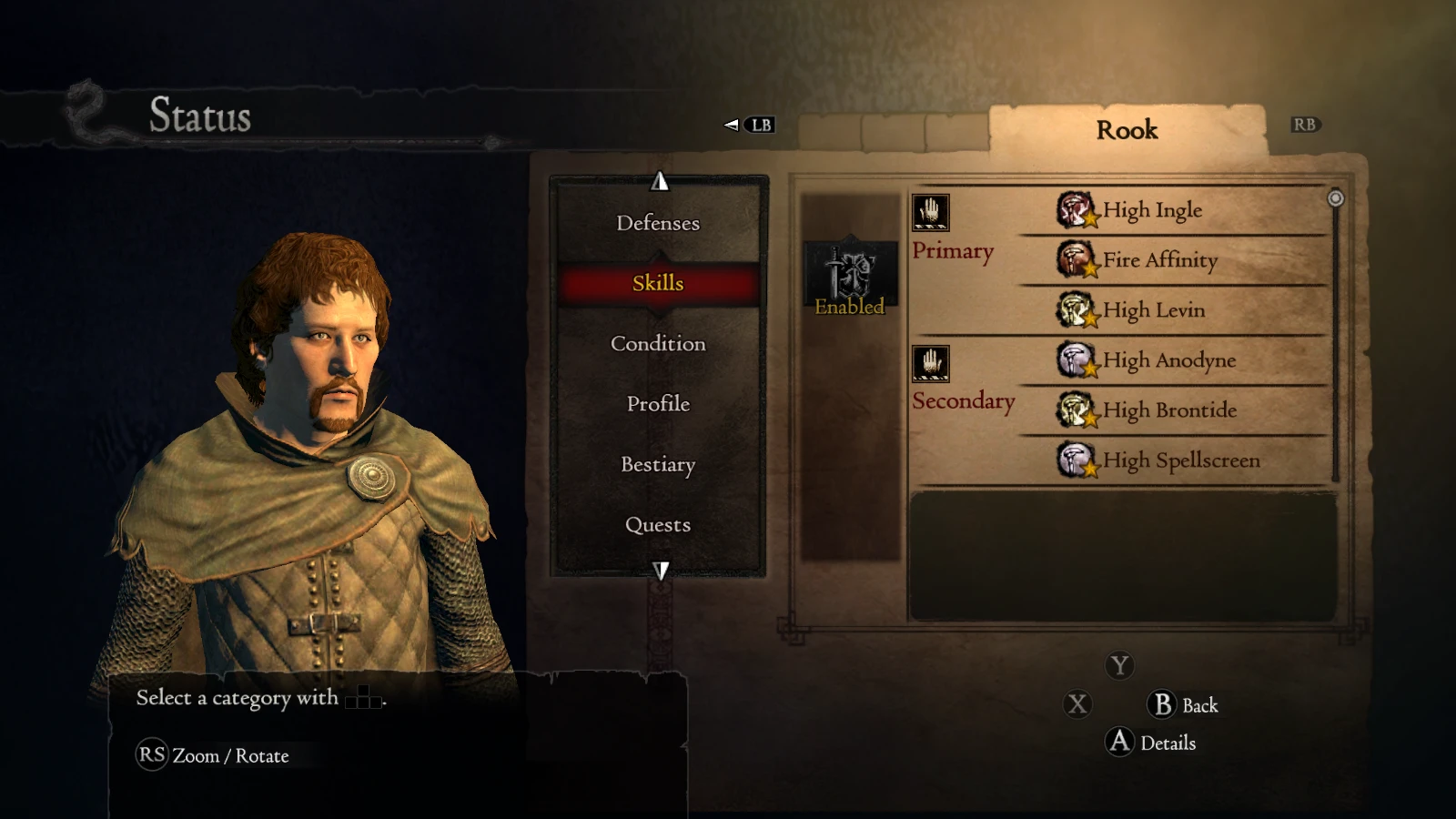
Rook leveled up to level 26, to be imported into your save with Pawn Manager. Includes a new configuration file that saves knowledge.
This is a preset of Rook leveled up to level 26. His health, stamina, resistances and skills are made consistent with a mage of level 26. He is not overpowered. His gear is largely left original, but several pieces replaced by "gifted" items which allows to upgrade them. The preset does not include knowledge.
To use this preset, you need Pawn Manager 0. 1. 3 with a newer configuration file from their GitHub page. For convenience, I uploaded it also here under Files, marked version 0. 1. 3U. Use it instead of config.xml that comes with the Pawn Manager. This version allows you to edit the pawn's personality too (not the same as inclination, see this Wiki page).
If you want knowledge to be saved as well, use my new config.xml version 1. 1. This extracts information on learned knowledge from the save file and saves it in the pawn's preset file, and visa versa.
This mod does not edit the system preset for Rook, but only the data in your save file. This means that if Rook dies on you and you have to fetch him from the Rift, he reverts to the default level 6. However, you can use my updated config.xml to make a backup of Rook as he is in your game, so that when you hire his level 6 version, you then overwrite it with your backup to update him. If you use D8input.dll Hooks and have save file backups enabled, you can use them to extract Rook from the last backup when he was still alive and paste that over the level 6 Rook that comes from the Rift.
How to use
-
[]Hire Rook in the Rift, he is level 6. Save and exit the game.
[
]Copy Rook's preset Rook.xml to the same folder where you have your save file.[]Make a backup of your save file DDDA.sav.
[]Copy config.xml version 1. 1 to the folder where you have your Pawn Manager.
[]Start the Pawn Manager and load Rook (click Load Pawn and select Rook.xml).
[]Select your save file and click Export Pawn to Save File overwriting Rook.
[]Start the game and load the save, you should now have Rook with all the right attributes and gear.
Start with a knowledgeable Rook
By default Rook does not have a lot of knowledge as he's supposed to gain it while walking with you. The above method gives you Rook with default knowledge (very little). If you wanted to start with Rook that had the knowledge of an average pawn of level 26, use a slightly different method as follows:
[]Hire any pawn with desired knowledge. Anything else about that pawn is unimportant. To give Rook typical knowledge of a level 26 pawn, hire any level 26 pawn.
[]Copy Rook's preset Rook.xml to the same folder where you have your save file.
[]Make a backup of your save file DDDA.sav.
[]Copy config.xml version 0. 1. 3U to the folder where you have your Pawn Manager. This configuration file skips knowledge data.
[]Start the Pawn
📊 Mod Details
- Game
- Dragonsdogma Mods
- Author
- Lena Wolf
- Version
- 1.1
- Downloads
- 316
- Endorsements
- 11
- Category
- Gameplay
- Created
- 2/1/2023
- Updated
- 2/2/2023
🔧 How to Install Dragon's Dogma: Dark Aris Mods
Download from Nexus Mods.
📖 Full step-by-step install guide for Dragon's Dogma: Dark Aris →
Visit the official mod page for specific installation instructions for this mod.
🎮 Need cheat codes or console commands? Check ur gaming wiki for Dragon's Dogma: Dark Aris commands, item IDs, and more.
Keep browsing — more Dragon's Dogma: Dark Aris mods await