Names and Icons for Tattoos Scars and Paints
🟠 Updated over a year agoPreview
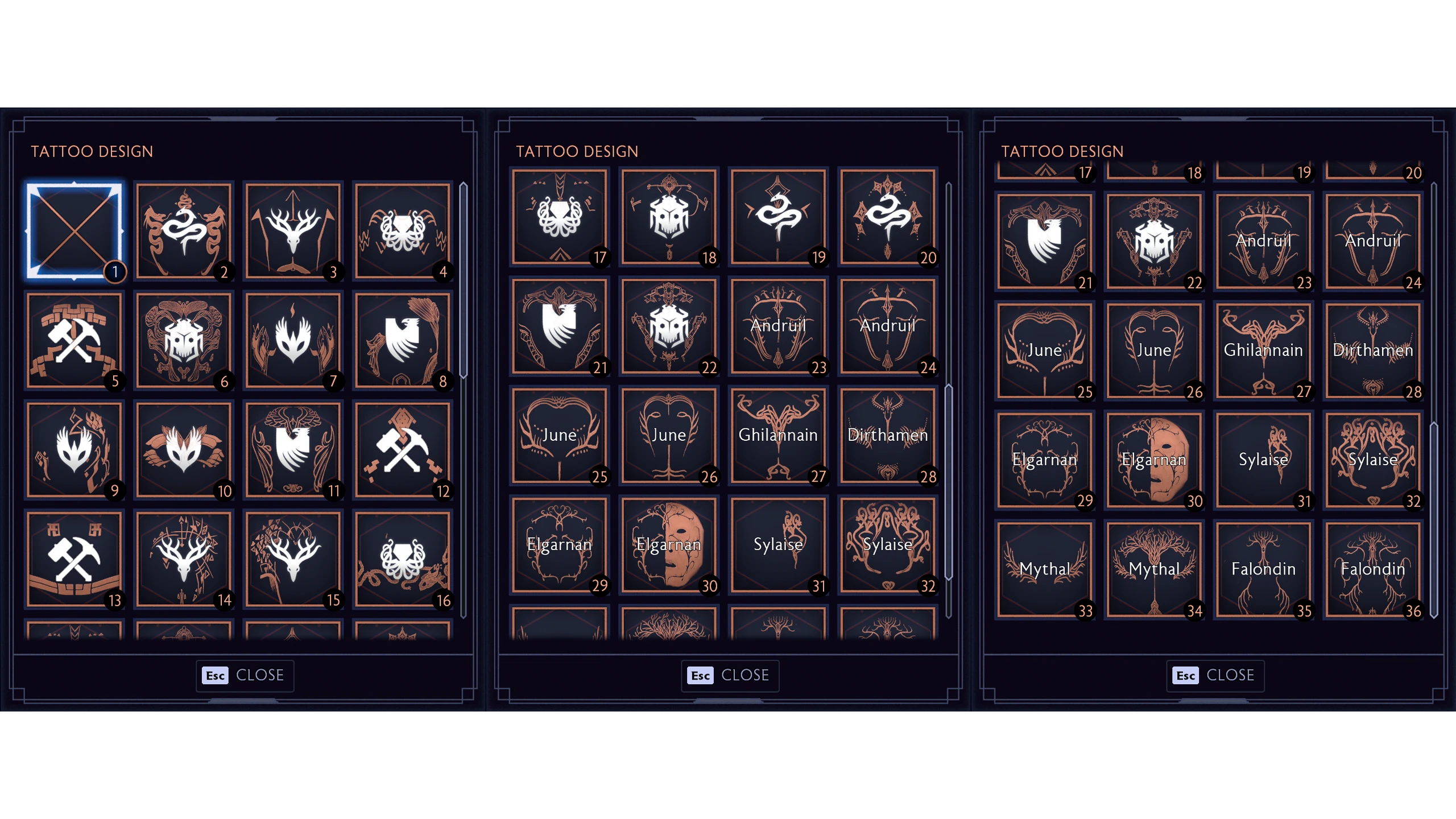
🔍 Analysis
- 👍 4.7% endorsement rate — high engagement, a strong quality signal
- 🏆 #3 of 49 User Interface mods in this game by downloads
📋 About This Mod
Installation:
Frosty Mod Manager
How to use Frosty Mod Manager by PinkyDude
Credits:
Wavebend, WiiMaster, Wannkunstbeikor and everyone else for their contributions to Frosty Toolsuite
This UI mod for Dragon Age: Inquisition adds names to Vallaslin tattoos and faction/race icons to the tattoo, scar, and paint selection screens. With 163 endorsements and 3,479 downloads, it's a small but appreciated quality-of-life improvement for character creation enthusiasts. Last updated in December 2024, it remains relevant for current game versions.
✨ Key Features
📊 Pros & Cons
✅ Pros
- Community-approved with 163 endorsements and 3,479 downloads—clearly useful to many players.
- Fills a real gap: knowing which Vallaslin belongs to which Dalish god without alt-tabbing.
- Lightweight UI tweak that doesn't touch gameplay, so it's safe for most load orders.
⚠️ Cons
- Author didn't include install instructions—you'll need to figure out Frosty Mod Manager on your own.
- Only affects the character creation screen; no impact on in-game visuals or immersion.
- No screenshots or detailed feature list, so you're trusting the description at face value.
For Dragon Age: Inquisition players who spend hours in character creation and want to know exactly which Vallaslin they're picking. Also great for roleplayers who want their Inquisitor's tattoos to match their backstory. Skip if you never touch the character creator or expect gameplay changes.
💡 Beginner Tips
- Use Frosty Mod Manager to install this mod—it's the standard for Dragon Age: Inquisition mods.
- Make sure to launch the game through Frosty after applying the mod, or it won't take effect.
- If you're using other UI mods, check for conflicts in the mod manager before enabling.
📊 Mod Details
- Game
- Dragonagetheveilguard Mods
- Author
- KickingWriter
- Version
- 2.0
- Downloads
- 3,479
- Endorsements
- 163
- Category
- User Interface
- Created
- 11/20/2024
- Updated
- 12/15/2024
🧩 Commonly Used Together
Users add these mods to the same collections — a real compatibility signal, not an AI guess.
🔧 How to Install Dragon Age: The Veilguard Mods
Download from Nexus Mods.
📖 Full step-by-step install guide for Dragon Age: The Veilguard →
Visit the official mod page for specific installation instructions for this mod.
🎮 Need cheat codes or console commands? Check ur gaming wiki for Dragon Age: The Veilguard commands, item IDs, and more.
Keep browsing — more Dragon Age: The Veilguard mods await