Dark Fantasy LUT
🟠 Updated over a year ago⚠️ Install Order · 1 step
Install in this order, then this mod last — most mods fail to load without their framework and dependencies in place.
Preview
🔍 Analysis
- 👍 2.7% endorsement rate — high engagement, a strong quality signal
- 🏆 #1 of 135 Visuals mods in this game by downloads
📋 About This Mod
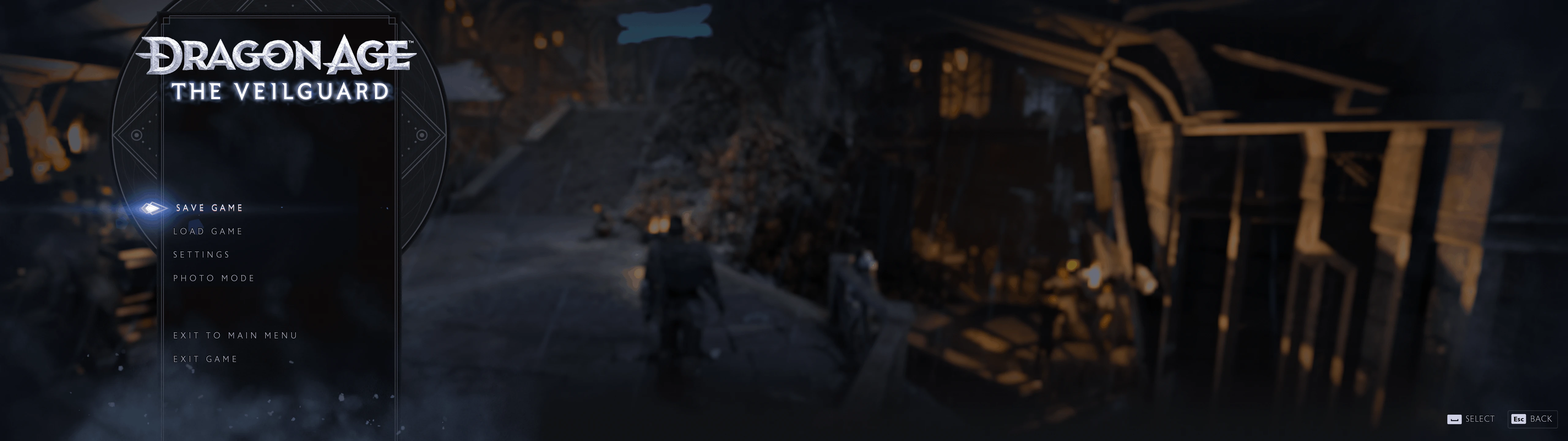
Reshade Mod for Removing Purple/Magenta Tones and Darkening the Look
This Reshade mod removes purple and magenta tones from the game, giving it a darker, more atmospheric look. While it primarily targets purples, it may also slightly adjust blue and red tones to create a more balanced effect.
Installation Instructions:
-
[]Download and extract the ZIP-File into your main game directory. If you already have ReShade installed make sure you copy the Preset, Shaders, and Textures. Select Preset from in-game overlay.
[
]Open the ReShade overlay by pressing the “HOME” key on your keyboard. In the shader settings on the left, select the LUT you want to use. The default is the main version so you should see the effect immediately when starting up the game. Press “Delete” key to toggle effect on/off to see the differences to vanilla version. - Enjoy :)Note: This preset uses a simple LUT (Look-Up Table), making it highly performance-friendly. Also works great with HDR! (has to be HDR10, scRGB won't work)
Issues with HDR: If you happen to use the native HDR of this game and it starts to look weird with reshade running, it's probably running scRGB which is not compatible with most shaders. In that case you will have to force your game to run HDR10 instead of scRGB. To do that I can recommend you to check out DerBambusbjoern's scRGB HDR Reshade and HDR calibration to see how you can configure Special K.
Dark Fantasy LUT is a ReShade preset that removes purple/magenta tones from the game, giving it a darker, more grounded look. It also slightly affects blue and red tones. With 581 endorsements and over 21k downloads, it's a popular choice for players seeking a moodier atmosphere.
✨ Key Features
📊 Pros & Cons
✅ Pros
- Community-approved with 581 endorsements and over 21k downloads
- Targets a specific color issue (purple tint) that many players find annoying
- Lightweight visual tweak that doesn't overhaul the whole game
⚠️ Cons
- Only affects colors, not other visual aspects like contrast or sharpness
- May not suit players who prefer the original vibrant palette
- Requires ReShade to be installed separately
For players who find the default purple/magenta tint distracting and want a darker, more grounded look. Skip if you're happy with the original colors or want a full visual overhaul.
💡 Beginner Tips
- Make sure ReShade is installed and working before adding this preset.
- Adjust the preset's intensity in ReShade's in-game menu if it's too dark for your taste.
- Test in different lighting conditions to ensure it looks good across the game.
📊 Mod Details
- Game
- Dragonagetheveilguard Mods
- Author
- hartapfel
- Version
- 2.0
- Downloads
- 21,345
- Endorsements
- 581
- Category
- Visuals
- Created
- 11/1/2024
- Updated
- 11/19/2024
🧩 Commonly Used Together
Users add these mods to the same collections — a real compatibility signal, not an AI guess.
🔧 How to Install Dragon Age: The Veilguard Mods
Download from Nexus Mods.
📖 Full step-by-step install guide for Dragon Age: The Veilguard →
Visit the official mod page for specific installation instructions for this mod.
🎮 Need cheat codes or console commands? Check ur gaming wiki for Dragon Age: The Veilguard commands, item IDs, and more.
Keep browsing — more Dragon Age: The Veilguard mods await