Nathanael's 4K Resolution Mod
⚪ Last updated 2024Preview
🔍 Analysis
- 👍 1.8% endorsement rate — high engagement, a strong quality signal
- 🏆 #4 of 44 User Interface mods in this game by downloads
📋 About This Mod
Lovingly created for my husband Nathanael who has a 4K monitor and refuses to play in 1920x1080.
About This Mod:
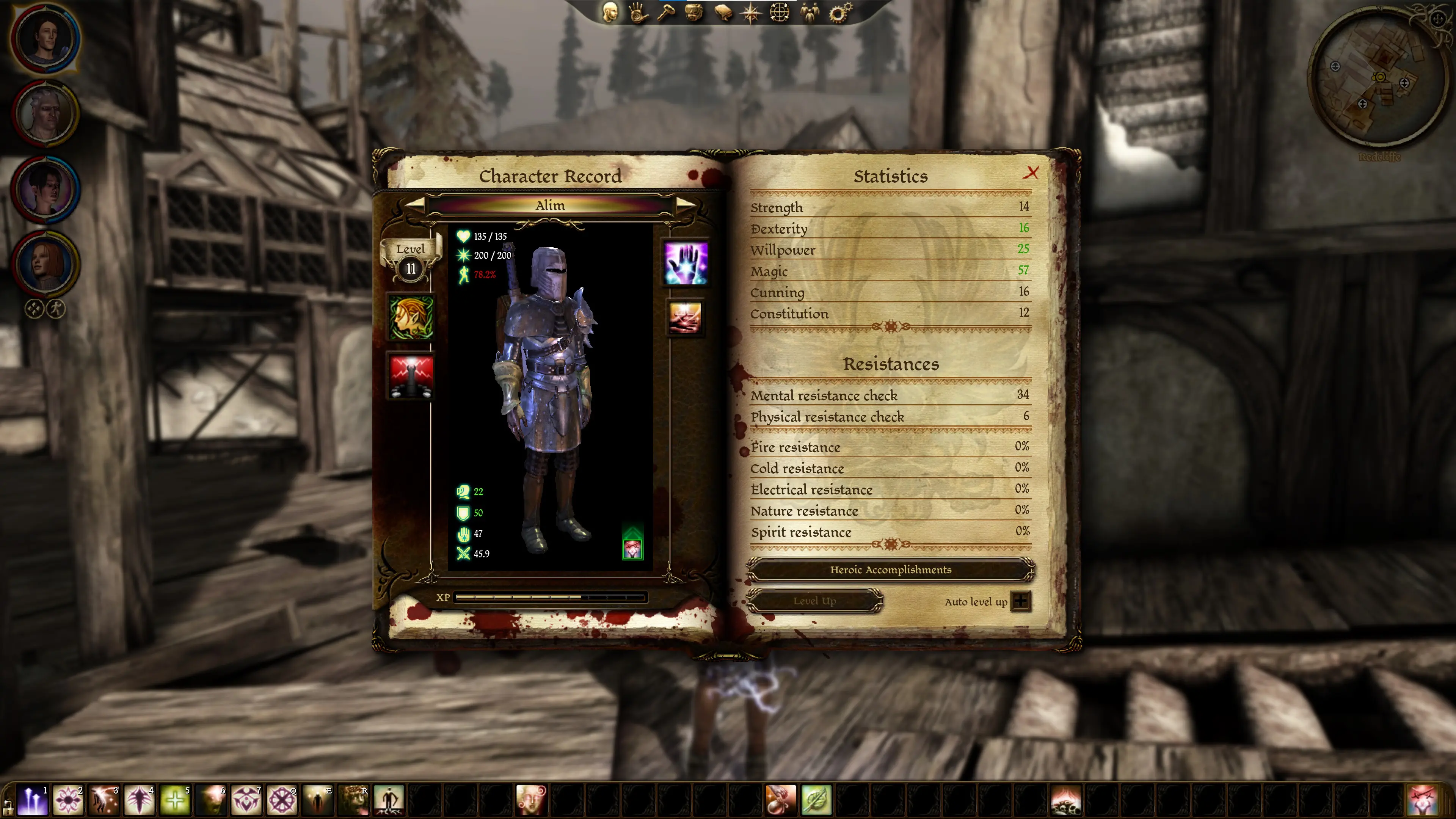
This mod will double the size of all the UI elements and their text, including:
-
[]abilities/skills/talents pages
[
]chanters[]character records
[]inventory
[]conversation/dialogue
[]crafting
[]journal pages
[]pause menu
[]navbar
[]character creation
[]portraits
[]party picker
[]tactics
[]world map
[]store inventory
Since I don't actually play this game, please let me know if you encounter anything strange or placement of elements where it shouldn't be. Also let me know if I've missed any UI elements that would make things nicer if they were larger! :)
I'm open to requests if you'd like something changed.
Optional Files:
-
[]A 2K resolution mod is found under the Optional Files. It's a 150% increase of all elements from the vanilla sizes and is designed for 2560x1440
Compatible Mods:
I've been told the FtG UI mod pairs perfectly with this one for an even further text increase & quality of life.
Known Minor Issues:
Some buttons in the Options (video/sound menu) don't align perfectly (this may possibly only be on the 2K version). And some sliders in the character creation screen go past their visual markers (eg. increasing brightness or changing hairstyles). A fix for these might be coming.
How to Install:
Download and extract the patch003.erf file from the zip. Go to the patch folder within your packages folder in your main Dragon Age Ultimate Edition folder (eg. C:\Program Files (x86)\Steam\steamapps\common\Dragon Age Ultimate Edition\packages\core\patch).
Backup your current/original patch003.erf file somewhere else just in case, and then replace the existing patch003.erf file with the zipped one. Make sure no GUI element files exist within the override folder if one exists (under packages/core/override).
Config Settings:
The following resolutions are optimal for the 4K version:
-
[]Resolution: 3840 x 2160
[
]Aspect Ratio: Widescreen 16:9
-
[]Resolution: 2560 x 1440
[
]Aspect Ratio: Widescreen 16:9Other resolutions may work but I can't guarantee them
-
[]Resolution: 3840 x 2160
This UI mod doubles the size of interface elements for 4K displays, making text, icons, and graphics larger and easier to read. It's a straightforward quality-of-life improvement for players with high-resolution monitors, backed by 586 endorsements and over 33,000 downloads.
✨ Key Features
📊 Pros & Cons
✅ Pros
- Community-approved with 586 endorsements and 33k downloads.
- Simple, focused fix for a common 4K scaling issue.
- Last updated May 2024, so it's likely compatible with current game versions.
⚠️ Cons
- Only affects UI scale—no other customization options.
- May not be necessary if your game already has built-in UI scaling.
For 4K gamers who squint at tiny UI elements and want a quick fix without fiddling with ini files. Skip if you're on 1080p or prefer adjustable UI scaling options.
💡 Beginner Tips
- Check if your game has a built-in UI scale option before installing—this mod might be redundant.
- If you use a mod manager, install through it for easy uninstallation.
- Test in a menu or inventory screen to see the size difference immediately.
📊 Mod Details
- Game
- Dragonage Mods
- Author
- Cow Farm Mods
- Version
- 1.0
- Downloads
- 33,128
- Endorsements
- 586
- Category
- User Interface
- Created
- 5/4/2024
- Updated
- 5/11/2024
🔧 How to Install Dragon Age: Origins Mods
Download from Nexus Mods.
📖 Full step-by-step install guide for Dragon Age: Origins →
Visit the official mod page for specific installation instructions for this mod.
🎮 Need cheat codes or console commands? Check ur gaming wiki for Dragon Age: Origins commands, item IDs, and more.
Keep browsing — more Dragon Age: Origins mods await