Inky's Vibrant Fantasy Preset
⚪ Last updated 2020Preview
🔍 Analysis
- 👍 5.2% endorsement rate — high engagement, a strong quality signal
- 🏆 #54 of 65 Visuals and Graphics mods in this game by downloads
📋 About This Mod
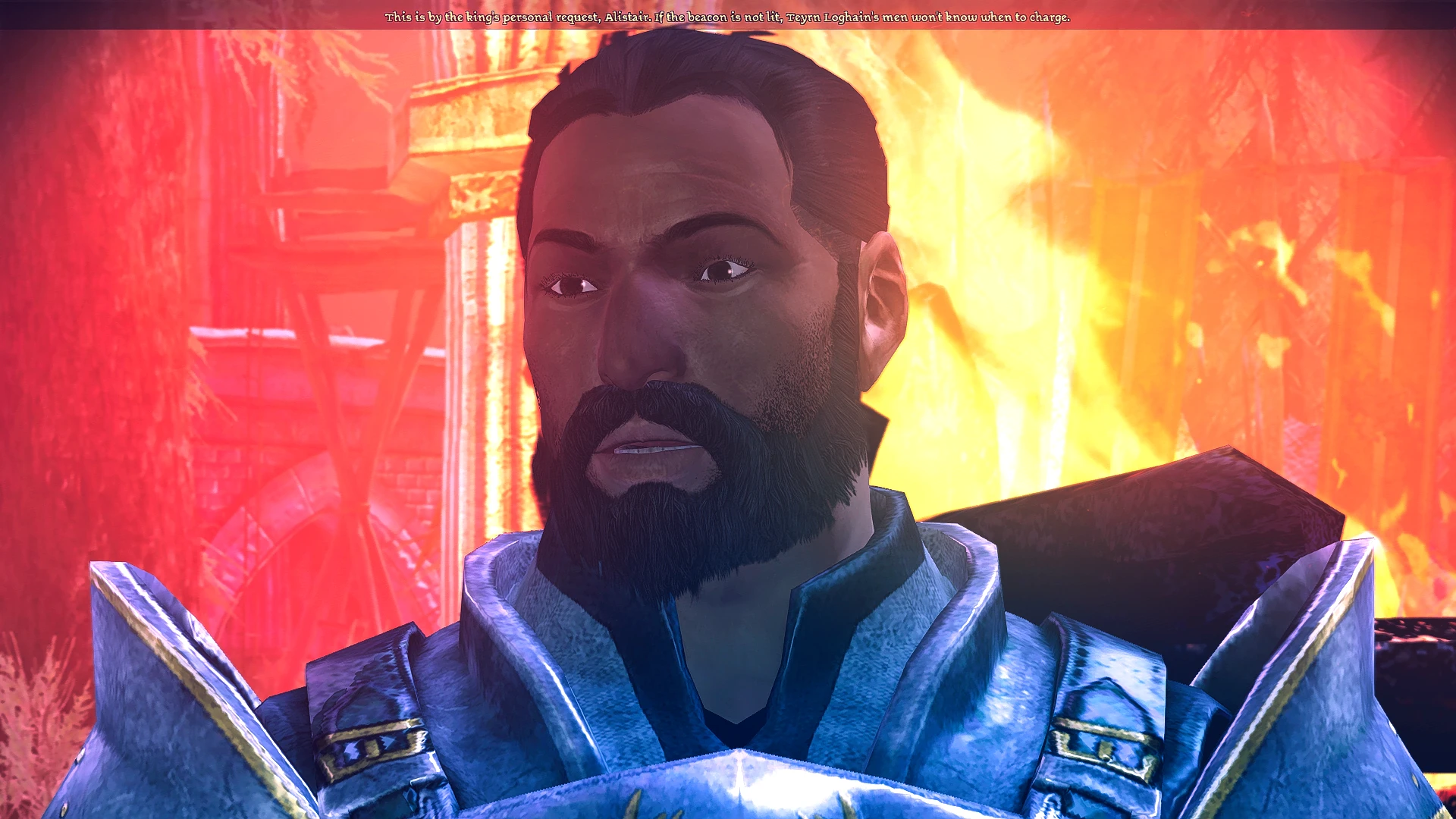
A vibrant, over-the-top shader preset for those of us who like our fantasy a little less muddy-green. NEW: REDUX edition. A less over-the-top shader preset that applies some depth of field and color correction.
Inky's Vibrant Fantasy Preset
MOD OVERVIEW
This is a ReShade with SweetFX preset designed to give Dragon Age: Origins a brighter and more diverse color palette. In my current playthrough I'm going for a very over-the-top fantasy aesthetic, and updating the lighting to match that just made sense. This preset sharpens, saturates, applies bloom, and applies a subtle purple tint to counteract the game's original yellow-green tones. The look of this preset was inspired by fantasy artwork and paintings, animation, and games with bright color palettes, like Mass Effect.
NEW: REDUX edition! A few folks requested it, so I've created an alternate version of this preset that applies the same DOF, sharpening, and color-correction without the absurd saturation and strong blue-purple tones of the original. It also has better menus. REDUX edition is still quite colorful to look at, but this is achieved through color-correction as opposed to saturation enhancement.
MOD REQUIREMENTS
This mod requires ReShade with SweetFX for Dragon Age Origins by Carinth01 as well as ReShade 3. 4. 0 by Crosire.
MOD INSTALLATION
-
[]Install Reshade with SweetFX according to the instructions in its description.
[
]Update ReShade to 3. 4. 0 (NOT newer). These instructions are also in the description.[]Download this file.
[]Place the inkypreset.ini or inkypreset-redux.ini in your install folder (ex. mine is D:\OriginLibrary\Dragon Age\bin_ship)
[]Load the game.
[]If needed, open ReShade menu and find the preset in the drop-down box.
WARNINGS AND TROUBLESHOOTING[]If this mod isn't working, go back and make sure you have installed ReShade with SweetFX correctly and updated ReShade to 3. 4. 0.
[]This preset will probably not work well with older/less powerful computers. I have not had a problem with it so far, but I have a fancy gaming PC. I could see an older computer or a laptop possibly having lag or crashes around Denerim with this preset. If this happens to you, let me know. I'm thinking about making a "Lite" version of this preset that could run on older machines.
[] This shader preset will apply to everything in the game: Menus, pre-rendered cutscenes, etc. I recommend you use this mod with a mod that removes the opening dragon graphics when you first load the game, because the original version of this preset makes them eye-searing. Because of this, you may experience some strangeness around cutscenes or find the menus hard to read. I am working on this, the preset is a work in progress! If you have these issues, please post in the comments section.
[]This preset is designed to be heavily saturated and vibrant, and not all that realistic unless you happen to live in a Pixar film. It's not for everybody. Let me know if you would be interested in a
📊 Mod Details
- Game
- Dragonage Mods
- Author
- Inky
- Version
- 0.1
- Downloads
- 2,197
- Endorsements
- 114
- Category
- Visuals and Graphics
- Created
- 9/4/2019
- Updated
- 7/10/2020
🔧 How to Install Dragon Age: Origins Mods
Download from Nexus Mods.
📖 Full step-by-step install guide for Dragon Age: Origins →
Visit the official mod page for specific installation instructions for this mod.
🎮 Need cheat codes or console commands? Check ur gaming wiki for Dragon Age: Origins commands, item IDs, and more.
Keep browsing — more Dragon Age: Origins mods await