Universal Dye Kit
⚪ Last updated 2010Preview
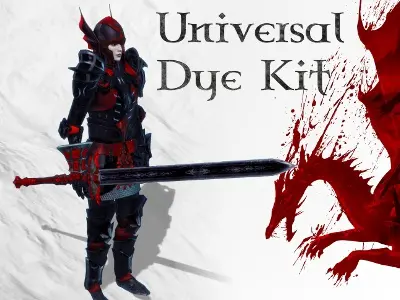
🔍 Analysis
- 👍 3.2% endorsement rate — high engagement, a strong quality signal
- 🏆 #3 of 65 Visuals and Graphics mods in this game by downloads
📋 About This Mod
A dye kit that allows custom tinting to be applied to most armor and weapons. Use in conjunction with my Online Tint Creator to customize your armor and weapon colors or color coordinate your entire party. Recent News =============== 12-JUL-2010: Released v1. 3 - minor bugfix to remove unrecognized material error for Awakening mage robes. Also relesed tintpak v3; added Sentinel, Hirol, Blackblade, and Golem Shell armors, and the helm Duty. 08-JUL-2010: Updated the online tint creator to allow linking to tint settings. See this thread for links to the settings used by all 16 dyes that come default with the UDK.
Universal Dye Kit by nezroy is a classic Oblivion mod that lets you apply custom tints to most armor and weapons. With 7,696 endorsements and 240,658 downloads, it's a well-established tool for players wanting to personalize their gear. Last updated in 2010, it remains a popular choice for visual customization.
✨ Key Features
📊 Pros & Cons
✅ Pros
- Huge download count (240k+) and 7.7k endorsements — this is a proven, community-favorite mod.
- Simple concept: dye your gear to match your style, works on most armor and weapons.
- Being from 2010, it's likely compatible with many Oblivion setups and has stood the test of time.
⚠️ Cons
- Last updated in 2010 — may not be fully compatible with newer mods or patches.
- No detailed instructions or feature list provided by the author, so you'll have to figure out the specifics in-game.
- Only covers armor and weapons, not clothing or other items — limited scope.
For Oblivion players who want to personalize their character's look without overhauling the whole game. If you're tired of seeing the same colors on your gear, this is a lightweight way to stand out. Skip if you're looking for gameplay changes — this is purely cosmetic.
💡 Beginner Tips
- Since it's an older mod, make sure to check if you have any mods that alter armor meshes, as they might conflict.
- Try the dye kit on a cheap piece of armor first to see how the tinting works before applying to your best gear.
- If you use a mod manager, install it manually to avoid any archive issues, as it's a simple drop-in.
📊 Mod Details
- Game
- Dragonage Mods
- Author
- nezroy
- Version
- 1.3
- Downloads
- 240,658
- Endorsements
- 7,696
- Category
- Visuals and Graphics
- Created
- 6/29/2010
- Updated
- 7/12/2010
🧩 Commonly Used Together
Users add these mods to the same collections — a real compatibility signal, not an AI guess.
🔧 How to Install Dragon Age: Origins Mods
Download from Nexus Mods.
📖 Full step-by-step install guide for Dragon Age: Origins →
Visit the official mod page for specific installation instructions for this mod.
🎮 Need cheat codes or console commands? Check ur gaming wiki for Dragon Age: Origins commands, item IDs, and more.
Keep browsing — more Dragon Age: Origins mods await