Character Equip Scripts
🟠 Updated over a year agoPreview
🔍 Analysis
- 🏆 #4 of 23 Utilities mods in this game by downloads
📋 About This Mod
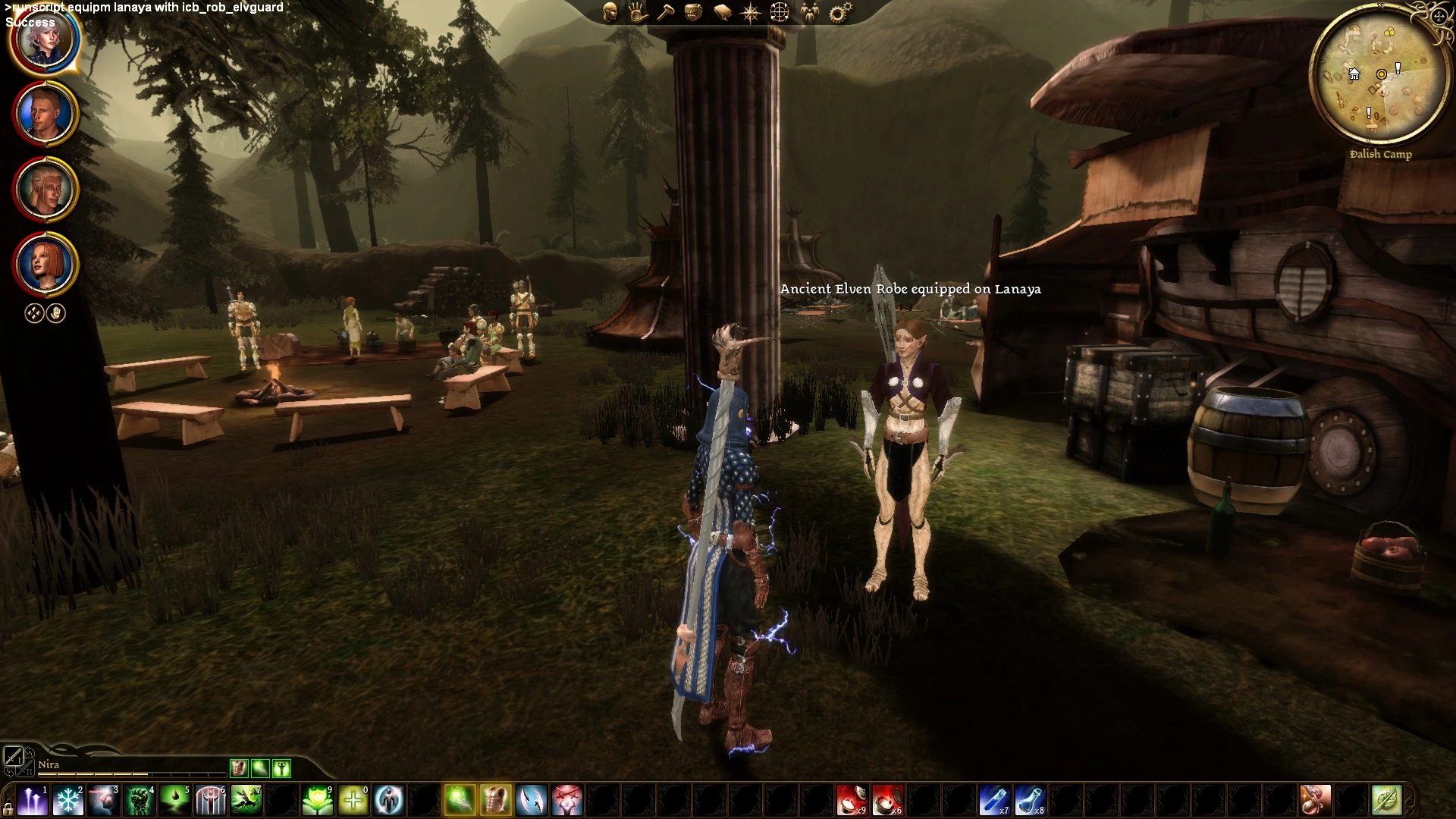
Runscripts to re-equip NPCs instantly.
I hate running around a new area for a while, then coming across a naked NPC and realizing that I haven't saved in forever.
Or I realized I wanted to redress them before I met them, but forgot.
Or maybe I just want to giggle at putting them in something ridiculous.
Not a problem anymore! This is a pair of nice little console commands to give someone new equipment instantly.
The DAO ItemScanner from Add Any Item Visual Deluxe is required (because this wouldn't be possible without GDAs, and I sure as heck am not doing that by hand!).
First, run the ItemScanner, which generates 2 GDA files in your override folder: one of vanilla Dragon Age items, and one of all item files added by mods. Also install this mod, which consists of two console commands-- one for vanilla game items, and one for items added by mods.
In-game, use one of these runscripts:
runscript equip with -- for vanilla items
runscript equipm with -- for mod items
(you can use either script for vanilla UTIs that have been modified)
and can be names or tags. The character must be in the same area as the player.
Depending on your setup, the game may freeze for a few seconds, and the character will change equipment. There will also be a floating message confirming success, or showing an error.
It will run fastest using the character and item tags, and with an item the character already has in their inventory.
Due to issues with plot items and looping through item lists, the vanilla item script cannot be used on party members.
Sometime multiple items or characters have the same name; the script will equip the first one it finds. Using the tag is more precise (it's usually identical to the filename, without the extension). The DAWiki also has the tags for pretty much any vanilla item and character in the game.
The scripts will work with chests, merchants, and other things with inventories as well.
Every time you add a new mod with items, you must re-run the ItemScanner.
Miscellaneous: Character Unequip Script. A script to remove an item from a specified item slot and return it to the character's inventory. Much simpler! :D
runscript unequip from
can be the name or the tag.
is one of the six visible equipment slots (armor, boots, gloves, helmet, main, or offhand).
Does not require the main mod, or the ItemScanner.
Also in the screenshots:
Make Console Commands Visible
Elves of Ferelden / Elves of Ferelden Fixpack
Guardians of Cadash Thaig
Additional Clothing for Kids / Better Fereldan Kids
📊 Mod Details
- Game
- Dragonage Mods
- Author
- Shanamah
- Version
- 1.0
- Downloads
- 481
- Endorsements
- 47
- Category
- Utilities
- Created
- 4/1/2023
- Updated
- 4/6/2025
🔧 How to Install Dragon Age: Origins Mods
Download from Nexus Mods.
📖 Full step-by-step install guide for Dragon Age: Origins →
Visit the official mod page for specific installation instructions for this mod.
🎮 Need cheat codes or console commands? Check ur gaming wiki for Dragon Age: Origins commands, item IDs, and more.
Keep browsing — more Dragon Age: Origins mods await