Shadowed Eyes for Frosty
⚪ Last updated 2019Preview
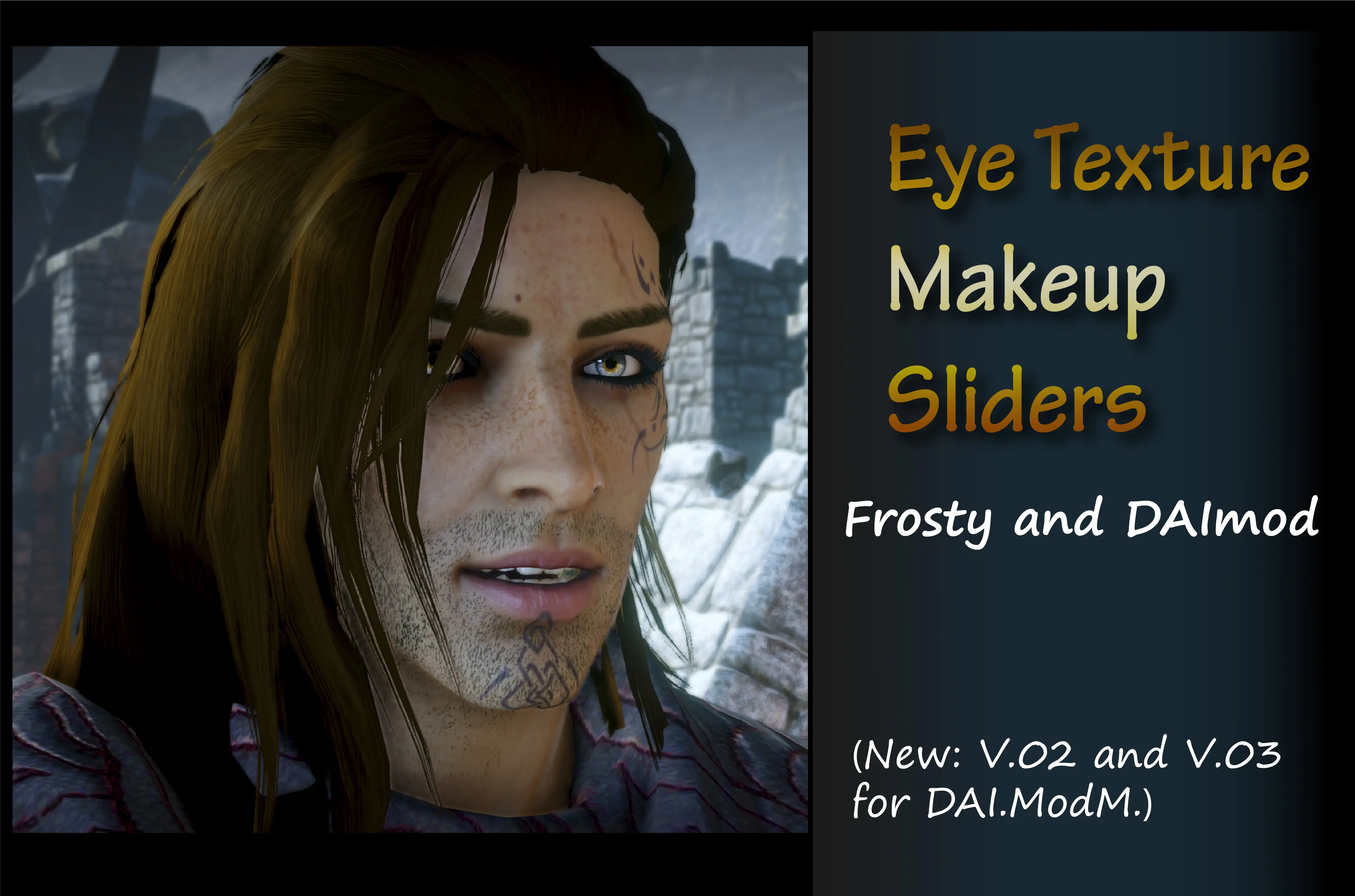
🔍 Analysis
- 👍 3.3% endorsement rate — high engagement, a strong quality signal
- 🏆 #21 of 305 Face and Hair mods in this game by downloads
📋 About This Mod
This mod changes the eye textures and the eye makeup (they are in separate files for your convenience).
I just wanted eyes irises to show some shadowing in the upper area and to
look brighter in the lower part to give the eyes a more 'crystalline'
I find vanilla's texture too homogeneous and flat.
Use with Frosty (Main files) or DAI Mod Manager (Optional files).
The makeup is lighter in the eyes and more defined in the lips.
PLEASE NOTICE THAT:
You can use mods made with Frosty and DAI Mod Manager at the same time:
1. Go to the Update folder and copy your patch folder in a safe place (YOU MAY NEED IT LATER).
2. Rename your ModManagerPatch to Patch
3. Download Frosty: https://frostytoolsuitedev.gitlab.io/downloads.html
4. Make a Mod directory for Frosty; upload the mods, apply the mods, and Launch the game from Frosty Mod Manager.
YOU HAVE TO LAUNCH THE GAME FROM FROSTY, OTHERWISE THE MODS WON'T SHOW.
If you add a new mod in Mod Manager you have to replace the original Patch and merge again.
Makeup and Eyes (V. 01)
Other mods showing in the pictures:
Male Complexions-WIP by Ascendia
Clear Skin by nightscrawl
Prologue outfit by ArXangel
Hair Retexture fontofnothing
Dalish Elf Concept Tattoo ShepShy
Relaxed HairStyles Themiscyra
Noble Cassandra ArXangel1985
Sweet Sera by Ranaline
Improved lashes by xstephyg (Longer fuller lashes).
Eyebrows 4 Women mrjack900
Triss's Hair attempt by Elithabesu
Yennefer's Hair attempt by Aileani
SK Hair-texture by Skaramoosh
Messy Layered Hair and SK Hair Pack by Skaramoosh
Loose side braid for female elf and human by hot-fish
Calpernia´s Skin-smoth v. 02 Ascendia
Worn necromancer. Dorian remade by CaffeinePainter
Shadowed Eyes for Frosty is a cosmetic mod for Dragon Age: Inquisition that replaces eye textures and makeup, compatible with both Frosty and DAI Mod Manager. It offers the same models in both versions, giving players a darker, shadowed look for their characters. With over 1,500 endorsements and 46,000 downloads, it's a popular choice for players seeking visual variety.
✨ Key Features
📊 Pros & Cons
✅ Pros
- Community favorite with 1,539 endorsements and 46,176 downloads—clearly a go-to for eye replacers.
- Works with both Frosty and DAI Mod Manager, so you can use it no matter your setup.
- Simple cosmetic change that adds a moody, shadowed look to your Inquisitor's eyes.
⚠️ Cons
- Last updated in 2019—might not be tested with the latest game patches or mod tools.
- Only affects eyes and makeup, so if you want more visual overhauls, this won't cover it.
- No screenshots or detailed installation notes in the description, so you're flying blind until you try it.
For Dragon Age: Inquisition players who want to give their Inquisitor a more intense, shadowed gaze without overhauling the whole face. Perfect for roleplayers who want a darker aesthetic. Skip if you're looking for gameplay changes or full facial overhauls—this is purely cosmetic.
💡 Beginner Tips
- If you're using Frosty, download the main files; if you're on DAI Mod Manager, grab the optional files—don't mix them.
- Use the mod manager's preview feature to see the eye textures before you commit, so you know exactly what you're getting.
- Since the mod is from 2019, check the mod's comment section for any reports of issues with newer game versions.
📊 Mod Details
- Game
- Dragon Age Mods
- Author
- Khylian
- Version
- V1-V2-V3
- Downloads
- 46,176
- Endorsements
- 1,539
- Category
- Face and Hair
- Created
- 5/12/2018
- Updated
- 5/12/2019
🔧 How to Install Dragon Age Mods
Download from Nexus.
📖 Full step-by-step install guide for Dragon Age →
Visit the official mod page for specific installation instructions for this mod.
🎮 Need cheat codes or console commands? Check ur gaming wiki for Dragon Age commands, item IDs, and more.
Keep browsing — more Dragon Age mods await