Insightful Lobby
🟡 Updated this yearPreview
🔍 Analysis
- 👍 0.0% endorsement rate
- ✅ Updated 13 days after the latest game patch — actively maintained
📋 About This Mod
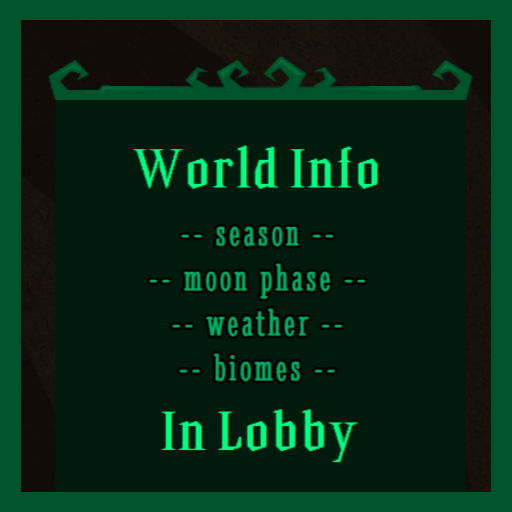
Now with Chinese and Russian translations! Thanks to Kerr and 李皓奇 for providing the lines for Chinese variant! What this does This mod will build a panel on the character selection screen (also pause menu) that will contain different pieces of information about the current world, including: day count, current season + days left, phase of day + time left, moon phase or nightmare phase (+ time left), weather and temperature, surface only - optional biomes, caves only - estimated amount of ruins loot, master shard only - current world progress Weather changes will be predicted and displayed on the panel if you have either Predict Rain or Rain Forecast Widget enabled. Also... The "View Player" buttons on the player list will now show you the player's skill selection, equipped items, and selected skins, instead of sending you to their steam page. Keep in mind that you can still access the steam page from the outfit display if needed. Using the info provided by the mod, you'll know right away if the world is worth playing or you should regen/find another server. It also saves time asking whether it's night or not (or how many tusk camps are there, and so on), assuming you'll get an answer in the first place... Color configs The mod allows changing color for every main element of the panel: title text, regular texts. background, borders, and buttons. You can configure the colors the old way, in the mod configs, or... Hit this button! (can also be found on the panel itself) You'll be greeted with a full-fledged menu dedicated just for the task of configurating colors. Let's take a look: You can select colors quickly using color grid and/or adjust them finely using the RGBA textboxes. Textboxes can be scrolled to change their value by 0. 02. There's also a preview to help you see the final result and compare it to what it looked like before changes. Once you are done, click the "Apply" button to save the changes. The "Back" button will close the menu without saving anything.
📊 Mod Details
- Game
- Dont Starve Together Mods
- Author
- 76561198145683112
- Version
- N/A
- Downloads
- 2,329
- Endorsements
- 0
- Category
- client_only_mod, tweak, utility, version:0.7.3
- Created
- 4/7/2025
- Updated
- 7/19/2026
🔧 How to Install Don't Starve Together Mods
Subscribe on Steam Workshop. Mods auto-download and install. Launch the game to activate.
📖 Full step-by-step install guide for Don't Starve Together →
Visit the official mod page for specific installation instructions for this mod.
🎮 Need cheat codes or console commands? Check ur gaming wiki for Don't Starve Together commands, item IDs, and more.
Keep browsing — more Don't Starve Together mods await