Simple Realistic 3D for Death Stranding
⚪ Last updated 2020This mod may not work until the author updates it. Check for an update, or see the rollback guide.
⚠️ Install Order · 1 step
Install in this order, then this mod last — most mods fail to load without their framework and dependencies in place.
Preview
🔍 Analysis
- 👍 3.2% endorsement rate — high engagement, a strong quality signal
- 🏆 #1 of 35 Visuals and Graphics mods in this game by downloads
📋 About This Mod
CREDITS:
Kojima Productions (for created this great and brilliant game)
Timothy Lottes (EPIC)
Reshade Team (Crosire, CeeJay, Marty McFly, Thalixte, Ganossa/Hawk, Bacondither, Ioxa, Otis, Jose Negrete, et al. ~ https://reshade.me )
What is this?
A simple Reshade custom shaders for Death Stranding
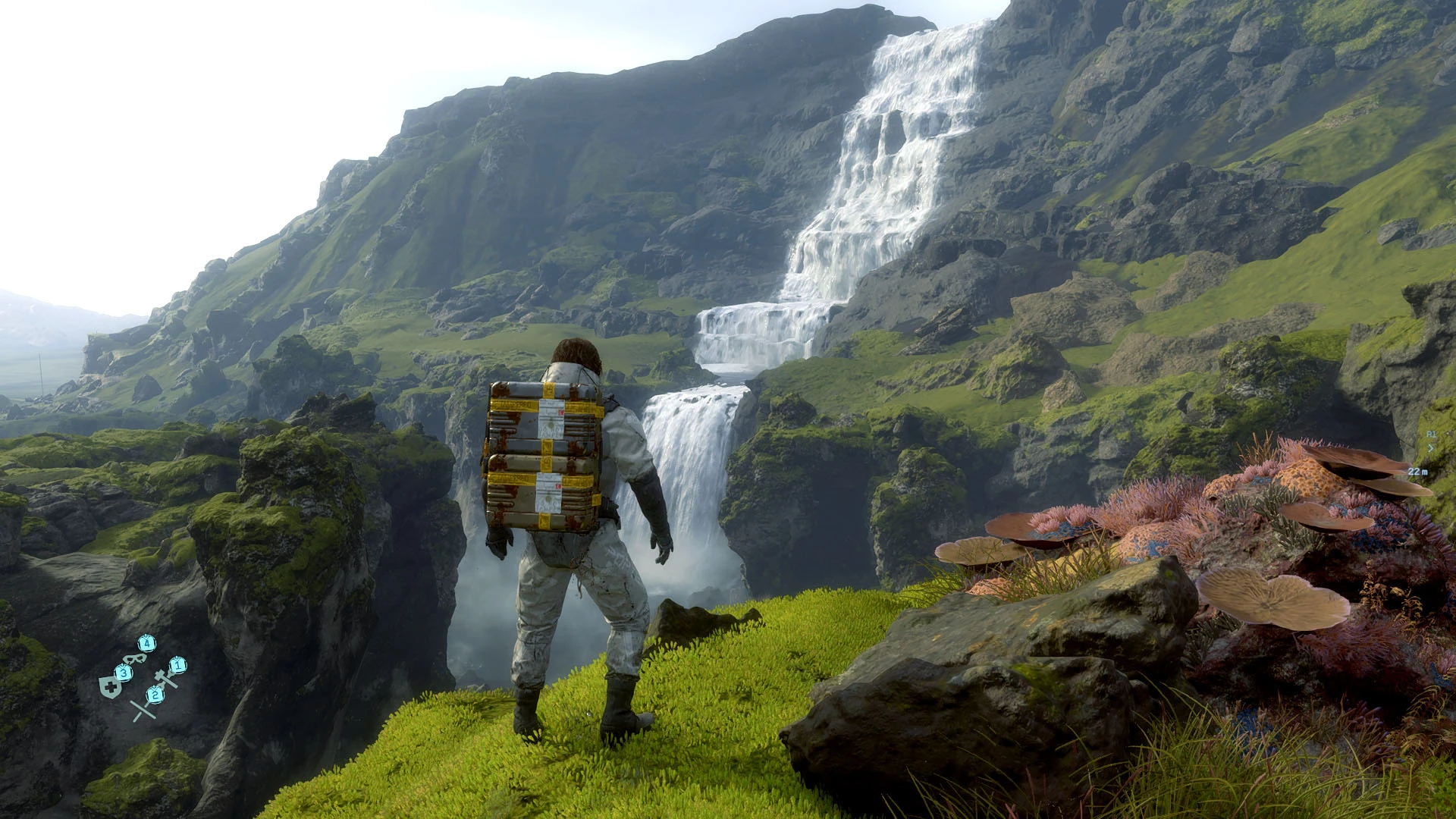
This shading makes Death Stranding become a bit brighter, but with better shading, details and lighting effects.
3D Stereoscopic mode also available (by press F11 key) ~ Line-Interlaced Format : Optimized for LG 3D Cinema Screen
NOTE:
- Clean-up your previous all Reshade files and configuration (if you already installed it) from Death Stranding folder before
install this mod
How to install:
- Clean-up your previous all Reshade files and configuration (if you already installed it) from Death Stranding folder before install this mod
- Extract these files into where your game executable (ds.exe) resides.
- Run the game!
Command Keys:
- INSERT : Toggle Effects ON/OFF (default: ON)
- END : to Show up Reshade UI, so you can adjust Color Saturation, Light Intensity, and Dark Level to fit your monitor/your liking.
- F11: Activate 3D Stereoscopic Mode - Line-Interlaced Format ~ Optimized for LG 3D Cinema Screen (Thanks to: Jose Negrete for this awesome shader!)
I hope you like it! :)
Chris Rubino
A Reshade preset for Death Stranding that brightens the game while improving shading, details, and lighting effects. With 549 endorsements and 17,185 downloads, it's a popular choice for players seeking a visual upgrade without heavy performance costs.
✨ Key Features
📊 Pros & Cons
✅ Pros
- Community-approved (549 endorsements) and widely downloaded (17k+)
- Enhances visuals without overhauling the game's art style
- Lightweight preset—likely minimal performance impact
⚠️ Cons
- Last updated in 2020—may not be compatible with the latest game patches
- Requires Reshade, which some players find intrusive
- No before/after screenshots or detailed settings provided
For Death Stranding players who want a subtle visual boost—brighter scenes, better contrast, and more defined details—without a full graphics overhaul. Skip if you prefer the original moody atmosphere or dislike external tools like Reshade.
💡 Beginner Tips
- Make sure to download and install Reshade first, then place the preset files in the game's main folder.
- If the game uses anti-cheat, check if Reshade is allowed—Death Stranding doesn't, but it's good practice.
- Adjust the preset's intensity in-game using the Reshade overlay (Home key) to suit your monitor and taste.
📊 Mod Details
- Game
- Deathstranding Mods
- Author
- Chris Rubino
- Version
- 1.0
- Downloads
- 17,185
- Endorsements
- 549
- Category
- Visuals and Graphics
- Created
- 11/2/2020
- Updated
- 11/2/2020
🔧 How to Install Death Stranding Mods
Download from Nexus Mods.
📖 Full step-by-step install guide for Death Stranding →
Visit the official mod page for specific installation instructions for this mod.
🎮 Need cheat codes or console commands? Check ur gaming wiki for Death Stranding commands, item IDs, and more.
Keep browsing — more Death Stranding mods await