Death Stranding Simple and Clean Reshade
⚪ Last updated 2023This mod may not work until the author updates it. Check for an update, or see the rollback guide.
⚠️ Install Order · 1 step
Install in this order, then this mod last — most mods fail to load without their framework and dependencies in place.
Preview
🔍 Analysis
- 👍 3.0% endorsement rate — high engagement, a strong quality signal
- 🏆 #5 of 35 Visuals and Graphics mods in this game by downloads
📋 About This Mod
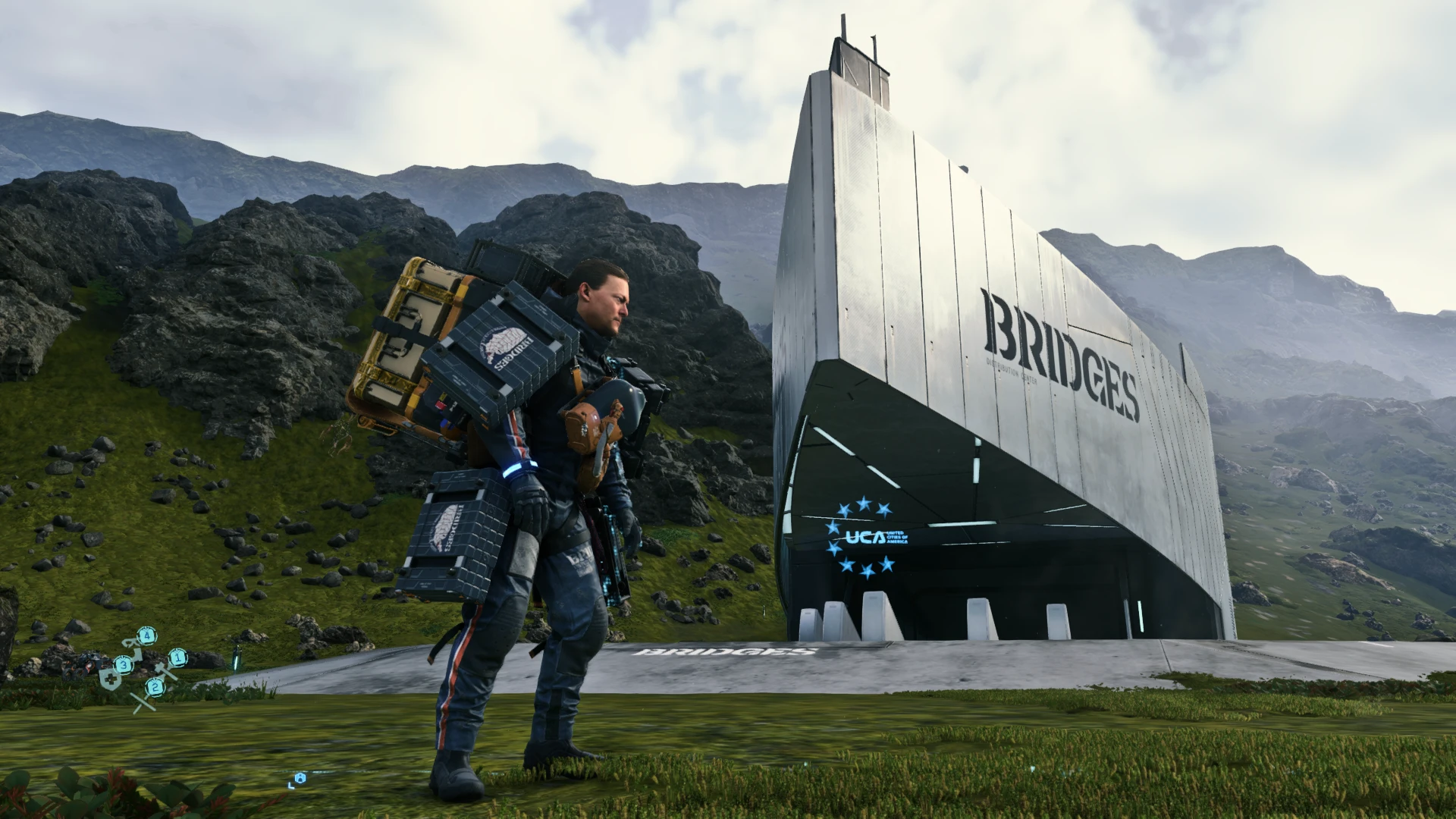
Death Stranding is a beautiful and amazing game. The Director's Cut only improves on the original. The visuals have some things I dislike, such as blur, haziness, and too much gamma. This Reshade is my attempt to clean up the visuals, making the image more visible, shadows deeper and more realistic, and colors richer.
Installation is easy:
1. Download the latest Reshade from their site (currently 5. 7. 0) and install it to the Death Stranding or Death Stranding: Director's Cut executable.
2. Select DX10/11/12 as the Rendering API when the Reshade installation asks.
3. When asked for a preset, skip it.
4. When asked about default Reshade shader and texture packs, download the basic ones that are preselected.
5. Let Reshade Installation finish.
6. Download this mod. Unzip it. Drop the contents of the Death Stranding Simple and Clean Reshade FOLDER into your main Death Stranding game directory. Make sure to put the folder CONTENTS in the main game directory, NOT the Death Stranding Simple and Clean Reshade FOLDER itself. The main game directory should have the "Death Stranding Simple and Clean Reshade" CONFIGURATION FILE, and also ask to you Overwrite all files from the reshade-shaders FOLDER. Select yes to all. If you don't get asked to overwrite the reshade-shaders folder, then you did something incorrectly. You are effectively dumping my mod reshade-shaders folder and replacing the ones Reshade installed earlier. I do this since some of the new effects Reshade installs do not work as well as the older ones and flickering shadows are caused when using Reshade's newer MXAO for me.
7. Launch the game through Steam and press the "Home" key. After compiling is finished and you follow or skip the tutorial, select Death Stranding Simple and Clean Reshade from the drop down menu at the top and hit Reload at the bottom.
If you have any problems with installation please feel free to ask!
A simple Reshade preset for Death Stranding that enhances clarity, shadows, and contrast while reducing blur and haze. It aims to preserve the original visual style. With 57 endorsements and 1,917 downloads, it's a niche but appreciated visual tweak for players seeking a cleaner look.
✨ Key Features
📊 Pros & Cons
✅ Pros
- Clean, subtle visual upgrade that keeps the game's atmosphere intact
- Decent community traction with 57 endorsements and nearly 2k downloads
- Simple install—just drop the preset into your Reshade folder
⚠️ Cons
- Requires Reshade to be installed separately—no instructions included
- Only 57 endorsements, so it's a niche pick compared to bigger presets
- Last updated in March 2023—might not be tuned for the latest game patches
For Death Stranding players who want a crisper image without overhauling the game's look. If you're tired of the default haze and want better contrast, this is a lightweight fix. Skip if you prefer the original aesthetic or want more dramatic visual changes.
💡 Beginner Tips
- Make sure Reshade is installed and working before adding this preset—it won't work without it.
- After installing, tweak the preset's intensity in-game using the Reshade overlay to match your taste.
- If the game updates, re-check the preset—it might need minor adjustments to stay compatible.
📊 Mod Details
- Game
- Deathstranding Mods
- Author
- LordZannen
- Version
- 1.0
- Downloads
- 1,917
- Endorsements
- 57
- Category
- Visuals and Graphics
- Created
- 3/2/2023
- Updated
- 3/2/2023
🔧 How to Install Death Stranding Mods
Download from Nexus Mods.
📖 Full step-by-step install guide for Death Stranding →
Visit the official mod page for specific installation instructions for this mod.
🎮 Need cheat codes or console commands? Check ur gaming wiki for Death Stranding commands, item IDs, and more.
Keep browsing — more Death Stranding mods await