Mod Manager
⚪ Last updated 2018Preview
🔍 Analysis
- 👍 4.1% endorsement rate — high engagement, a strong quality signal
- 🏆 #2 of 50 Utilities mods in this game by downloads
📋 About This Mod
UPDATE 2018-07-11: Resolved an issue where a specific type of mod wouldn't work properly.
ADDING MODS
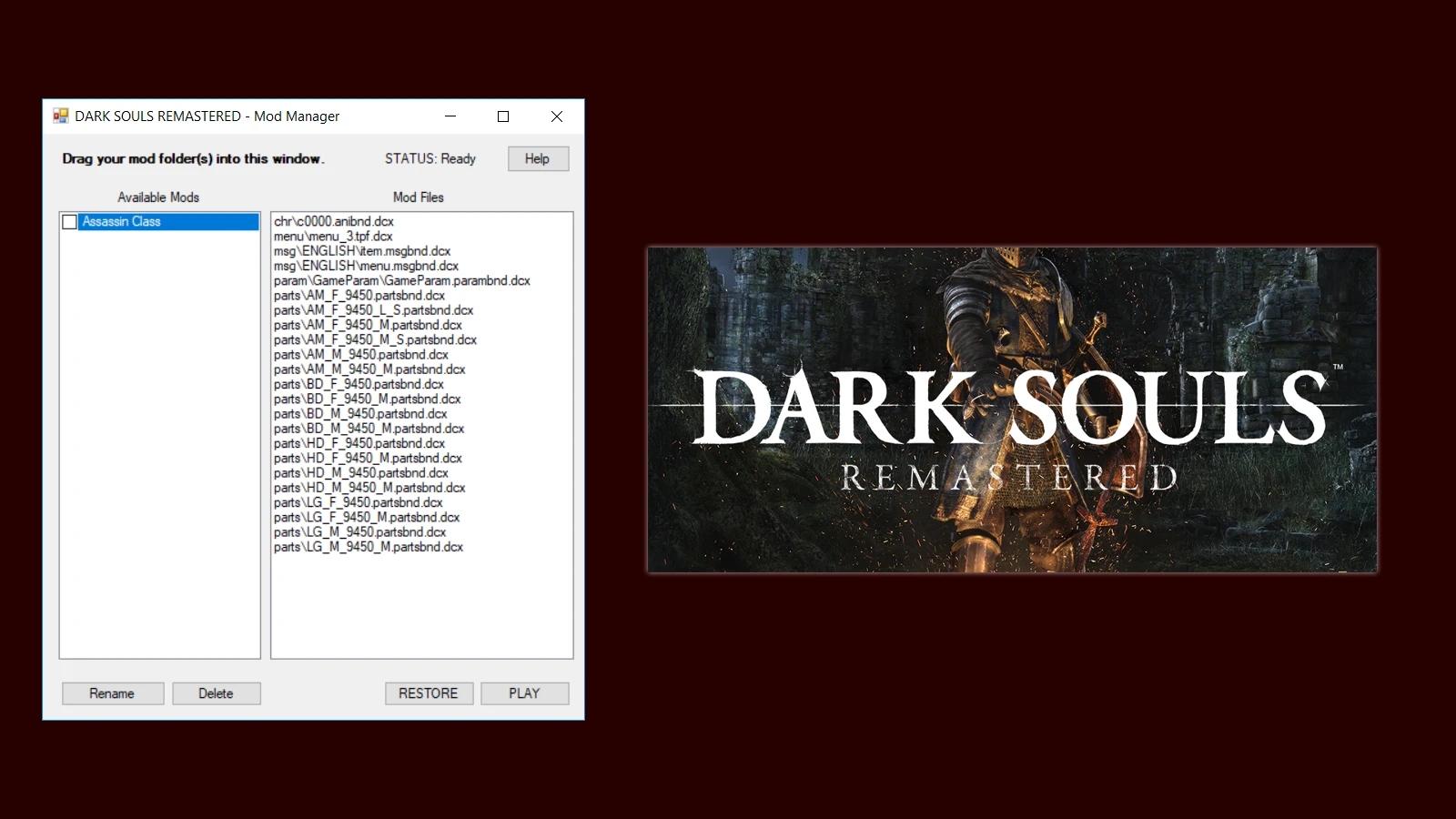
To add a mod, drag a folder or group of folders into the application window. Make sure the directory structure mirrors that of the DSR directory. For example, if you have a folder like the one below, you could drag either the entire "Assassin Class" folder or its contents.
<DIR> "C:\Files\Assassin Class"
<DIR> chr
<DIR> menu
<DIR> msg
<DIR> param
<DIR> parts
PLAYING THE GAME
Check the boxes next to the mods you want to use, then click PLAY. The game will launch automatically with your mods installed, and it will restore the original files when the game closes.
If the application closes before the game does, the mod files will not be automatically reverted. Click the RESTORE button to restore them manually.
SUPPORTED VERSIONS
Currently, only the Steam version of Dark Souls Remastered is supported.
NOTES
This application assumes that Dark Souls Remastered hasn't already been modified in some other way. It will usually still work if you've made your own changes, but please be aware.
Mod Manager is a utility for Dark Souls III that provides a drag-and-drop interface for managing mods, inspired by a similar tool for the original Dark Souls. It has 2,405 endorsements and 58,055 downloads, last updated in July 2018.
✨ Key Features
📊 Pros & Cons
✅ Pros
- Community-trusted with 2,405 endorsements
- High download count (58,055) shows it's widely used
- Simple drag-and-drop design makes mod management straightforward
⚠️ Cons
- Last updated in 2018, so it may not support newer mods or game updates
- Potential compatibility issues with mods that require specific installation methods
- No active development means bugs may remain unfixed
For Dark Souls III players who want a simple, visual way to toggle mods without manual file swapping. Skip if you prefer advanced mod managers with more features or need support for the latest game patches.
💡 Beginner Tips
- Make sure to disable the game's anti-cheat before using mods, as Dark Souls III bans for modified saves.
- Use the drag-and-drop feature to easily enable/disable mods, but keep backups of your original game files.
- Check mod compatibility with your game version, as the tool hasn't been updated since 2018.
📊 Mod Details
- Game
- Darksoulsremastered Mods
- Author
- AinTunez
- Version
- 1.1.1
- Downloads
- 58,055
- Endorsements
- 2,405
- Category
- Utilities
- Created
- 7/8/2018
- Updated
- 7/11/2018
🔧 How to Install Dark Souls Remastered Mods
Download from Nexus Mods.
📖 Full step-by-step install guide for Dark Souls Remastered →
Visit the official mod page for specific installation instructions for this mod.
🎮 Need cheat codes or console commands? Check ur gaming wiki for Dark Souls Remastered commands, item IDs, and more.
Keep browsing — more Dark Souls Remastered mods await