HD Summon Signs and Player Messages
⚪ Last updated 2018Preview
🔍 Analysis
- 👍 4.9% endorsement rate — high engagement, a strong quality signal
- 🏆 #20 of 304 Models and Textures mods in this game by downloads
📋 About This Mod
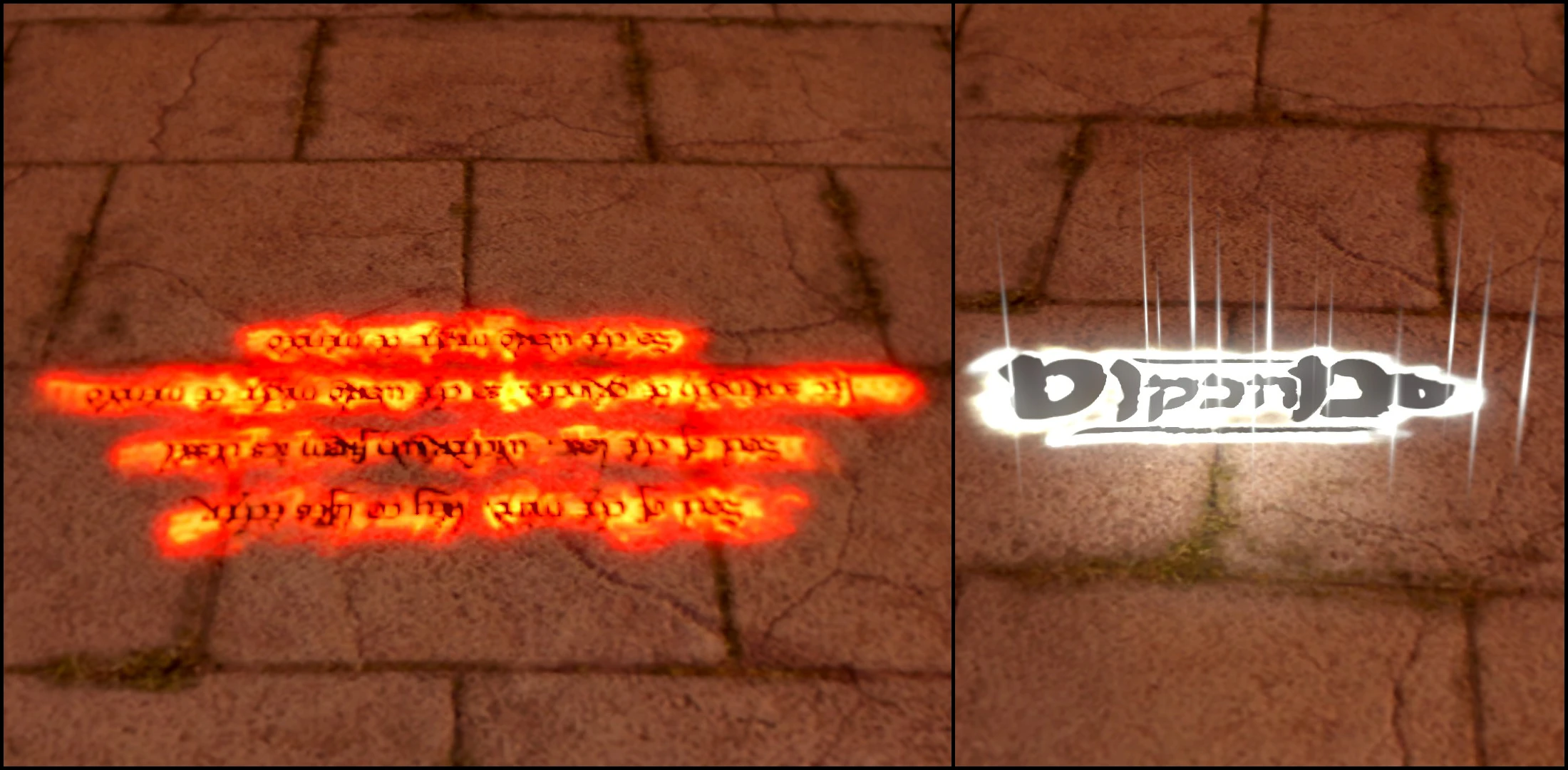
A simple port of Augh3d's "HD Summon Signs" mod, which itself included the "HD Player Messages" mod. These mods change the appearance of player messages and summon signs.
Compared to the original mod, this has unfortunately been resized by 0. 5x as it seems size limitations for textures in DS:R are stricter,, so the mod is less "HD" now (especially apparent on messages). The lighting effects on messages also appears to be a bit more extravagant, so overall readability may be tough. Oh well.
Gravelord signs should also be functional, despite the lack of screenshots for them (have seen them in my own worlds).
Note that this mod, much like most others, requires the DSR Texture Packer and Unpacker.
All credit goes to Augh3d.
Installation
Extract the "sfx" folder into your "Texture Override" folder located wherever your DSR Texture Packer and Unpacker is.
HD Summon Signs and Player Messages is a texture mod for Dark Souls that enhances the visual quality of white, red, sunbro, and gravelord summon signs, along with player messages. With 266 endorsements and over 5,000 downloads, it's a modestly popular cosmetic upgrade for players who want sharper in-game UI elements.
✨ Key Features
📊 Pros & Cons
✅ Pros
- Community-approved with 266 endorsements and over 5,000 downloads.
- Covers all summon sign types plus messages in one package.
- Easy to install – just drop-in texture files.
⚠️ Cons
- Last updated in 2018, so may not be compatible with newer game patches or mods.
- Purely cosmetic – no gameplay or UI improvements beyond textures.
- Potential conflicts with other texture overhaul mods that touch the same files.
For Dark Souls players who want sharper, more detailed summon signs and messages without changing gameplay. Ideal for those who appreciate visual polish in multiplayer interactions. Skip if you're looking for gameplay tweaks or if you're on a version of the game that has changed texture formats.
💡 Beginner Tips
- Place the texture files in the game's 'Textures' folder, typically found in the game directory.
- If you use a mod manager, you can install this as a simple mod package.
- Make sure to back up original textures if you want to revert changes.
📊 Mod Details
- Game
- Darksoulsremastered Mods
- Author
- Augh3d
- Version
- 1.0
- Downloads
- 5,418
- Endorsements
- 266
- Category
- Models and Textures
- Created
- 7/11/2018
- Updated
- 7/11/2018
🔧 How to Install Dark Souls Remastered Mods
Download from Nexus Mods.
📖 Full step-by-step install guide for Dark Souls Remastered →
Visit the official mod page for specific installation instructions for this mod.
🎮 Need cheat codes or console commands? Check ur gaming wiki for Dark Souls Remastered commands, item IDs, and more.
Keep browsing — more Dark Souls Remastered mods await