Pure Darkness
⚪ Last updated 2018Preview
🔍 Analysis
- 🏆 #62 of 95 Gameplay Changes mods in this game by downloads
📋 About This Mod
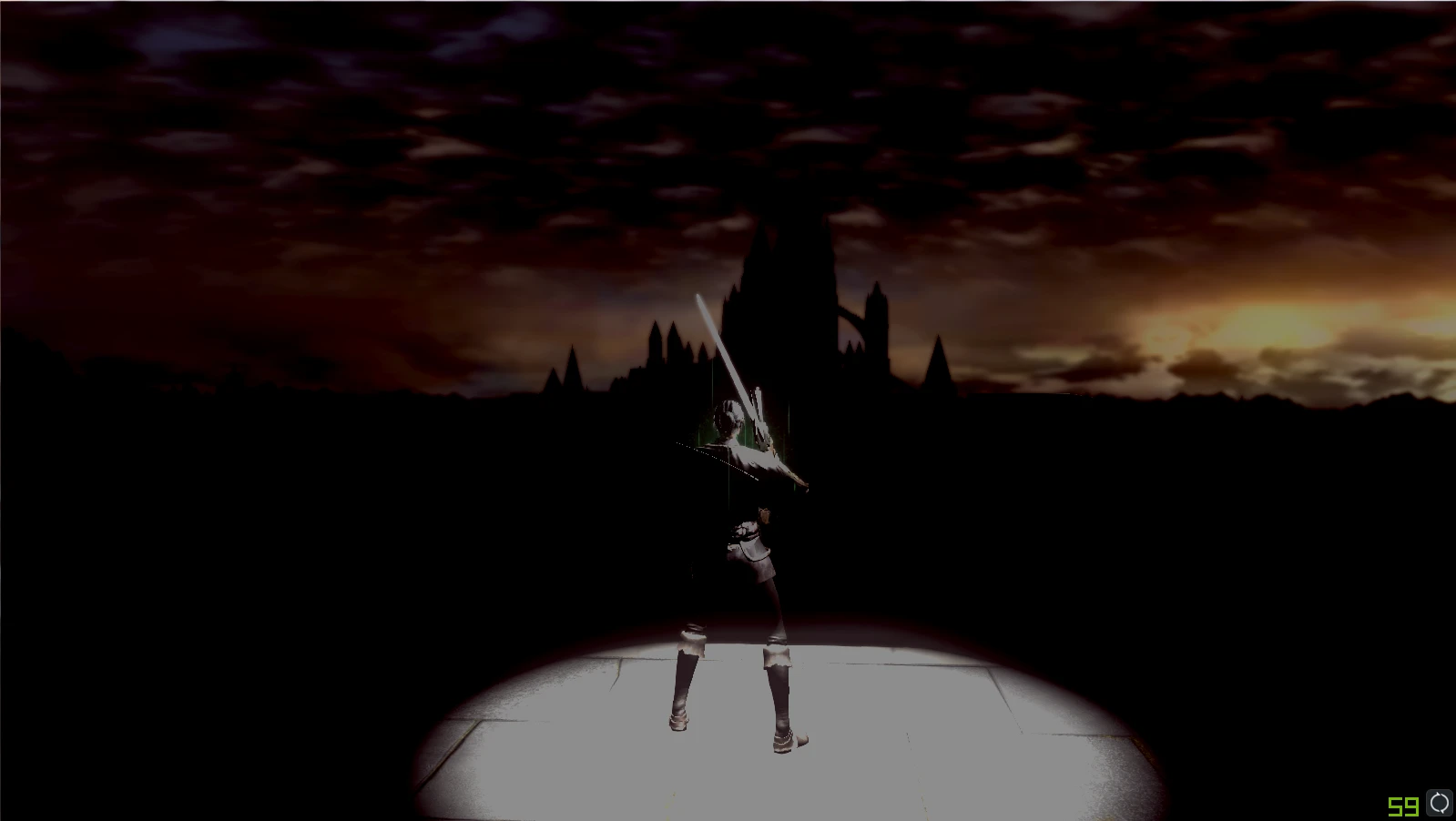
"But the flames will fade and only dark will remain".The mod reproduces Tomb of Giants experience at every area and every boss in the game. You'll be able to see only a small area around your character and obscure hints of surroundings.
Pure Darkness Mod
What this mod does
The mod provides The Tomb of the Giants experience at every area and every boss in the game. You will be able to see only a small area around your character and very obscure hints of nearby environment. The light (or rather darkness) changes from area to area. I tried to make each boss and area as different as possible, while keeping increase of the difficulty on the similar level. I.e. early bosses are relatively easy, end game bosses are harder and DLC is the hardest.
Installation instructions
Installation and usage is the same as with Prepare to die Again mod:
A) If you have a standard working version of PtDE from Steam (it can be with DSFix).
-
[]Download my files and unpack them.
[
]Download Drag and Drop mod Manager (DSDAD).[]Open DSDAD.
[]Drag and drop content of ForDSDAD folder into DSDAD.
[]Launch Dark Souls via DSDAD by pressing button at the bottom.
[]Set up brightness (see below).
B) Alternatively you can unpack your Dark Souls files for modding (which will take additional 7GB of space, but will let you to run the game directly from Steam):
-
[]Unpack DS files using UnpackDSForModding mod.
[
]Download my files and unpack them.[]In your Dark Souls folder navigate to: DATA folder and make a backup of the folders mentioned below.
[]Override the files in the DATA\param\GameParam, DATA\param\DrawParam and DATA\event folders by my files from ForDSDAD.
[]Launch Dark Souls via Steam.
[]Setup brightness (see below).
Brightness settings
I find that the default brightness calibration (with the flame and dragon) leads to unpleasant pictures with very high contrast, there by I usually use higher brightness.
To make sure your brightness is high enough to see what you are supposed to see do the following:
-
[]Create a character
[
]Pick the key and open the door, make a step back and put yourself right next to the first step of the staircase.[]Find two torches in the door way and make sure you can see them comfortably enough. The light should be dim, but distinct.
[]Use this screenshot as a reference.
[]If you are failing to find flames or found them but feel like you need to make an effort or you lose one of them - go to the menu and increase brightness (if you don't, some areas can become significantly harder)
[]If you feel like the flames are too bright - decrease the brightness (or just leave it as it is if you want to make playthrough a bit easier)
This is not a precise test, but should be good enough for its p
-
[]Create a character
-
[]Unpack DS files using UnpackDSForModding mod.
📊 Mod Details
- Game
- Darksouls Mods
- Author
- notaprofi
- Version
- v1.0
- Downloads
- 431
- Endorsements
- 18
- Category
- Gameplay Changes
- Created
- 5/30/2018
- Updated
- 6/10/2018
🔧 How to Install Dark Souls Mods
Download from Nexus Mods.
📖 Full step-by-step install guide for Dark Souls →
Visit the official mod page for specific installation instructions for this mod.
🎮 Need cheat codes or console commands? Check ur gaming wiki for Dark Souls commands, item IDs, and more.
Keep browsing — more Dark Souls mods await