QuickStep Dash
⚪ Last updated 2019⚠️ Install Order · 1 step
Install in this order, then this mod last — most mods fail to load without their framework and dependencies in place.
Preview
🔍 Analysis
- 👍 4.6% endorsement rate — high engagement, a strong quality signal
- 🏆 #71 of 255 Gameplay Changes mods in this game by downloads
📋 About This Mod
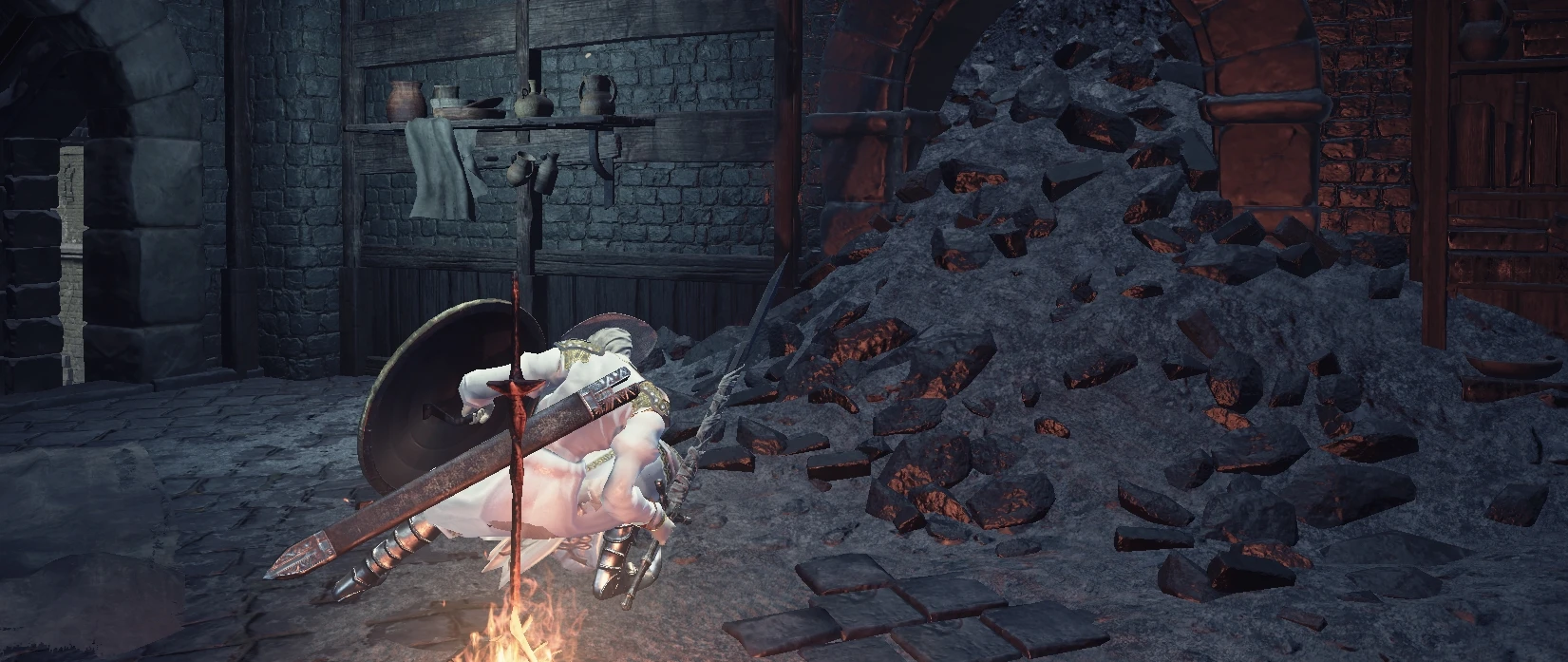
Ok, the closest thing we can have now to a proper dash is this quickstep animation replacement , Thanks to Modder Kirnifr that made this possible, now you can Quick Step instead of fast roll (below 30% Equip Weight)
Its Done with Cinders in mind, so its compatible with Cinders so far (1. 58-1. 59) , if you haven't play it yet, I recommend you to do it :)
Kirnifr for the replacement :)
Vawser for cinders :)
Feedback and suggestions are welcome.
Installation
For Steam users, I recommend using the Mod Engine method to install the mod. For those with other versions, you'll need to use the UXM
method to install the mod.
Mod Engine Method
1. Download Mod Engine.
2. Copy dinput8.dll and modengine.ini to your \DARK SOULSIII\Game\ directory.
2. Open the FastRoll-QuickStep.zip file and extract the folder from the zip file into your Dark Souls III installation directory (i.e.
E:\Program Files (x86)\SteamLibrary\steamapps\common\DARK SOULS III\Game).
4. Copy the modengine.ini in the mod/cinders folder and replace the modengine.ini in the installation directory.
1. Download UXM.
2. Unpack your Dark Souls III installation with UXM.
3. Patch your Dark Souls III executable with UXM.
4. Open the FastRoll-QuickStep file and extract the folder into \DARK SOULS III\Game\.
5. Overwrite if prompted
Mod Engine Method
1. Open the FastRoll-QuickStep ZIP file you downloaded.
2. Accept any prompts that warn you that files are being replaced.
1. Open the DarkSoulsWeapons. ZIP file you downloaded.
2. unrar all content in the Game folder .
3. Accept any prompts that warn you that files are being replaced.
Uninstallation
Mod Engine Method
1. Delete the Files from FastRoll-QuickStep zip in your\DARK SOULS III\Game\chr directory.
1. Open UXM and click the Restore button to revert the unpacking process.
QuickStep Dash replaces the Fast Roll animation in Dark Souls 3 with the QuickStep animation, offering a visual change for players who roll frequently. With 156 endorsements and 3,408 downloads, it's a niche cosmetic mod that has seen moderate adoption since its 2019 update.
✨ Key Features
📊 Pros & Cons
✅ Pros
- Simple, focused change that does exactly what it says
- Community-tested with 156 endorsements and 3,408 downloads
- Lightweight mod that won't bloat your game
⚠️ Cons
- Only affects the Fast Roll animation—other rolls remain unchanged
- Last updated in 2019, so compatibility with the latest game patches is unverified
For Dark Souls 3 players who want a fresh look for their roll animation without overhauling the whole game. If you're tired of the default roll and like the QuickStep style, this is a quick swap. Skip if you're looking for gameplay changes—this is purely cosmetic.
💡 Beginner Tips
- Make sure to back up your original animation files before replacing them, so you can revert if needed.
- If you use a mod manager, check if it supports animation mods for Dark Souls 3 to avoid manual file conflicts.
- Since the mod is from 2019, test it after any game updates to ensure it still works.
📊 Mod Details
- Game
- Dark Souls 3 Mods
- Author
- TheMiracle
- Version
- .1
- Downloads
- 3,408
- Endorsements
- 156
- Category
- Gameplay Changes
- Created
- 11/1/2019
- Updated
- 11/14/2019
🔧 How to Install Dark Souls 3 Mods
Download from Nexus.
📖 Full step-by-step install guide for Dark Souls 3 →
Visit the official mod page for specific installation instructions for this mod.
🎮 Need cheat codes or console commands? Check ur gaming wiki for Dark Souls 3 commands, item IDs, and more.
Keep browsing — more Dark Souls 3 mods await