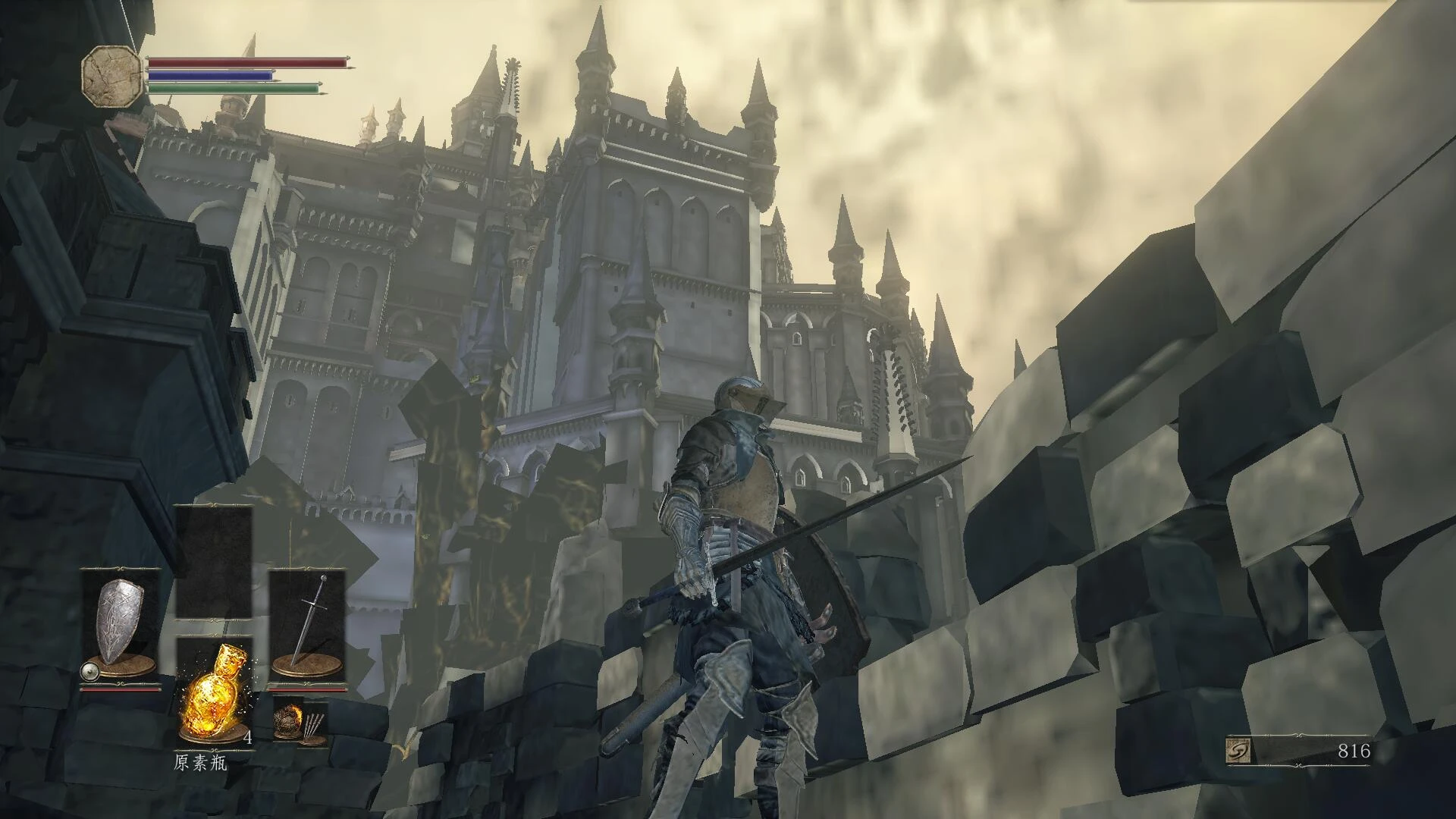
Dark souls 3 low end spec textures for performance optimize
⚪ Last updated 2020⚠️ Install Order · 1 step
Install in this order, then this mod last — most mods fail to load without their framework and dependencies in place.
Preview
🔍 Analysis
- 👍 2.4% endorsement rate — high engagement, a strong quality signal
- 🏆 #4 of 153 Models and Textures mods in this game by downloads
📋 About This Mod
First of all, back up you game files in any way you like
i recommend to use this tool: https://www.nexusmods.com/darksouls3/mods/28 ,its easier to use, and iGP11 can make the texture even more "potato" , after select the correct exe file path,game name, click "connect" button, then go to "texture"--"detail level", and also dont forget to deselect the 3 "effect"--"HDR", "Luma sharpening", "Bokeh depth of field", i think there also will be youtube videos or something else to show you how to use iGP11
and also this : https://github.com/Codeusa/Borderless-Gaming/releases/tag/9. 5. 6 , if your PC is 16:9 like 1920x1080 ,use 4:3 resolution like 800x600 with fullscreen mode, there will be "black boders", Borderless-Gaming can fix this
=== What does this mod do? ===
I compressed the "textures" of this game, so that you can run this game on a potato
the textures i compressed are all from "map" folder and "parts" folder, these two folders contain game files like textures for armors, weapons, skins of creatures and maps ( like grasses, Walls and floors ) , so you dont need to warry if you "HUD" will be compressed
the textures in the "part" folder ( the textures of your weapons, armors, skins of creatures ) and with a height greater than 256 are all compressed to 256 (like 256256, 1024256, XXX*256)
the textures in the "map" folder ( the textures of grasses, Walls and floors ) compressed to 64
i didnt compressed "models", "animations" or something else that are more complicated than "textures" because i dont know how to do it
=== How to inatall? ===
first you need this tool: UXM https://www.nexusmods.com/sekiro/mods/26
! ! ! and dont forget to back up you game files in any way you like ! ! !
1. download and unpack/unzip mod files
2. use UXM to unpack Data files of the game
3. copy mod files into game folder and overwrite all same name files
4. use UXM to patch the .exe file
=== Bugs / compatible ===
I dont know if there will be bugs cause Im just a "beginner" of making mods, and if there is, I also dont know how to fix it
incompatible with any mods changes the same game files, so install this mod before you install other mods
=== Other things ===
Sekiro version: https://www.nexusmods.com/sekiro/mods/574/
=== Credits and Thanks ===
feel free to use this mod do anything legal
Thanks to the game production company
Thanks to this amazing tool https://www.nexusmods.com/sekiro/mods/26
And thanks to this "ModTutorial"
https://github.com/asasasasasbc/SekiroModTutorial
A texture optimization mod for Dark Souls 3, designed for low-end PCs. It replaces textures to improve performance, with 826 endorsements and 34,442 downloads. Last updated in April 2020, it may be outdated for current game versions. The author recommends using iGP11 for better results.
✨ Key Features
📊 Pros & Cons
✅ Pros
- Community-trusted with 826 endorsements and 34k downloads.
- Directly targets potato PCs—exactly what it says on the tin.
- Author points to iGP11 as a complementary tool for even better results.
⚠️ Cons
- Last updated in April 2020—may be incompatible with current game patches.
- Texture swaps can cause visual downgrades; not for those who care about graphics fidelity.
For Dark Souls 3 players on low-end PCs who struggle with frame rates and want a quick texture downgrade to boost performance. Skip if you have a decent rig or care about visual quality—this is purely a performance mod.
💡 Beginner Tips
- Check the 'Detailed description' tab before installing—the author warns it's essential.
- Consider using iGP11 (linked in the description) for additional performance tweaks.
- Back up your original textures if you want to revert, since this mod replaces game files.
📊 Mod Details
- Game
- Dark Souls 3 Mods
- Author
- 338866949
- Version
- 1.0
- Downloads
- 34,442
- Endorsements
- 826
- Category
- Models and Textures
- Created
- 4/22/2020
- Updated
- 4/22/2020
🔧 How to Install Dark Souls 3 Mods
Download from Nexus.
📖 Full step-by-step install guide for Dark Souls 3 →
Visit the official mod page for specific installation instructions for this mod.
🎮 Need cheat codes or console commands? Check ur gaming wiki for Dark Souls 3 commands, item IDs, and more.
Keep browsing — more Dark Souls 3 mods await