Dark Souls 2 Weapons
⚪ Last updated 2019⚠️ Install Order · 1 step
Install in this order, then this mod last — most mods fail to load without their framework and dependencies in place.
Preview
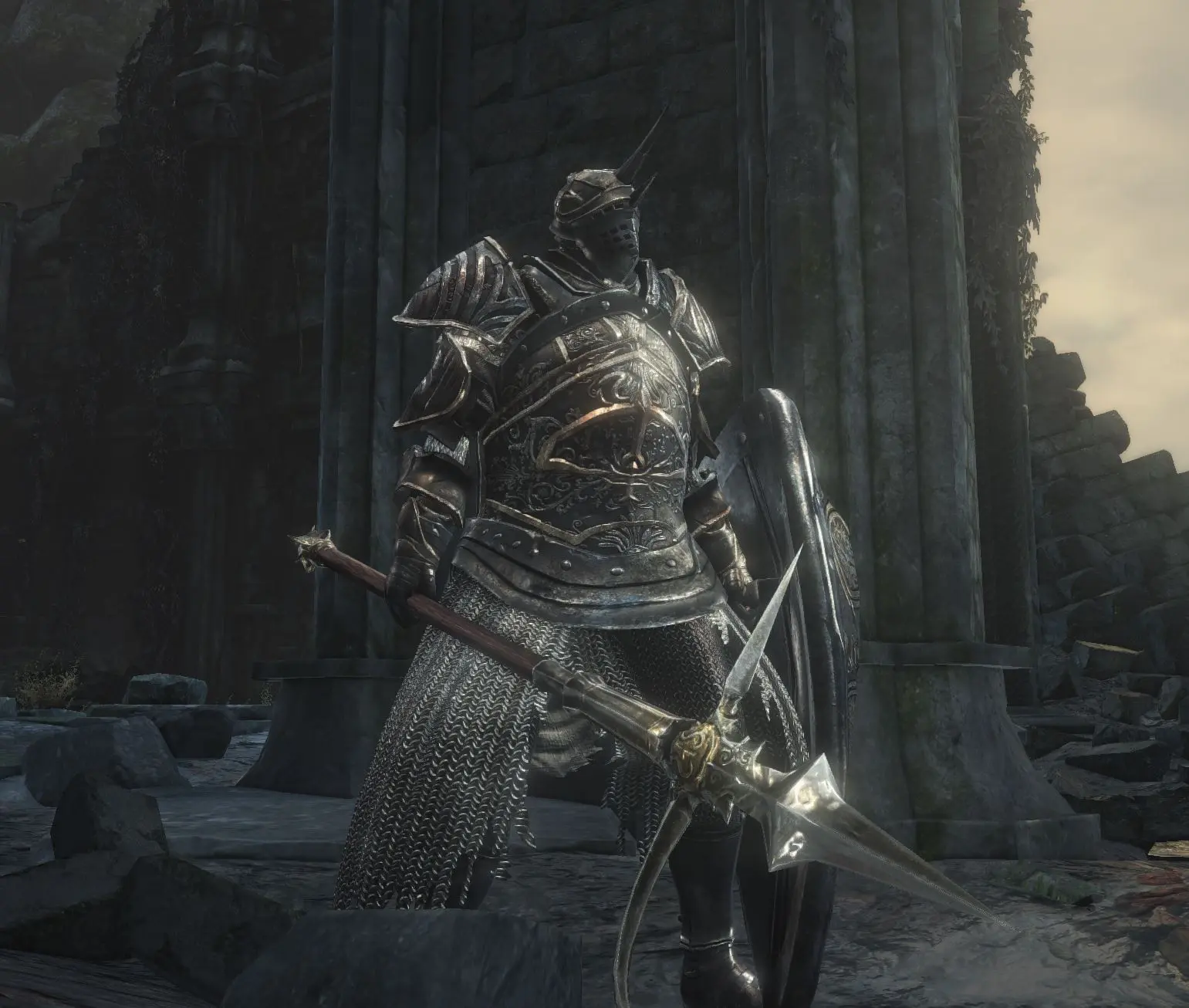
🔍 Analysis
- 👍 5.7% endorsement rate — high engagement, a strong quality signal
- 🏆 #21 of 154 Weapons mods in this game by downloads
📋 About This Mod
Dark Souls 2 weapons..... so here they, you can change to your heart`s desire all the models u dont like in the game (check this list if u want some specific one changed) now, or wait till Pappa Appa finishes the 6th expansion to BloodSouls Mod or Vawser updates Cinders Mod :)
If you want some weapon I forgot to add just leave a comment and i will try to update.
Included in the file is the name of the weapon and which one it will replace so you can decide for your own
, and i linked HERE the complete list for you to choose from :), so for installation you will have to unrar all of this, and then choose which one you want or unrar
again all weapons in the ``Parts`` folder.-
If you want to play other mods with the new models, justunrar the content you want to replace in the ``parts`` folder , this swap
method is your best chance to experience both your new mod like cinders or BloodSouls or any other and new models./
Online is ok as long as you do the swap , it will not be visible online though, unless the other has the same swap mod installed :)
ForsakenSilver
Feedback and suggestions are welcome.
Installation
For Steam users, I recommend using the Mod Engine method toinstall the mod. For those with other versions, you'll need to use the UXM
method to install the mod.
Mod Engine Method
1. Download Mod Engine.
2. Copy dinput8.dll and modengine.ini to your \DARK SOULSIII\Game\ directory.
2. Open the DarkSoulsWeapons.zip file and extract the folder from the zip file into your Dark Souls III installation directory (i.e.
E:\Program Files (x86)\SteamLibrary\steamapps\common\DARK SOULS III\Game).
4. Copy the modengine.ini in the Cinders folder and replacethe modengine.ini in the installation directory.
5. You can now launch the game and Cinders will be enabled.
1. Download UXM.
2. Unpack your Dark Souls III installation with UXM.
3. Patch your Dark Souls III executable with UXM.
4. Open the DarkSoulsWeapons zip file and extract thefolders into \DARK SOULS III\Game\.
Mod Engine Method
1. Open the DarkSoulsWeapons ZIP file you downloaded.
2. Extract the DarkSoulsWeapons folder from the zip fileinto a temporal directory and choose which swaps you want, if you want all
models, just unrar all content again in the parts folder .
3. Accept any prompts that warn you that files are beingreplaced.
1. Open the DarkSoulsWeapons. ZIP file you downloaded.
2. Extract the DarkSoulsWeapons folder from the zip fileinto a temporal directory and choose which swaps you want,
Adds a first batch of Dark Souls 2 weapons to the game, catering to fans of the series. With 104 endorsements and 1,824 downloads, it's a niche cosmetic/weapon mod that has seen moderate community support. Last updated in 2019, so compatibility with current game versions may be uncertain.
✨ Key Features
📊 Pros & Cons
✅ Pros
- Community-backed with 104 endorsements and over 1.8k downloads.
- Brings iconic Dark Souls 2 weaponry to your game.
- Simple concept—if you love Dark Souls, this is a no-brainer.
⚠️ Cons
- Last updated in 2019—might not work with the latest game patches.
- Only a 'first batch'—don't expect the full Dark Souls 2 arsenal.
For Dark Souls fans who want to wield familiar weapons in their current game. If you're a completionist looking for new gear, this adds some variety. Skip if you want a comprehensive weapon pack or need up-to-date compatibility.
💡 Beginner Tips
- Check the mod's file structure and place files in the correct game directory.
- If the game has been updated since 2019, test the mod in a save you don't mind losing.
- Look for community patches or compatibility notes in the posts section.
📊 Mod Details
- Game
- Dark Souls 3 Mods
- Author
- MaxTheMiracle
- Version
- 0.1
- Downloads
- 1,824
- Endorsements
- 104
- Category
- Weapons
- Created
- 10/12/2019
- Updated
- 10/12/2019
🔧 How to Install Dark Souls 3 Mods
Download from Nexus.
📖 Full step-by-step install guide for Dark Souls 3 →
Visit the official mod page for specific installation instructions for this mod.
🎮 Need cheat codes or console commands? Check ur gaming wiki for Dark Souls 3 commands, item IDs, and more.
Keep browsing — more Dark Souls 3 mods await