SOTFS Clean UI
⚪ Last updated 2016Preview
🔍 Analysis
- 👍 4.2% endorsement rate — high engagement, a strong quality signal
- 🏆 #10 of 172 User Interface mods in this game by downloads
📋 About This Mod
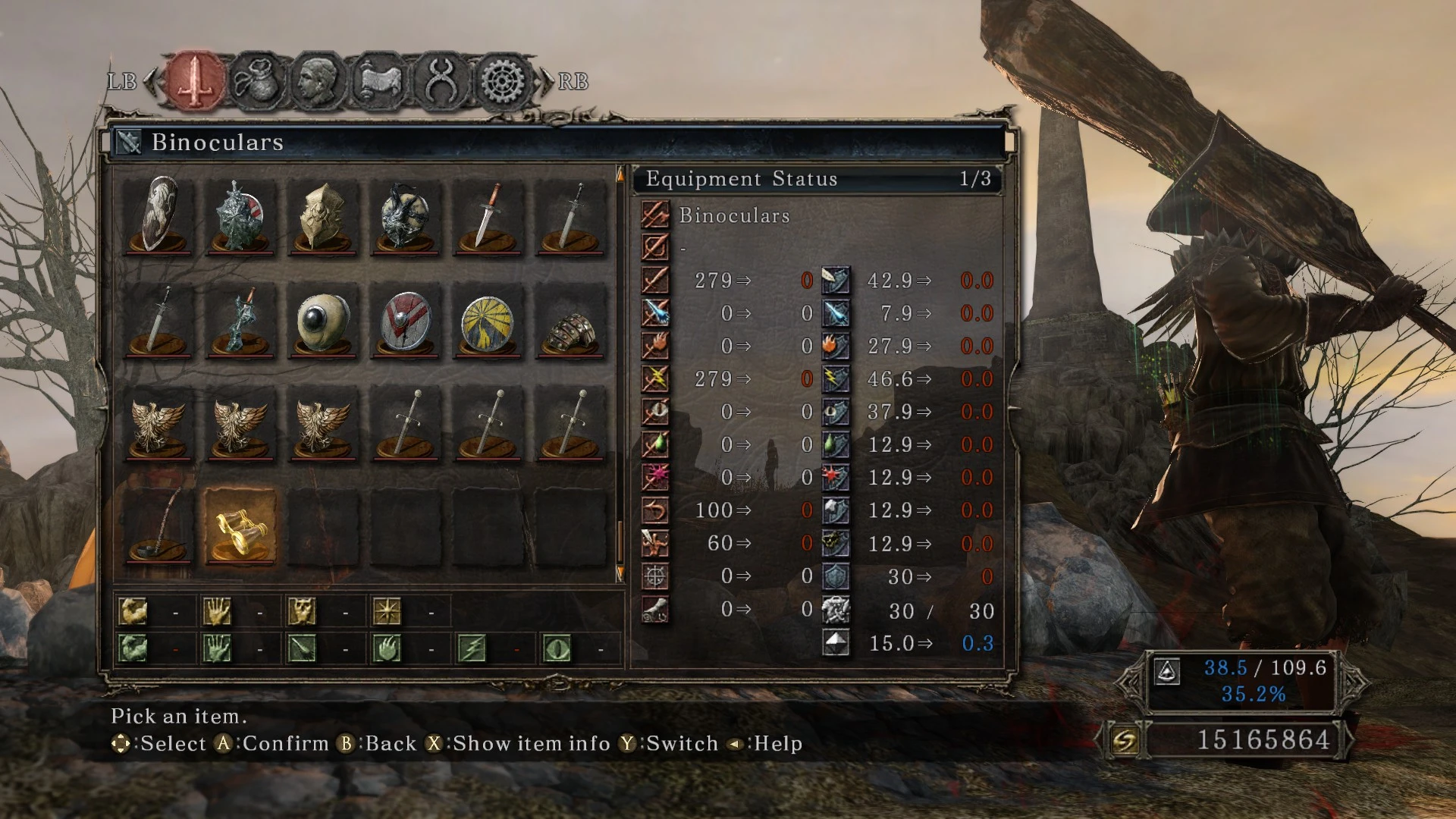
Transparent for all kinds of menus and displayed messages.
As bottle said: This mod makes most menu screens and popups in the game (semi-)transparent. I tried to change as little as possible, basically this mod removes the leather-/book-page-backgrounds from most screens and prompts.INSTALLATION: 1. Download iGP 11 and make sure you have acomplished to add this mod first. 2. Here's a quick tutorial, it's for DS3 but it's almost the same. 3. Download this file. 4. Put the content inside of your C:\Program Files (x86)\BANDAI NAMCO Entertainment\DARK SOULS II - Scholar of the First Sin\Game\tex_override folder or either folder you chose at iGP11.
DONE!! Remember this is just for SOTFS!!
📊 Mod Details
- Game
- Dark Souls 2 Mods
- Author
- SSJetstream
- Version
- CleanUI
- Downloads
- 10,057
- Endorsements
- 420
- Category
- User Interface
- Created
- 11/7/2016
- Updated
- 11/7/2016
🔧 How to Install Darksouls 2 Mods
Download from Nexus Mods.
📖 Full step-by-step install guide for Darksouls 2 →
Visit the official mod page for specific installation instructions for this mod.
🎮 Need cheat codes or console commands? Check ur gaming wiki for Darksouls 2 commands, item IDs, and more.
Keep browsing — more Darksouls 2 mods await