Royal Elite Knight Set
⚪ Last updated 2014This mod may not work until the author updates it. Check for an update, or see the rollback guide.
Preview
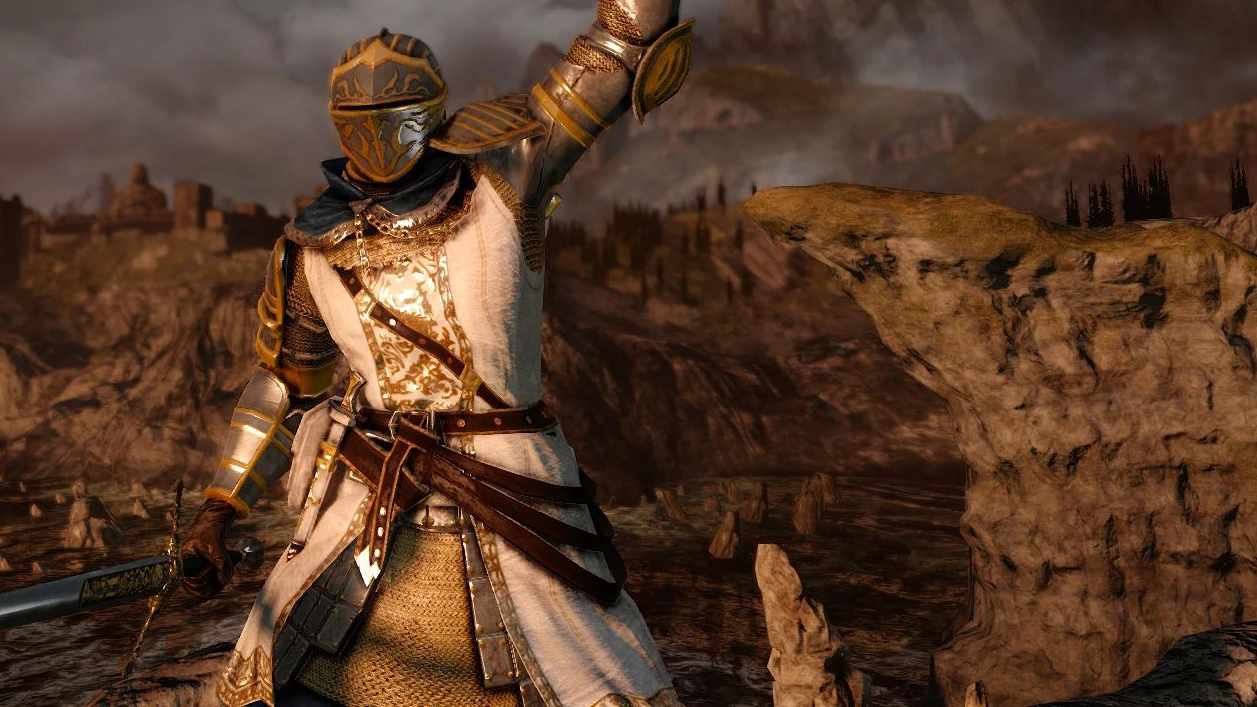
🔍 Analysis
- 👍 3.4% endorsement rate — high engagement, a strong quality signal
- 🏆 #1 of 208 Armour mods in this game by downloads
📋 About This Mod
This mod has multiple retexes of the Elite Knight Set... Many options are now available... More to come soon.
I got a request to re-make the Fancier Elite Knight Armor for DS1 and this is what i came up with.
Version Differences: Royal Elite Knight Set = Embroidered Versions Elite Knight Set = Solid Color Versions Elite Knight Set - Black on Black = Black Armor Versions.
Color Sets: Royal Elite Knight Set = Black and gold embroidered tunic with cleaned up armor. Royal Elite Knight Set - Gold = Black and gold embroidered tunic with cleaned up armor and gold armor highlights throughout. Royal Elite Knight Set - Original Style = Blue and gold embroidered tunic with cleaned up armor, brown neck wrap. Elite Knight Set - Black on Black (AKA Elite Night Set) = Black, badass and there's nothing else to say. Elite Knight Set - Original Blue = The closet version to "vanilla". It has cleaned up armor, clean blue tunic. Just like the original but newer. Elite Knight Set - White = Same as the original style but with a solid white tunic. Elite Knight Set - Black = Same as the original style but with a solid black tunic. Elite Knight Set - Red = Cleaned up armor, gold chainmail, dark red neck wrap, red tunic, dark red pants, metal right gauntlet, and gold armor highlights throughout. Elite Knight Set - Black and Gold = Matte black armor with gold armor highlights and gold chainmail. Elite Knight Set - Paladin = Decorated Helmet, fancy dark blue neck wrap, white tunic with shiny gold trim and dark blue pants.
More color options may be available soon...
P. S. Oh and btw, the name of this mod will change as more options are available but for now it is what it is....
Requirements:
GeDoSaToHow to install:
Put the textures in your GeDoSaTo override folder. Ex. GeDoSaTo/textures/DarkSoulsII/override/ *all textures you want to install
How to enable texture overide:
Open your GeDoSaTo.ini and change your settings to the ones below.
# Texture settings
# Dump game textures loaded using d3dx to texturesdump.tga # if you enable override at the same time, the overridden texture will be dumped enableTextureDumping false
# Override game text
📊 Mod Details
- Game
- Dark Souls 2 Mods
- Author
- EvilDeadAsh34
- Version
- 1.8
- Downloads
- 18,834
- Endorsements
- 641
- Category
- Armour
- Created
- 7/8/2014
- Updated
- 10/21/2014
🔧 How to Install Darksouls 2 Mods
Download from Nexus Mods.
📖 Full step-by-step install guide for Darksouls 2 →
Visit the official mod page for specific installation instructions for this mod.
🎮 Need cheat codes or console commands? Check ur gaming wiki for Darksouls 2 commands, item IDs, and more.
Keep browsing — more Darksouls 2 mods await