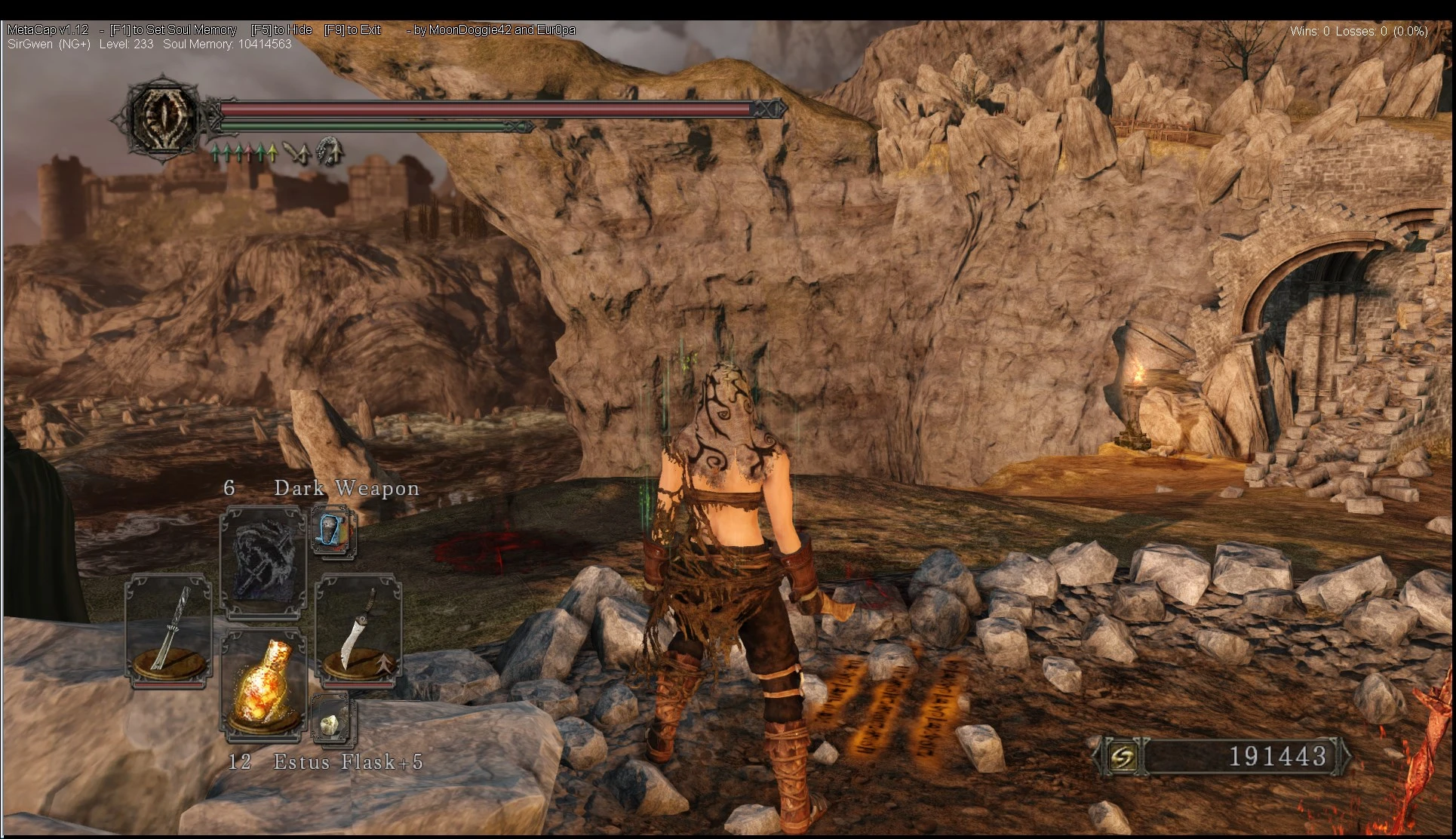
MetaCap v1.16 - Patch 1.10 SotFS
⚪ Last updated 2015Preview
🔍 Analysis
- 👍 2.3% endorsement rate — high engagement, a strong quality signal
- 🏆 #20 of 169 Gameplay Changes mods in this game by downloads
📋 About This Mod
Introduction: http://www.twitch.tv/moondoggie42/c/4705706 MetaCap reveals cheaters in Dark Souls 2 by showing you invader's levels. MetaCap has functionality that effectively caps your soul memory at a SM appropriate for your Soul Level,
KNOWN ISSUES: - MetaCap doesn't think "Dark Souls 2" isn't running when it is. Solution: Run MetaCap as Administrator. - Crash when Alt+Tabbing when using Fullscreen mode, specifically with Windows8, I'll look into this as soon as I upgrade to win8 next week.
v1. 121 Edit: - Fixed an issue with showing invasion levels
http://www.twitch.tv/moondoggie42/c/4705706
MetaCap is a tool for Dark Souls 2 that effectively caps your soul memory at a SM appropriate for your Soul Level.
MetaCap helps reveal cheaters in Dark Souls 2 by showing you the level of invader's/hosts.
MetaCap can detect hp cheating / SM cheating by players in DS2.
MetaCap is designed to essentially balance the playing field for players that want to limit themselves to create interesting and diverse builds.
MetaCap is restricted to characters of levels 100 to 175 and only available for characters within that range.
Reported Issues: Problem: Game Crashes when alt-tabbing (Windows 8 users usually) Solution: Play in windowed mode and if you want it to be fullscreen-windowed download ShiftWindow (http://grismar.net/shiftwindow/), run ShiftWindow and where it says "Window Title" press "Grab" select "DARK SOULS II" and at the top right press "Trigger it", then enjoy your fullscreen windowed experience.
Benefits: - Improved Matchmaking via co-op - as long as you and a friend are near each other's levels, you can always co-op together.
Q: How do I use MetaCap? A: Run "DarkSouls2_MetaCap.exe" with Dark Souls 2 running and everything should be taken care of.
Q: How does MetaCap work? A: Strictly speaking it's an injected DLL that monitors pointers in the game's process (DarkSoulsII.exe) that point to your current character's soul level/soul memory. With this no game's files are changed at all ever.
Q: Something happened to my character! Can I get my original character back from before when I used MetaCap? A: MetaCap backs up your character on first run, you will find your original character saved in your saved game directory with the suffix ". MetaCap". That character file will be as if you never ran MetaCap at all.
Q: If I use MetaCap with one character does it affect all of my other characters? A: No, only the one you had loaded when you ran MetaCap.
Q: When a new patch is released will MetaCap work? A: MetaCap detects the Dark Souls 2 version automatically and if a different version is detected it will not run to avoid problems that could be encountered with your character.
Q: When I quit MetaCap what
📊 Mod Details
- Game
- Dark Souls 2 Mods
- Author
- MoonDoggie42
- Version
- 1.16
- Downloads
- 10,257
- Endorsements
- 233
- Category
- Gameplay Changes
- Created
- 6/28/2014
- Updated
- 2/6/2015
🔧 How to Install Darksouls 2 Mods
Download from Nexus Mods.
📖 Full step-by-step install guide for Darksouls 2 →
Visit the official mod page for specific installation instructions for this mod.
🎮 Need cheat codes or console commands? Check ur gaming wiki for Darksouls 2 commands, item IDs, and more.
Keep browsing — more Darksouls 2 mods await