DS2MouseLagFix
⚪ Last updated 2014Preview
🔍 Analysis
- 👍 3.4% endorsement rate — high engagement, a strong quality signal
- 🏆 #5 of 61 Miscellaneous mods in this game by downloads
📋 About This Mod
DS2MouseLagFix is a mod that fixes various problems with the Mouse Inputs in Dark Souls II.
Dark Souls II - Mouse Lag Fix
by _DTG_
- -----------------------------------------------------------
- DS2MouseLagFix version 1. 1 (2014/05/31):
- -----------------------------------------------------------
- - Added Mouse XButton-1, XButton-2 support.
- - Now the mod Toggle ON/OFF key can be changed via the DS2MouseLagFix.ini file.
- - VAC notification message on the mod startup now can be disabled in the DS2MouseLagFix.ini file.
VAC (Valve Anti-cheat) Warning! There is no guarantee that DS2MouseLagFix is VAC (Valve Anti-Cheat) safe. I cannot assure you that you will not get VAC ban for using this mod, so use it at your own risk. I can only say that DS2MouseLagFix does not touch (modify) any piece of original code in the game. It just intercepts Mouse Inputs using a technique known as Window Subclassing. But, I'm afraid, that VAC is not smart enough to distinguish a cheating program from non-cheating one, and VAC might consider DS2MouseLagFix as a cheating tool by mistake.
- -------------------------------------------------
- What is DS2MouseLagFix?
- -------------------------------------------------
- As its name says it is a tool made for fixing Dark Souls II mouse problems:
- - When you click Mouse buttons your commands start with 0. 5 sec delay.
- - When you hold CTRL, SHIFT, ALT keys and click Mouse buttons you get unwanted commands.
- - When you want to do quick Single clicks they become Double clicks and produce unwanted actions.
- -------------------------------------------------
- How does DS2MouseLagFix work?
- -------------------------------------------------
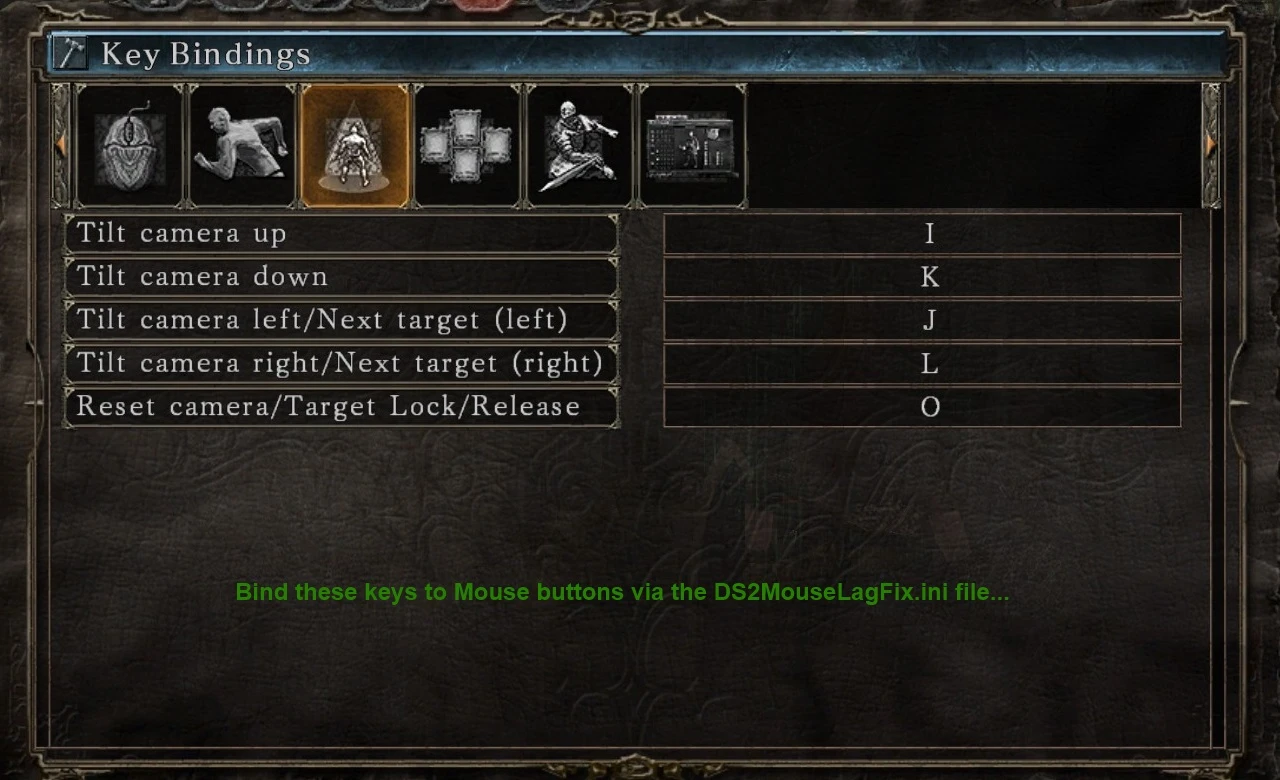
- It intercepts Mouse Inputs (Left, Right, Middle, XButton-1, XButton-2) mouse buttons clicks, double clicks, also mouse wheel up, wheel down events and maps them to the keyboard (simulates Keyboard key press) according to the DS2MouseLagFix.ini (configuration) file.
For example, I want to bind my Left Mouse click to Strong Right Hand attack. I can do this by following these steps:
- []In the game, go to the Key Bindings configuration screen. Find the Strong Attack (Right Hand) key binding. []Open the DS2MouseLagFix.ini file with Notepad and bind the same key to 'MouseLButton=' field.
- If DS2MouseLagFix is already loaded into the game, then you need to restart your game in order the 'DS2MouseLagFix.ini' changes take effect.
Also please note that there won't be sepa
📊 Mod Details
- Game
- Dark Souls 2 Mods
- Author
- _DTG_
- Version
- 1.1
- Downloads
- 12,103
- Endorsements
- 412
- Category
- Miscellaneous
- Created
- 5/21/2014
- Updated
- 5/31/2014
🔧 How to Install Darksouls 2 Mods
Download from Nexus Mods.
📖 Full step-by-step install guide for Darksouls 2 →
Visit the official mod page for specific installation instructions for this mod.
🎮 Need cheat codes or console commands? Check ur gaming wiki for Darksouls 2 commands, item IDs, and more.
Keep browsing — more Darksouls 2 mods await